What is a CD Duplicator and Printer?
Published: 15 Sep 2026
For studios, schools, recording labels and corporate offices that need bulk custom discs, a CD duplicator and printer is an all-in-one peripheral that combines disc burning and surface marking.
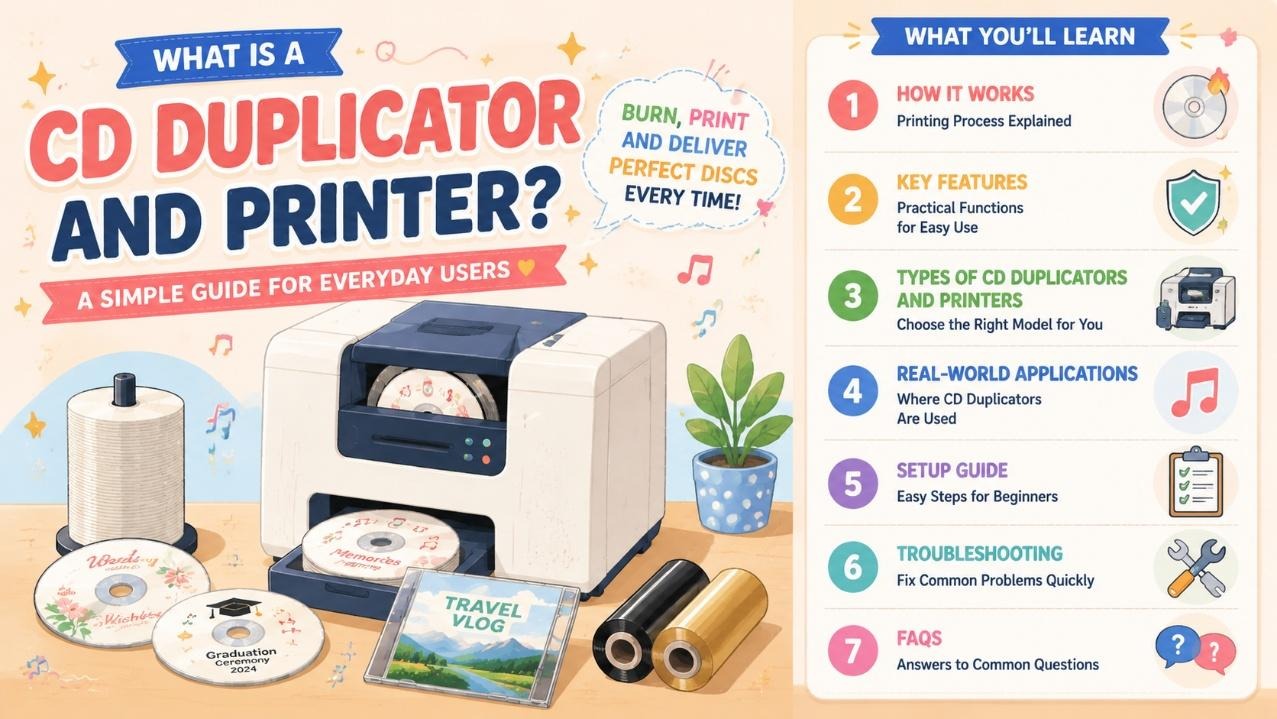
Traditional separate CD burners and standalone disc printers force users to manually move every disc between two devices, wasting massive time on large batches. Most basic desktop burners also lack stable long-lasting print results for finished disc artwork, logos and text.
Quality cd duplicators and printers automate the full workflow: loading blank media, burning digital data, printing custom disc faces, and outputting finished discs without constant staff supervision.
The best cd duplicator and printer models support CD, DVD and Blu-ray formats with fast thermal transfer printing, ideal for event media, training discs, music releases and archival storage.
This complete guide breaks down its working process, user-focused core functions, main equipment types, real-world use cases, simple startup steps and common fault fixes, plus a dedicated FAQ section.
How Does a CD Duplicator and Printer Work?
Integrated disc machines combine two core functional modules: an optical burning drive and built-in thermal transfer disc printer, connected by an automatic disc transfer system.
Automated Duplication + Thermal Printing Workflow
The machine’s auto feeder holds up to 100 blank discs in the input tray. It picks one disc at a time and sends it to the built-in optical drive, which writes videos, audio files or data at supported speeds (24X for CD-R, 8X for standard DVD). After burning completes, an internal conveyor moves the disc straight to the thermal print head for surface marking.
Thermal transfer technology prints scratch-resistant text, logos, QR codes and graphics in only 5 seconds per disc. Unlike inkjet disc printers, this method never suffers clogged print heads during long unattended runs, a huge plus for users running overnight batch jobs.
Finished discs drop into a dedicated output tray that stores around 55 units before manual emptying is needed. The whole system connects via USB 3.0 and runs on mainstream Windows and Linux operating systems.
Separate Dual-Station Basic Variant
Entry-level cd duplicators and printers split burn and print zones without automatic disc transport. Users must manually swap each disc from the burner to the print area, which works only for tiny daily output and slows down mass duplication tasks heavily.
Features of CD Duplicator and Printer
Every practical integrated disc machine prioritizes reducing manual labor and lowering long-term operation trouble:
- All-in-one unattended batch processing: 100-disc input capacity removes frequent media refills during large orders.
- Multi-format optical drive: Compatible with CD, DVD and Blu-ray recording for all common disc storage needs.
- Fast thermal transfer printing: 5 seconds per disc with smudge-proof, scratch-resistant black monochrome output.
- Clog-free print head design: No ink cartridges to dry out, stable for multi-day non-stop duplication tasks.
- USB 3.0 high-speed connection: Fast data transfer between computer and duplication hardware.
- Free dedicated control software: Supports custom disc templates, multi-language text, QR code and logo editing.
- SDK integration support: Allows developers to link the machine to office management and media production platforms.
- Compact all-in-one cabinet: Single-unit design saves desk space compared to separate burner and printer setups.
Main Types of CD Duplicators and Printers
Buyers can pick suitable equipment based on daily disc output volume:
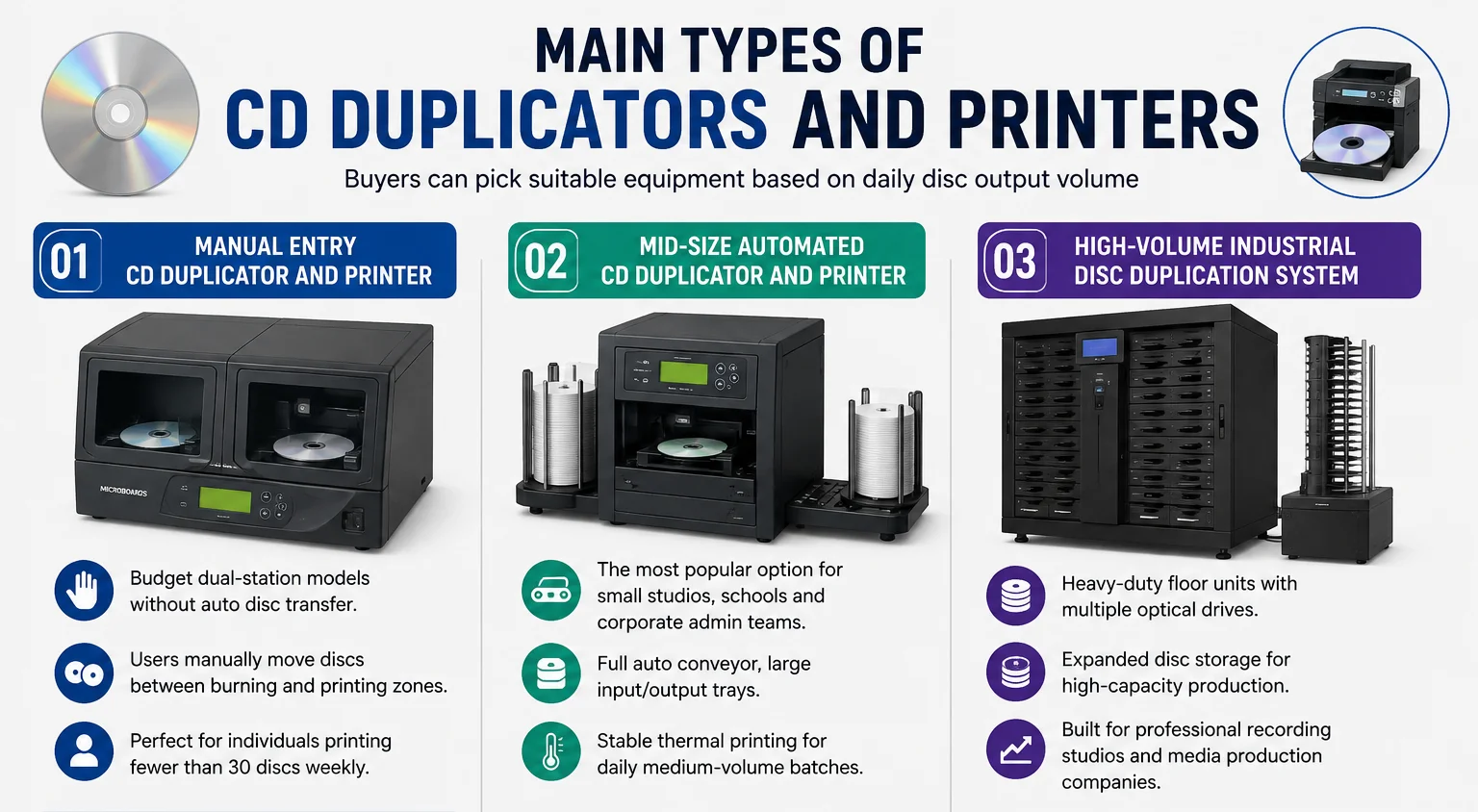
1. Manual Entry CD Duplicator and Printer
Budget dual-station models without auto disc transfer. Users manually move discs between burning and printing zones, perfect for individuals printing fewer than 30 discs weekly.
2. Mid-Size Automated CD Duplicator and Printer
The most popular best cd duplicator and printer option for small studios, schools and corporate admin teams. Full auto conveyor, large input/output trays and stable thermal printing for daily medium-volume batch jobs.
3. High-Volume Industrial Disc Duplication System
Heavy-duty floor units with multiple optical drives and expanded disc storage, built for professional recording studios and media production companies producing hundreds of discs daily.
Real-World Industry Uses for CD Duplicator and Printer
An integrated disc machine streamlines media duplication workflows across dozens of sectors:
- Music & Recording Studios: Custom audio CD releases, demo discs for artists
- Education & Training: School lecture DVDs, corporate training data discs
- Event Production: Wedding highlight videos, conference presentation media
- Corporate Offices: Product catalog discs, archival backup data storage
- Medical & Government: Compliant archived record discs for official records
- Photography Studios: Client photo DVD and Blu-ray packages
Step-by-Step Beginner Setup Guide
Operating a CD duplicator and printer requires zero professional media production experience:
- Unlock the input tray and load blank CD/DVD/Blu-ray media into the 100-disc feeder.
- Connect the machine to a desktop PC or server using the included USB 3.0 cable.
- Install the official control software and matching device drivers for your operating system.
- Import your master video, audio or data file, then design a custom disc face template inside the software.
- Set duplication speed and print density parameters to match your blank disc type.
- Start the batch job; the machine will auto burn, print and stack finished discs unattended.
Quick Troubleshooting for Common CD Duplicator and Printer Issues
These simple fixes resolve most daily malfunctions without calling technical support:
- Faint or missing printed graphics: Replace exhausted thermal ribbon and wipe the print head with alcohol wipes.
- Disc transfer jams: Clear scratched or warped defective media from the internal conveyor path.
- Slow burning speeds: Use high-quality blank discs and lower the write speed in software settings.
- Computer fails to detect the machine: Re-seat the USB 3.0 cable and restart the control software.
- output tray overflow alerts: Empty finished discs from the storage bin to resume batch processing.
Frequently Asked Questions (FAQ)
Independent burners and printers require manual disc handling between two separate devices, wasting hours on batches. Cd duplicators and printers integrate both functions with automatic transport, enabling fully unattended overnight duplication. Thermal print heads also avoid the ink clog issues common to standalone inkjet disc printers.
Mid-range and high-end integrated machines include multi-format optical drives that support CD, DVD and Blu-ray burning and printing. Basic manual entry models only work with standard CD and DVD discs.
No. All compatible control software comes with pre-built circular disc templates, allowing users to add text, logos and QR codes by simple drag-and-drop editing.
Weekly light care: Clear dust from the disc conveyor and print head, replace thermal ribbon when prints fade, and remove warped leftover media from feed trays. Choose a reliable cd duplicator and printer manufacturer for better product quality and complete maintenance guidance.
Automated mid and high-volume models support unattended all-night operation, thanks to clog-free thermal printing and large 100-disc input capacity. Manual dual-station versions require constant user supervision.
Conclusion
A CD duplicator and printer, alongside reliable cd duplicators and printers in its category, is an essential all-in-one media production tool for anyone regularly creating branded data, video or audio discs.
Separate burners and printers create tedious manual disc swapping and unreliable ink-based printing, while integrated automation models cut labor time and deliver consistent long-lasting disc surface prints.
The best cd duplicator and printer models match different production scales: low-manual variants for hobbyists, full auto desktop units for small businesses and educational facilities, and heavy multi-drive systems for professional media studios.
With plug-and-play USB connection, free template editing software and minimal weekly upkeep, users with no technical background can produce uniform custom discs in large batches entirely in-house.

- Be Respectful
- Stay Relevant
- Stay Positive
- True Feedback
- Encourage Discussion
- Avoid Spamming
- No Fake News
- Don't Copy-Paste
- No Personal Attacks
- Be Respectful
- Stay Relevant
- Stay Positive
- True Feedback
- Encourage Discussion
- Avoid Spamming
- No Fake News
- Don't Copy-Paste
- No Personal Attacks
