Dual-Sided vs. Single-Sided ID Card Printers: Which Option Is Right for Your Organization?
Published: 15 Sep 2026
From employee badges and student IDs to membership cards and access control passes, organizations of all sizes rely on physical ID cards for daily operations.
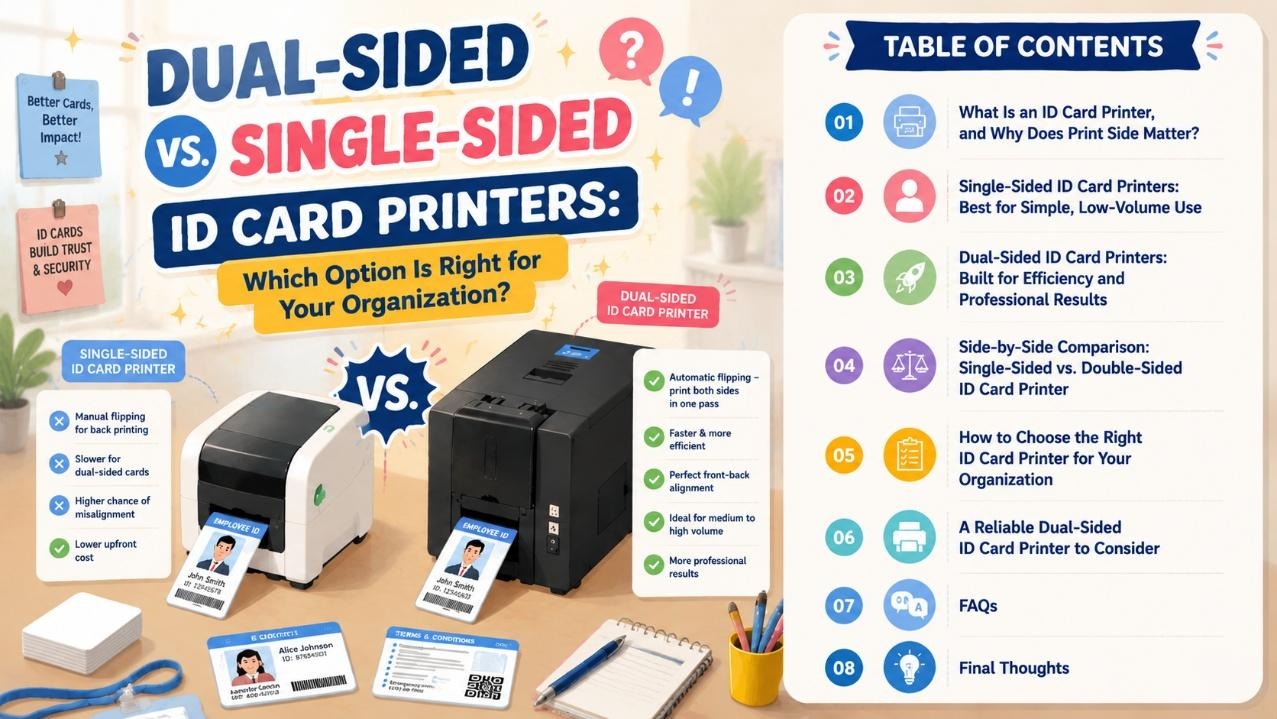
If you’re shopping for a new card printing solution, one of the first decisions you’ll face is whether to go with a single-sided model or invest in a dual-sided id card printer.
Choosing the wrong setup can lead to wasted labor hours, misaligned prints, slow batch processing, and higher long-term costs. This guide breaks down how each type works, where it performs best, and how to pick the right fit based on your real-world workflow – not just technical specs.
What Is an ID Card Printer, and Why Does Print Side Matter?
An ID card printer is a desktop device that transfers text, photos, barcodes, and graphics onto plastic cards (most commonly standard CR80 PVC cards) using dye-sublimation or thermal transfer technology.
- A single-sided ID card printer prints only on the front face of the card in one pass. To add content to the back, an operator must manually flip and re-feed each card.
- A dual-sided id card printer (also called a double sided card printer) uses a built-in automatic card flipper to print both front and back in a single continuous run, with no manual handling.
The difference may sound small, but it has a huge impact on daily productivity, print consistency, and total cost of ownership — especially for teams that print cards on a regular basis.
Single-Sided ID Card Printers: Best for Simple, Low-Volume Use
Single-sided printers are the entry-level option for organizations with basic card printing needs.
Advantages
- Lower upfront cost: Fewer moving parts means a lower purchase price, which is appealing for very small teams on a tight budget.
- Simple operation: Fewer settings to configure, so new staff can learn to use it quickly.
- Lower maintenance: No flipper mechanism to service, so routine upkeep is straightforward.
Limitations
- Slow for double-sided cards: If you need information on the back (terms of use, emergency contact, barcode, etc.), every card must be flipped by hand. For 50+ cards, this adds significant time and human error.
- Alignment inconsistencies: Manual re-feeding often causes slight front-back misalignment, which makes the final card look unprofessional.
- Not built for volume: Printing more than a few dozen cards per week quickly becomes a tedious, labor-heavy task.
Single-sided printers work best for very small offices, local clubs, or teams that only print simple cards with minimal information and a monthly volume under 50 cards.
Dual-Sided ID Card Printers: Built for Efficiency and Professional Results
A double sided card printer is designed for organizations that need polished, information-rich cards and reliable batch printing.
Advantages
- Dramatically faster throughput: With an automatic flipper, both sides print in one uninterrupted pass. For full-color dual-sided cards, output speed is typically 2–3x faster than manually flipping on a single-sided machine.
- Perfect front-back alignment: The built-in flipper positions the card with precision, so text, photos, and security features line up cleanly every time.
- More professional finished cards: You can easily add back-side content such as company policies, emergency numbers, QR codes, barcodes, or magnetic stripes without sacrificing speed or quality.
- Better for batch work: For 100+ cards per month, the time savings quickly offset the higher initial price.
- Stronger expandability: Most professional dual-sided models support optional modules like magnetic stripe encoders, contact/contactless smart card readers, and network connectivity.
Limitations
- Slightly higher upfront cost: The automatic flipper and additional mechanics raise the purchase price compared to basic single-sided units.
- Slightly more maintenance: The flipper mechanism requires occasional cleaning to keep alignment accurate.
For schools, mid-to-large companies, healthcare facilities, gyms, and government service centers, a dual-sided id card printer is almost always the more practical long-term choice.
Single-Sided vs. Double Sided Card Printer
Use this table to quickly compare the two options against your most important priorities.
| Feature | Single-Sided ID Card Printer | Dual-Sided (Double-Sided) ID Card Printer |
|---|---|---|
| Best for | Very small teams, low volume, simple cards | Medium/large organizations, batch printing, professional cards |
| Full-color speed | ~200 cards/hour (single side only) | ~100 cards/hour (dual-sided, one pass) |
| Manual operation for dual-side prints | Required for every card | None — fully automatic |
| Front-back alignment accuracy | Prone to human error | Precision-aligned by machine |
| Recommended monthly volume | Under 50 cards | 100+ cards |
| Upfront cost | Lower | Moderate |
| Typical use cases | Small office badges, local club memberships | Employee IDs, student IDs, healthcare cards, access badges |
| Expandability (mag stripe, smart card) | Limited on most entry models | Widely supported on professional models |
How to Choose Between the Two for Your Team
Instead of deciding based on price alone, evaluate your actual day-to-day experience. Ask yourself these questions:
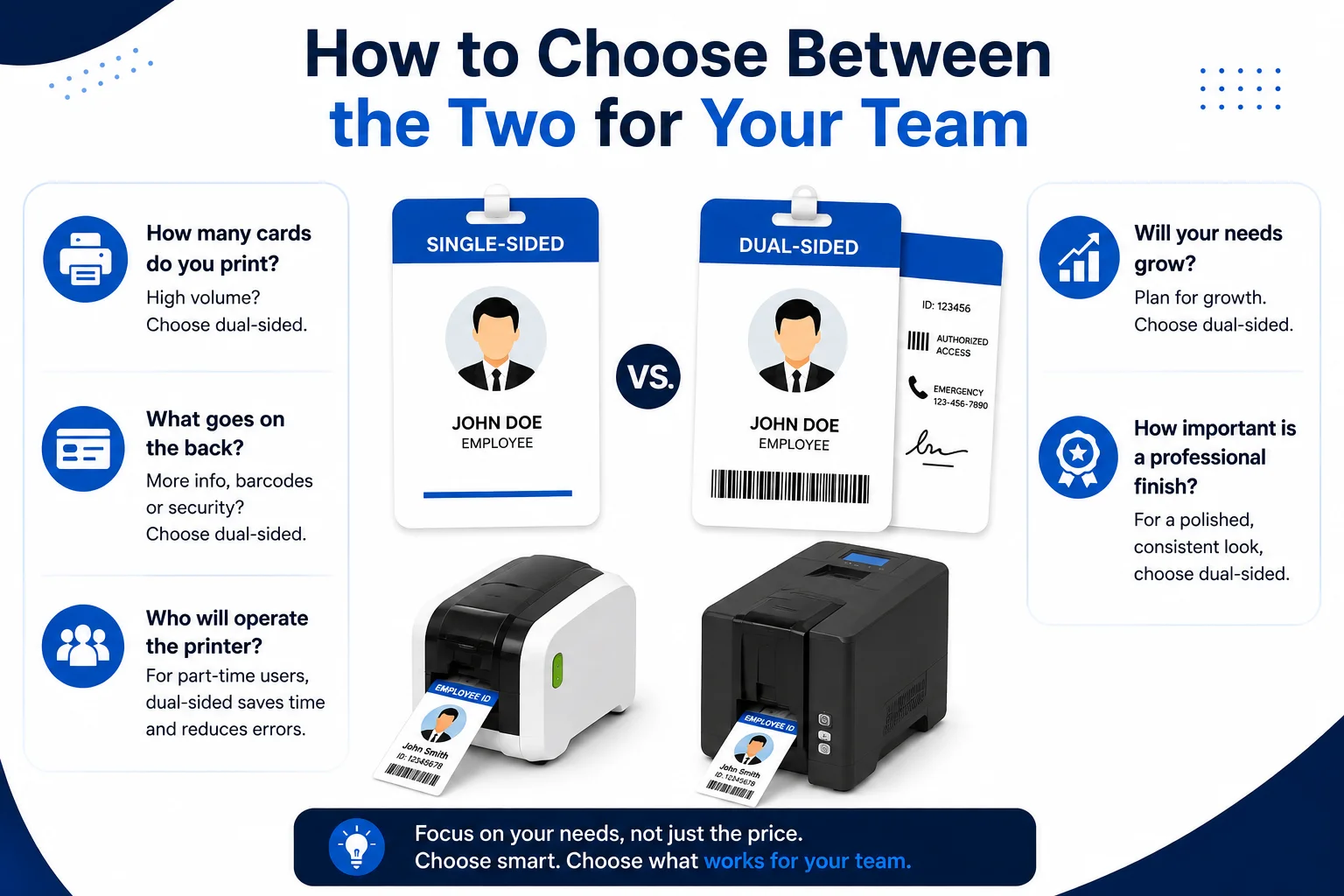
- How many cards do you print per month? If you consistently print more than 100 cards, the labor savings of a dual-sided id card printer will quickly pay for itself. For fewer than 50 basic cards, a single-sided model may be sufficient.
- What goes on the back of your card? If you only need a name and photo on the front, single-sided works. If you need barcodes, terms of use, emergency info, magnetic stripes, or smart card chips, dual-sided is the more practical choice.
- Who will operate the printer? If part-time staff or volunteers will handle printing, an automatic dual-sided machine reduces mistakes and training time.
- Will your needs grow in the next 1–2 years? If you expect hiring growth, new membership tiers, or expanded access control features, a scalable dual-sided model avoids the need to replace the printer later.
- How important is a professional finish? For customer-facing, student, or employee badges, clean alignment and consistent quality matter. Dual-sided printers deliver a more polished, brand-aligned result.
A Reliable Dual-Sided ID Card Printer to Consider
If you’ve decided that a double sided card printer makes sense for your organization, the Masung MS-S22K pvc card printer is a well-rounded professional option worth evaluating.
It is a full-color dye-sublimation dual-sided id card printer built for everyday office and institutional use. Key highlights include:
- Automatic card flipping for true one-pass dual-sided printing, with edge-to-edge full-color coverage
- Up to 300 × 1200 DPI resolution for sharp photos, fine text, and scannable barcodes
- Printing speeds of up to 200 cards/hour single-sided and 100 cards/hour dual-sided full color
- Support for PVC, ABS, PET-G, Teslin, and composite card materials
- Optional add-ons: magnetic stripe reader/writer, contact and contactless smart card encoders
- Included card layout software and 1-year factory warranty with technical support
For teams moving from manual single-sided printing to an in-house dual-sided setup, it strikes a strong balance between performance, ease of use, and total cost.
Frequently Asked Questions
Technically yes, but only by manually flipping and re-feeding each card. This is slow, increases misalignment errors, and is not practical for regular volume.
It depends on volume. If you print fewer than 50 basic cards per month, probably not. If you print 100+ cards or need back-side information like barcodes and access credentials, the time savings make it well worth the investment.
Most professional models support standard PVC, as well as ABS, PET-G, composite, and Teslin materials. Always check the manufacturer’s specifications before using specialty card stock.
They have slightly more parts (the flipper mechanism) that require periodic cleaning, but consumable costs (ribbons, cleaning kits) are comparable to single-sided printers of the same quality tier.
On many professional dual-sided models, yes. Encoder modules are often available as field-installable upgrades, so you can start with basic printing and add security features as needed.
Final Thoughts
For very small teams with simple needs and low volume, a single-sided ID card printer can get the job done at a lower entry price. But for most organizations — from schools and businesses to healthcare and membership facilities — a dual-sided id card printer delivers a far better day-to-day experience: faster batch work, cleaner professional results, less manual labor, and room to grow as your needs evolve. Choosing a reliable ID card printer manufacturer is important as well, which could provide better products and save a lot of your maintaining time.
When comparing models, prioritize print resolution, reliability, software compatibility, and after-sales support over the lowest sticker price. A well-built double sided card printer will serve your organization reliably for years and reduce the hidden costs of slow, error-prone manual printing.


- Be Respectful
- Stay Relevant
- Stay Positive
- True Feedback
- Encourage Discussion
- Avoid Spamming
- No Fake News
- Don't Copy-Paste
- No Personal Attacks
- Be Respectful
- Stay Relevant
- Stay Positive
- True Feedback
- Encourage Discussion
- Avoid Spamming
- No Fake News
- Don't Copy-Paste
- No Personal Attacks
