How Old or Dry Thermal Paste Affects PC Performance | Signs & Prevention
Published: 15 Sep 2026
Your PC can look perfectly fine from the outside but still have a heating problem inside. One small thing that can cause this problem is old or dry thermal paste.
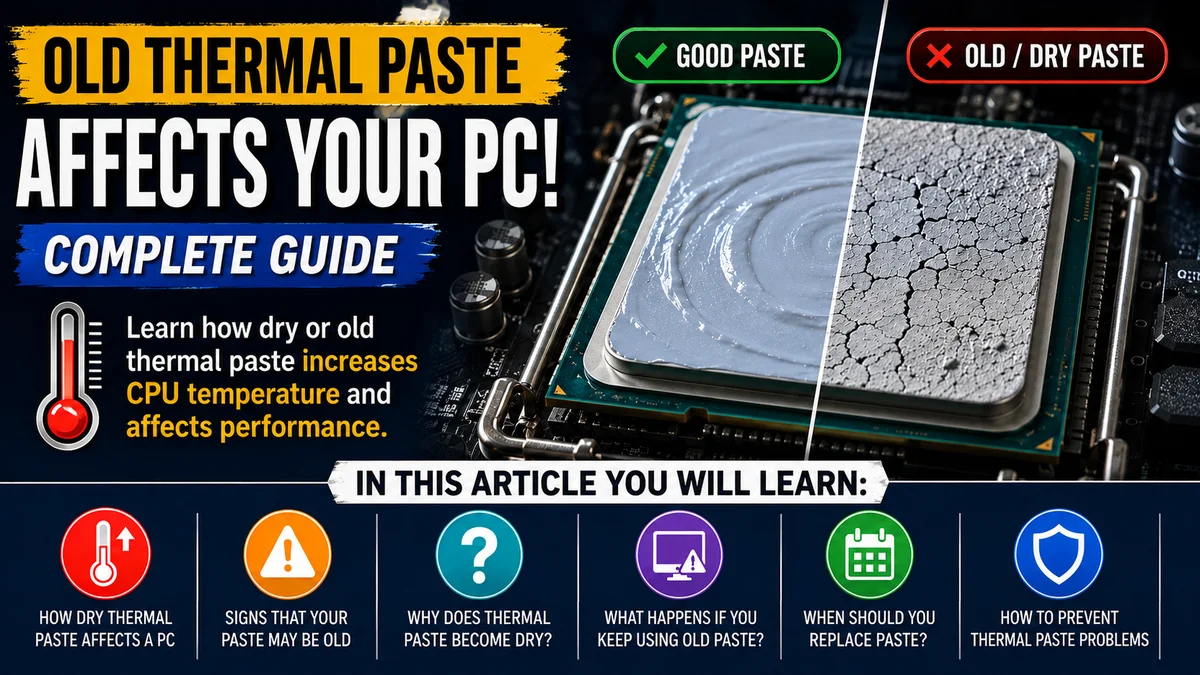
In this article, you will learn how old thermal paste affects your PC, the signs to look for, and when it should be replaced.
What Happens When Thermal Paste Gets Dry or Old?
When thermal paste gets dry or old, it may not transfer heat from the CPU to the cooler as well as it should. Thermal paste helps fill tiny gaps between the CPU and cooler, but old paste can lose its effectiveness and may become hard or cracked.
As a result, more heat can stay in the CPU instead of moving to the cooler. This can cause the CPU temperature to rise, especially when the computer is running games or other heavy programs.
How Dry Thermal Paste Affects a PC
When the CPU gets too hot, the computer may reduce its speed to control the temperature. This can cause slower performance, louder fan noise, lag, or even unexpected shutdowns in severe cases.
Replacing old or dry thermal paste can help the CPU transfer heat more effectively and keep the PC running at a safer temperature.
Why Does Thermal Paste Become Dry?
Thermal paste can become dry or less effective as it gets older and is exposed to heat for a long time. The repeated heating and cooling of the CPU can slowly change the paste’s texture and performance.
Over time, it may become harder and may not fill the tiny gaps between the CPU and cooler as well as it did when it was new. The quality and type of thermal paste can also affect how long it stays effective.
Signs That Your Thermal Paste May Be Old
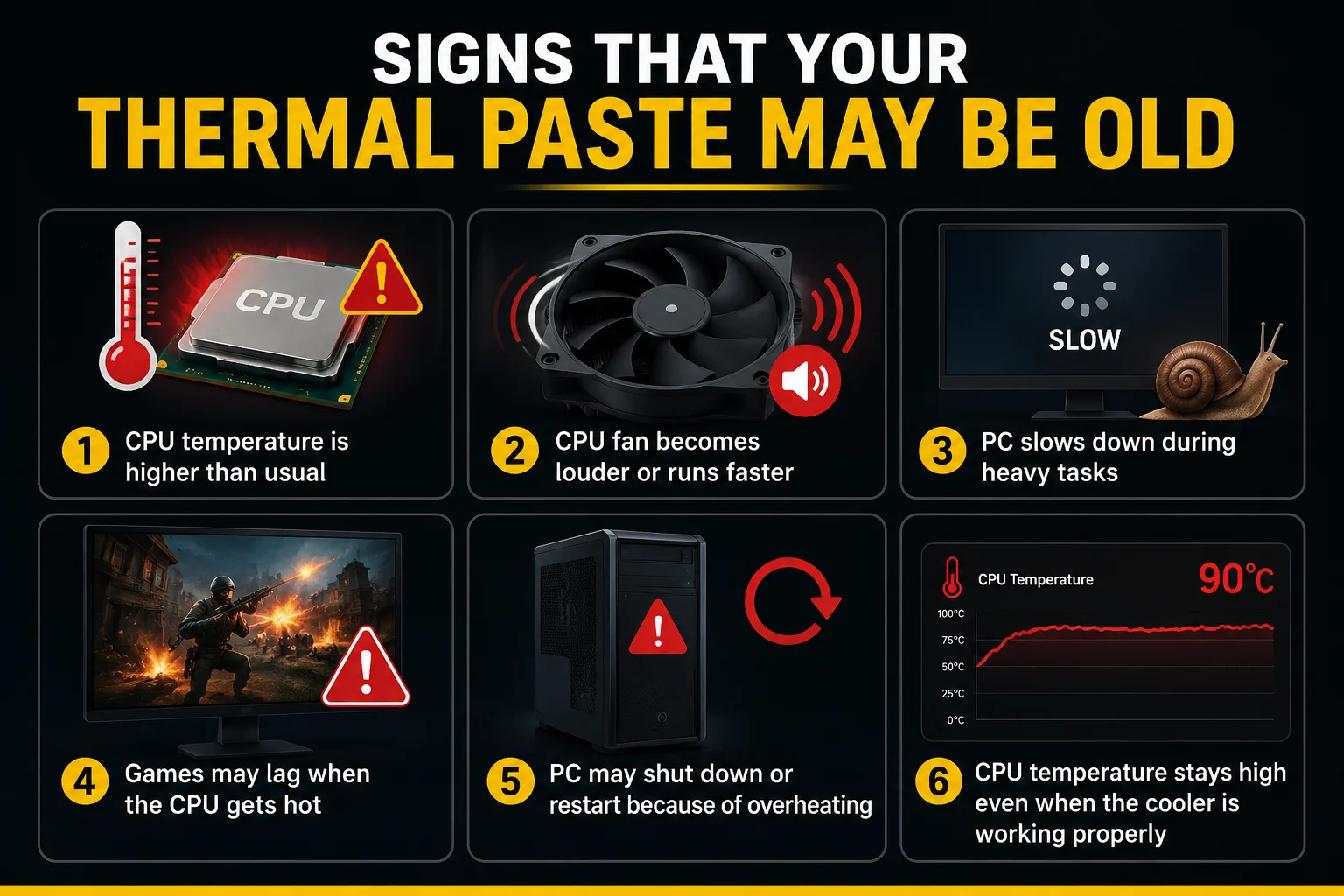
- CPU temperature is higher than usual
- CPU fan becomes louder or runs faster
- PC slows down during heavy tasks
- Games may lag when the cpu gets hot
- PC may shut down or restart because of overheating
- CPU temperature stays high even when the cooler is working properly
When Should You Replace Thermal Paste?
You should consider replacing thermal paste when the CPU temperature becomes unusually high or the paste has become dry, hard, or cracked.
Do i need to remove old thermal paste from cpu? It is also a good idea to replace it whenever you remove the CPU cooler, because the old paste should not simply be reused. However, there is no fixed time that applies to every PC. If the CPU temperature is normal and the cooling system is working properly, replacing the paste may not be necessary.
How to Prevent Thermal Paste Problems
- Keep the CPU cooler clean and remove dust regularly.
- Make sure the CPU fan is working properly.
- Keep good airflow inside the PC case.
- monitor CPU temperature from time to time.
- Use good-quality thermal paste when replacing it.
- Apply the correct amount of thermal paste.
- Replace old or dry thermal paste when needed.
Final Words
Old or dry thermal paste can reduce the CPU’s ability to transfer heat to the cooler. This may lead to higher temperatures, louder fans, slower performance, and overheating.
Checking CPU temperatures and replacing thermal paste when it becomes dry or ineffective can help keep your PC cool, stable, and running properly. If you have any questions, feel free to ask them in the comments below.
Frequently Asked Questions
Yes, you should remove the old thermal paste before applying new paste. Use isopropyl alcohol and a lint-free cloth or coffee filter to gently clean the CPU and cooler. Make sure the surfaces are clean and dry before applying the new thermal paste.
Yes, thermal grease can expire over time. It may dry out, separate, or lose its effectiveness. Always check the manufacturer’s expiry date and storage instructions.
Using old thermal paste is not always bad, but it may not work as effectively if it has dried out or separated. If the paste looks dry, hard, or cracked, it is better to replace it.
It can still be usable if it has been stored properly and still has a smooth, consistent texture. However, if it has dried out, separated, or become hard, you should replace it.
Thermal paste expiry date? Yes, many thermal pastes have an expiry date or recommended shelf life. The exact period depends on the type and manufacturer, so check the product packaging for the specific information.



- Be Respectful
- Stay Relevant
- Stay Positive
- True Feedback
- Encourage Discussion
- Avoid Spamming
- No Fake News
- Don't Copy-Paste
- No Personal Attacks
- Be Respectful
- Stay Relevant
- Stay Positive
- True Feedback
- Encourage Discussion
- Avoid Spamming
- No Fake News
- Don't Copy-Paste
- No Personal Attacks
