What is a Hot Foil Printer | Working – Features | Setup & Troubleshooting
Published: 15 Sep 2026
If you design premium packaging, custom invitations, brand business cards or luxury gift labels, you will rely on a hot foil printer, also known widely as a hot foil printer machine.
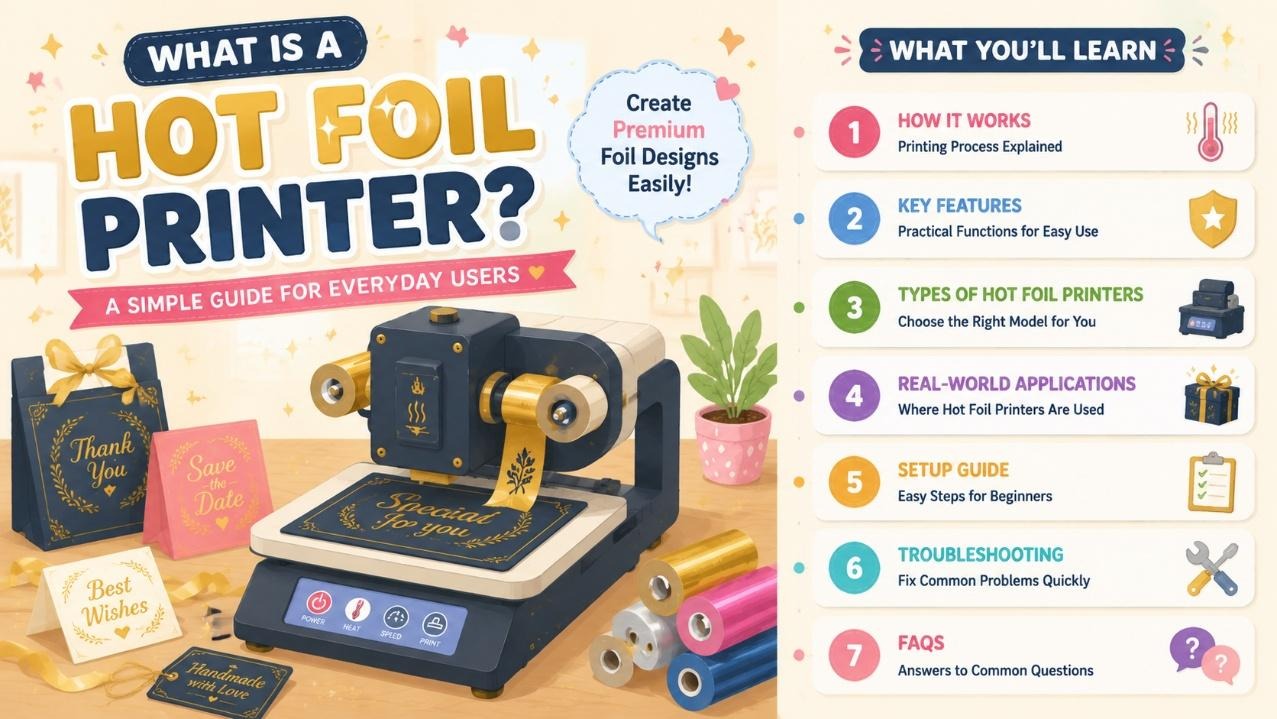
Standard inkjet and laser printers cannot create glossy metallic gold, silver or colored foil finishes that give products a high-end premium look. Traditional manual hot stamping tools require custom metal dies and slow manual operation, which wastes time for small businesses and crafters.
Digital hot foil printers eliminate die costs and support on-demand variable data printing like unique serial numbers, custom names and brand logos on paper, cardstock and coated materials.
Many brand owners previously outsourced foil printing jobs and faced high minimum order fees and long lead times. An in-house hot foil printer machine lets users produce small-batch personalized foil designs anytime.
This guide covers its core thermal transfer working process, user-centric practical features, common machine categories, real-world industry applications, simple beginner setup and quick daily troubleshooting, plus a full FAQ segment.
How Does a Hot Foil Printer Machine Work?
All modern desktop digital hot foil printers use thermal transfer hot stamping technology, removing the need for engraved metal dies required by old manual stamping equipment.
Digital Thermal Transfer Hot Stamping Core Process
- The machine uses a high-precision 300DPI heating print head to activate multi-layer foil rolls. When heat and controlled pressure are applied, the metallic pigment layer separates from the foil carrier and permanently bonds onto paper, cardboard or coated substrates.
- Users send digital designs directly from Windows computers via USB connection, with adjustable print speeds ranging from 20–50mm/s and a maximum print area of 57×250mm.
- From an operator’s perspective, the biggest advantage is digital variable data support – you can print unique names, barcodes and serial numbers on each piece without re-making physical dies.
- The print head has a long service life up to 150,000 meters of printing, lowering long-term maintenance costs for regular users. Temperature and print density can be adjusted via software to fix faint or blurry foil transfer on different material types.
Manual Die Hot Foil Stamping (Entry Alternative)
Basic low-cost hot foil machines rely on hand-placed metal dies and manual pressure control. These budget units work only for fixed, unchanging logos and lack variable data printing functions, making them unsuitable for personalized small-batch orders.
Features of a Ribbon Printer
Every practical hot foil printer machine is built to cut down setup time and simplify operation for non-technical staff and hobbyists:
- 300DPI high precision print head: Reproduces tiny fine text, delicate logos and thin border lines without fuzzy foil edges.
- Die-free digital printing: No expensive custom metal dies needed for new designs, saving upfront tool costs.
- Variable data printing support: Custom serial numbers, names and QR codes for personalized packaging and invites.
- Adjustable speed & heat control: Tweak print parameters to match thin paper or thick rigid cardstock.
- Standard USB wired connection: Plug-and-play compatibility with all mainstream Windows operating systems.
- Wide foil compatibility: Works with gold, silver, red, blue and matte colored hot foil rolls.
- Compact desktop footprint: Small enough for boutique design desks and small workshop spaces.
- Long-lasting print head hardware: Extended lifespan reduces frequent part replacement expenses.
Main Types of Hot Foil Printer Machines
Buyers can select models based on daily print volume and personalization demands:
Manual Die Hot Foil Printer
Budget entry machines for hobbyists printing fixed static logos only, no variable data support, slow manual operation best for ultra-low monthly output.
Mid-Size Digital Hot Foil Printer
The most popular all-round hot foil printer, fully digital without dies, equipped with variable data function and adjustable print speed. Perfect for packaging studios, invitation designers and small brand teams with daily custom orders.
Heavy-Duty Industrial Hot Foil Printer
Large-format high-speed machines for commercial print shops and mass packaging factories, built for non-stop long batch foil production every day.
Real-World Industry Uses for Hot Foil Printer
A hot foil printer adds premium metallic finishing across countless creative and commercial sectors:
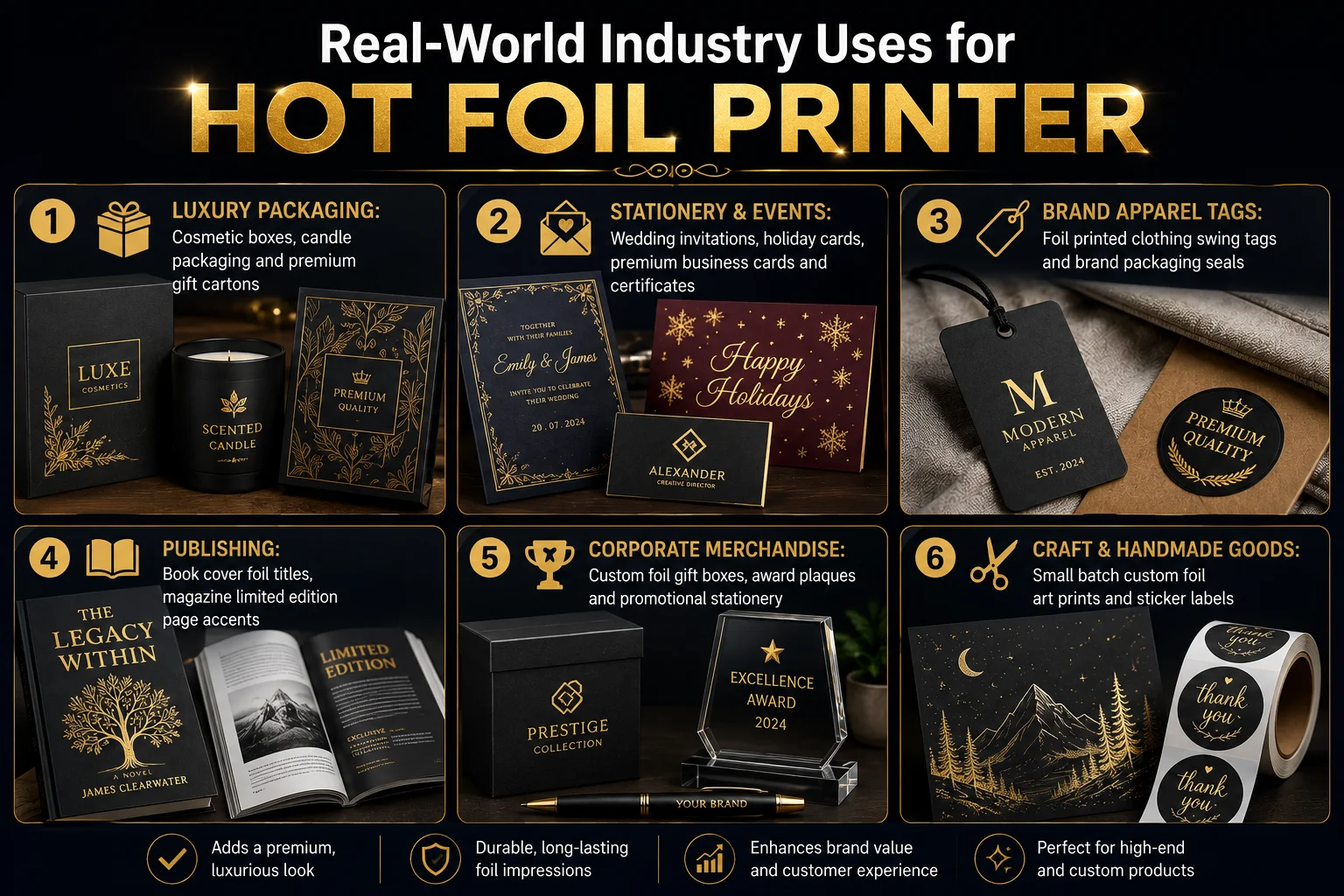
- Luxury Packaging: Cosmetic boxes, candle packaging and premium gift cartons
- Stationery & Events: Wedding invitations, holiday cards, premium business cards and certificates
- Brand Apparel Tags: Foil printed clothing swing tags and brand packaging seals
- Publishing: Book cover foil titles, magazine limited edition page accents
- Corporate Merchandise: Custom foil gift boxes, award plaques and promotional stationery
- Craft & Handmade Goods: Small batch custom foil art prints and sticker labels
Step-by-Step Beginner Setup Guide
Operating a digital hot foil printer requires no professional printing experience:
- Open the machine housing and load your chosen gold, silver or colored hot foil roll onto internal spools.
- Thread foil through the print head track and lock the width adjustment guides to fit your material size.
- Connect the printer to a Windows computer via USB cable and install the matching driver software.
- Import your digital design file or use built-in templates, input variable data if required.
- Adjust print speed and heat density based on whether you use thin paper or thick cardstock.
- Print one test sample to check foil adhesion and edge clarity before starting full batch production.
Quick Troubleshooting for Common Hot Foil Printer Issues
These simple fixes resolve most daily malfunctions without professional repair services:
- Faint, incomplete foil transfer: Raise print heat/density settings or replace expired hot foil rolls.
- Blurry, bleeding foil edges: Lower print temperature or slow down printing speed.
- Foil tears during printing: Re-align the foil spools and adjust internal tension guides.
- computer fails to detect the printer: Reconnect the USB cable and restart the device driver.
- Uneven metallic coverage: Clean dust and foil residue off the 300DPI print head with alcohol wipes.
Frequently Asked Questions (FAQ)
Standard ink printers only lay pigment on top of materials, while a hot foil printer machine transfers glossy metallic foil layers via heat and pressure. It creates reflective premium finishes ink cannot replicate, and digital models skip costly metal dies required by old manual stamping equipment.
Yes. Mid-range and high-end digital hot foil printers support variable data printing, so you can add distinct names, serial numbers or QR codes to each card or package without reworking printing plates.
No. The supporting Windows software accepts common image formats and includes basic editable templates for invites, packaging and business cards. Users only upload or type content to start foil printing.
Weekly simple care: Wipe foil residue off the print head, clear tangled foil scraps from the internal track, and replenish foil rolls when running low. Replace the print head only after thousands of meters of printing. Choose a reliable hot foil printer manufacturer for better product quality and complete maintenance guidance.
It works smoothly on coated paper, thick cardstock, gift box cardboard and specialty label stocks. Highly porous uncoated paper will produce weak foil adhesion and is not recommended.
Conclusion
A hot foil printer, also referred to as a hot foil printer machine, is an essential specialized printing device for any business or creator needing premium metallic foil finishing. Unlike basic ink printers or slow manual die stamping tools, digital die-free hot foil equipment delivers on-demand personalized foil prints with no expensive custom dies, cutting outsourcing delays and minimum order costs.
Light manual models suit casual hobbyists, while mid-size digital hot foil printers match the daily custom order demands of packaging studios and event designers. With simple USB connectivity, adjustable heat/speed controls and minimal weekly maintenance, even users with zero printing experience can produce sharp, glossy premium foil labels, invites and packaging in-house quickly.


- Be Respectful
- Stay Relevant
- Stay Positive
- True Feedback
- Encourage Discussion
- Avoid Spamming
- No Fake News
- Don't Copy-Paste
- No Personal Attacks
- Be Respectful
- Stay Relevant
- Stay Positive
- True Feedback
- Encourage Discussion
- Avoid Spamming
- No Fake News
- Don't Copy-Paste
- No Personal Attacks
