What Is a Device Driver? Types, Functions, and Examples
Published: 7 Oct 2026
A device driver is a type of software that allows the operating system to communicate with and control a specific hardware device. In simple terms, it tells the computer how to work with a particular piece of hardware.
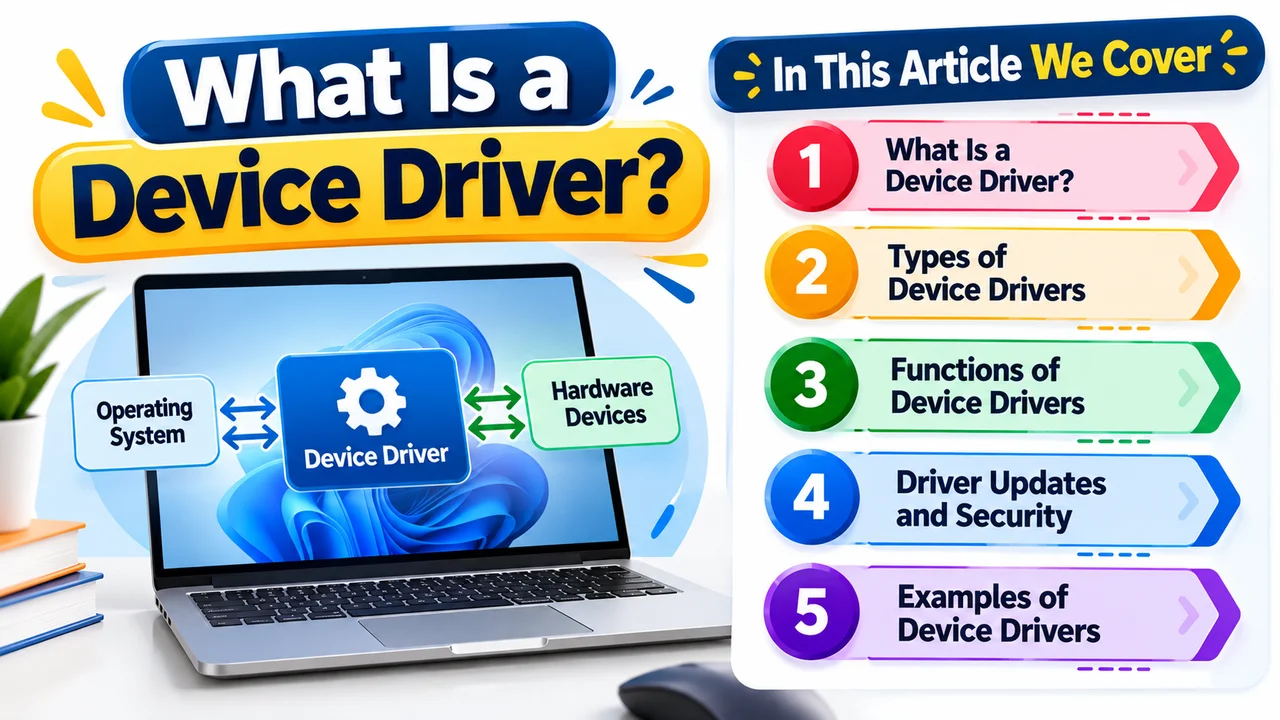
Every hardware device, such as a keyboard, mouse, printer, speaker, or graphics card, needs instructions that tell the computer how to use it. Without the correct driver, a device may not work properly, may offer limited functions, or may not be recognized by the operating system at all.
How Device Drivers Work
In this section, we’ll cover how device drivers work in:
- General Purpose Computers
- Embedded Systems
1. In General Purpose Computers
A device driver works between the operating system and the hardware device it controls. When you give a command, such as printing a document or playing sound through your speakers, the OS sends the request to the appropriate driver.
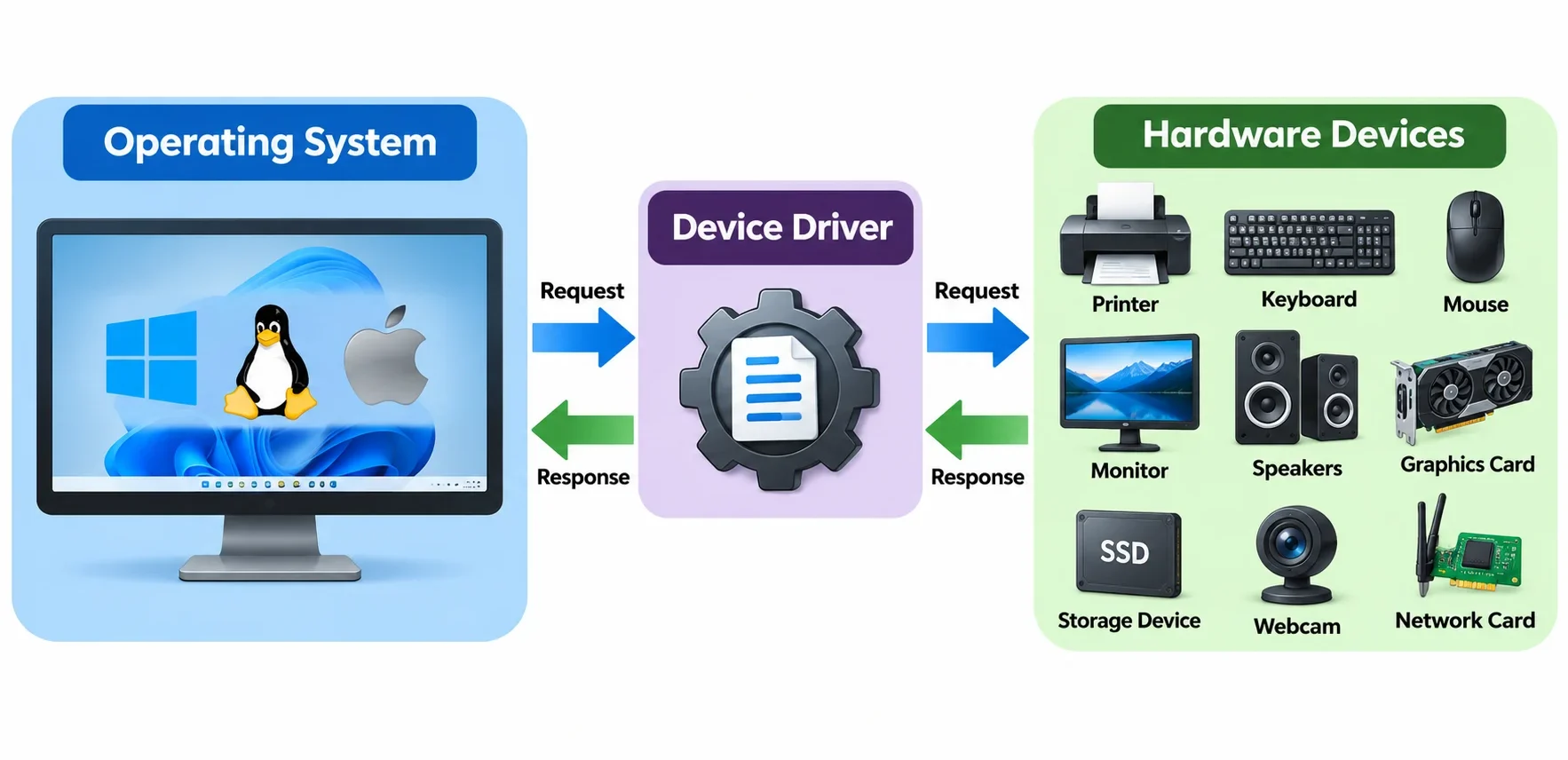
The driver then translates that request into instructions that the hardware can understand and carries the device’s response back to the operating system.
To communicate with the hardware, the driver works with the computer’s hardware interfaces, such as buses and other communication systems.
This process happens in the background, allowing the operating system and applications to use different hardware devices without needing to understand the specific technical details of each device. That’s how device drivers in an operating system works.
2. In Embedded Systems
But wait, there’s a question that might come to mind: What is the role of device drivers in embedded systems?
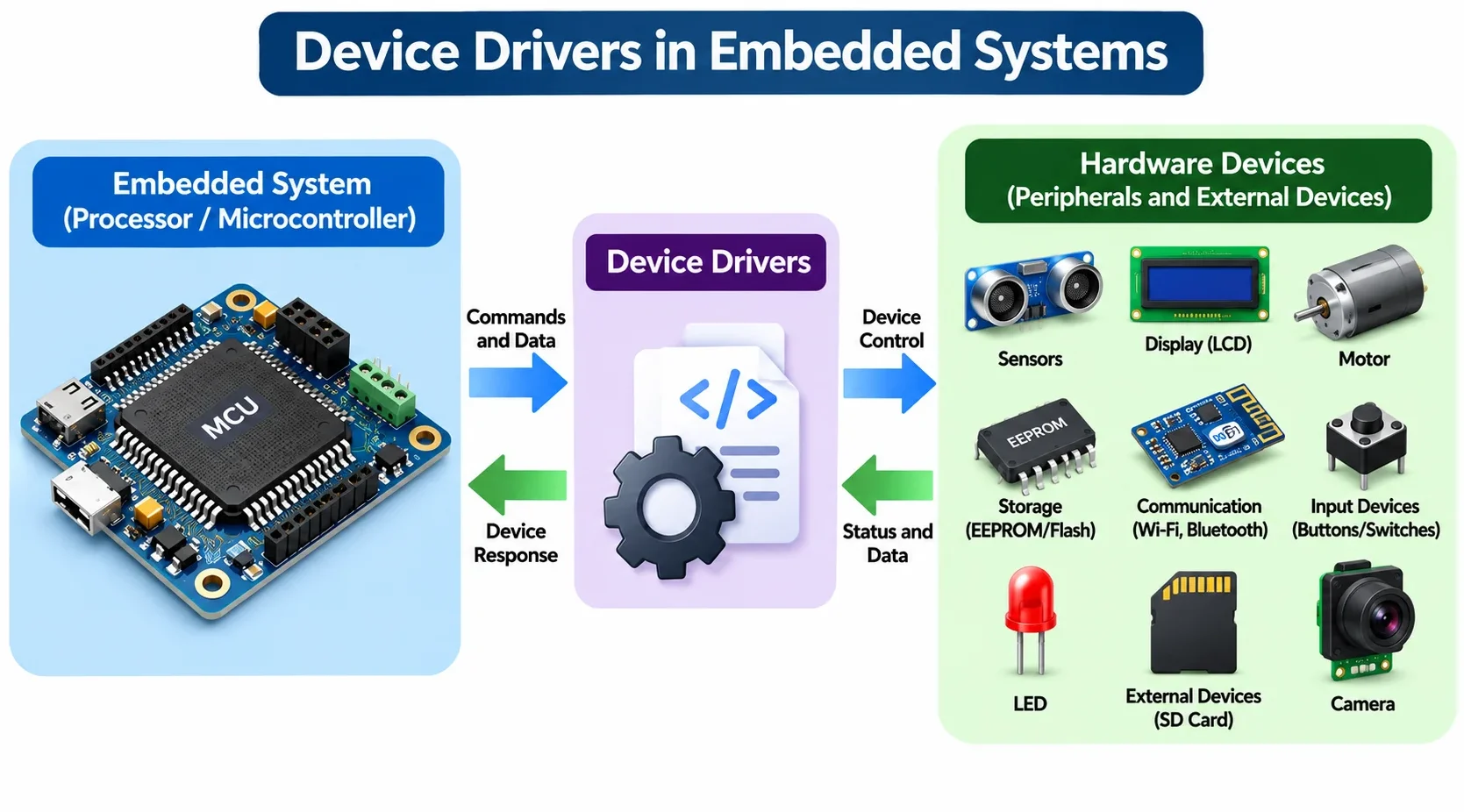
Device drivers are also important in embedded systems, where they allow the system to work with its hardware components. This hardware can include built-in microcontroller peripherals as well as external devices connected to the system.
However, embedded systems usually have much less storage and memory than general-purpose computers. Because of this, their drivers need to be carefully optimized and kept lightweight.
A poorly designed or oversized driver can use too much memory, increase power consumption, and reduce the overall performance of the embedded system.
10 Types of Device Drivers
Device drivers can be classified in several ways based on what they control, where they run, how they handle data, and who develops them.
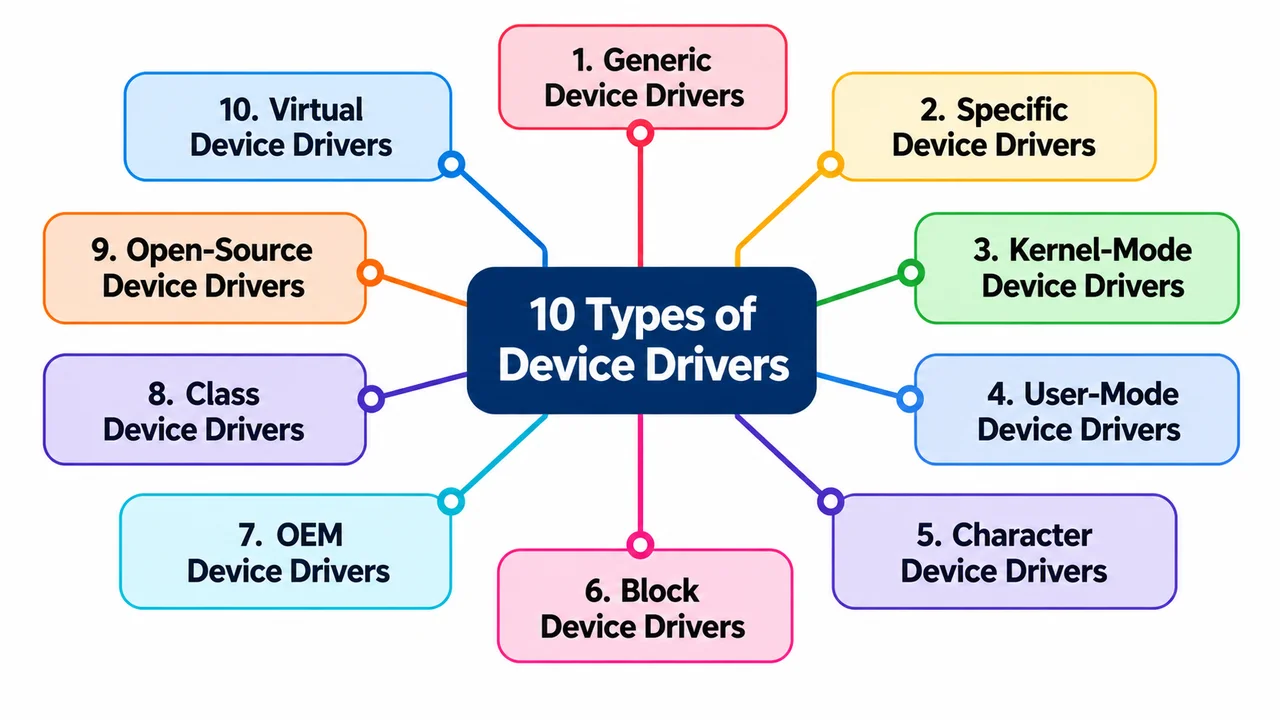
Some drivers are built into the operating system, while others are designed for a specific device or hardware family. Understanding these types makes it easier to see why different devices need different kinds of drivers.
1. Generic Device Drivers
Generic device drivers are designed to support a broad range of devices that follow common hardware standards. They are often included with the operating system, so users not need to install a separate driver.
For example, an operating system provide a basic driver that allows a standard keyboard or mouse to work as soon as it is connected. These drivers focus on basic compatibility rather than advanced device-specific features.
2. Specific Device Drivers
Specific device drivers are developed for a particular hardware device or model. They allow the operating system to access the full capabilities of that device.
For example, a graphics card may need its manufacturer’s driver to provide features such as advanced display settings, hardware acceleration, or gaming performance. These drivers are commonly installed through the manufacturer’s software or the operating system’s update system.
3. Kernel-Mode Device Drivers
Kernel-mode device drivers run with high system privileges and can interact closely with the operating system and hardware. They are commonly used for hardware that requires direct and efficient access to system resources.
Because a problem in a kernel-mode driver can affect the entire system, such drivers must be carefully designed and tested. A faulty kernel driver can even cause system crashes.
4. User-Mode Device Drivers
User-mode device drivers operate with fewer privileges than kernel-mode drivers. This provides an additional layer of protection because a problem in the driver is less likely to directly affect the core operating system.
They are suitable for devices and functions that do not require unrestricted access to critical system resources. Modern operating systems may use user-mode drivers when possible to improve system stability and security.
5. Character Device Drivers
Character device drivers handle data as a stream of individual characters or bytes. They are commonly associated with devices that process data sequentially rather than in fixed blocks.
Keyboards, serial ports, and terminals are common examples. When you type on a keyboard, for instance, the driver can process the incoming input as a stream of data.
6. Block Device Drivers
Block device drivers are designed for hardware that transfers data in fixed-size blocks. They are commonly used with storage devices such as hard drives, SSDs, and memory cards.
Instead of processing data one character at a time, these drivers handle larger chunks of data, making them suitable for storage operations such as reading and writing files.
7. OEM Device Drivers
OEM (Original Equipment Manufacturer) drivers are created by the company that designs or manufactures the hardware. These drivers are usually built to work closely with a particular device and can provide better compatibility and access to the manufacturer’s features.
For example, a graphics card manufacturer may release its own driver to improve performance, fix bugs, and add support for new games or technologies.
8. Class Device Drivers
Class drivers are designed for a particular category, or class, of devices rather than one specific model. They allow the operating system to support multiple devices that follow the same standard.
For example, a USB class driver can provide common functionality for many compatible USB devices. This approach reduces the need to create a completely separate driver for every device.
9. Open-Source Device Drivers
Open-source device drivers have source code that is available for developers to inspect, modify, and improve. They are often created and maintained by open-source communities, hardware manufacturers, or both.
Because the source code can be reviewed publicly, developers can identify bugs, improve compatibility, and adapt the driver for different systems.
However, being open source does not automatically make a driver more secure or private; its quality depends on how well it is developed and maintained.
10. Virtual Device Drivers
Virtual device drivers are used when software needs to work with a device that is not physically present in the usual way. They provide a software-based interface that makes a virtual or emulated device appear to the operating system like hardware.
They are commonly used in virtual machines, emulators, and other software environments where virtual hardware needs to communicate with the operating system.
Examples of Device Drivers
The following are common examples of device drivers in an operating system, along with their functions:
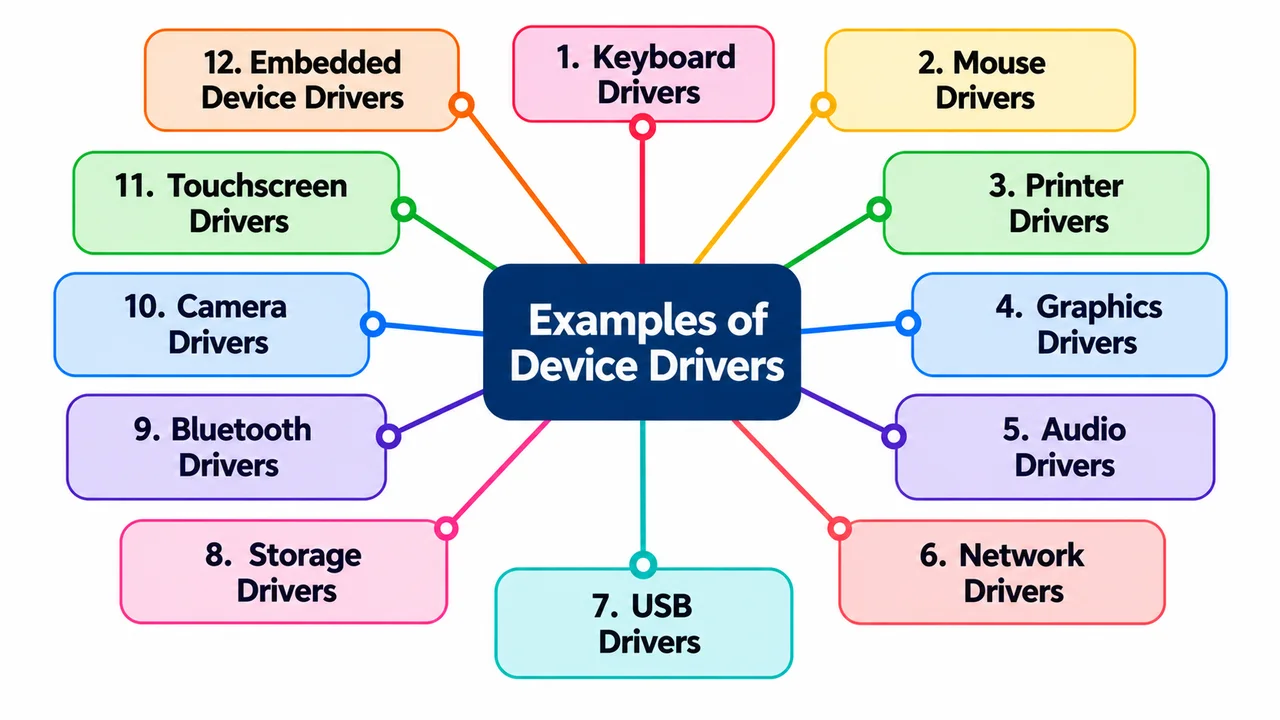
- Keyboard Drivers: Help the operating system receive and process input from a keyboard.
- Mouse Drivers: Allow the system to detect mouse movement, clicks, and other actions.
- Printer Drivers: Help the operating system send print jobs and settings to a printer.
- Graphics Drivers: Allow the operating system and applications to communicate with the graphics card.
- Audio Drivers: Enable speakers, headphones, microphones, and other audio hardware to work properly.
- Network Drivers: Control network adapters and allow the computer to connect to wired or wireless networks.
- USB Drivers: Help the operating system communicate with USB devices and controllers.
- Storage Drivers: Allow the system to read and write data on devices such as SSDs, HDDs, and memory cards.
- Bluetooth Drivers: Enable communication between the computer and Bluetooth devices.
- Camera Drivers: Allow applications and the operating system to access webcams and other cameras.
- Touchscreen Drivers: Process touch input and convert taps, swipes, and gestures into system actions.
- Embedded Device Drivers: Control components such as sensors, LEDs, displays, UART, SPI, and I²C devices in embedded systems.
Driver Updates and Security: Why They Matter
Updating device drivers is not only about getting better performance or fixing compatibility problems. Drivers can also affect the security of your entire system.
Because some drivers operate with high system privileges, a vulnerable or malicious driver can give attackers access to sensitive system resources. This can turn a small driver problem into a much bigger security risk.
Attackers can sometimes exploit weaknesses in legitimate drivers to perform actions that normal applications are not allowed to perform. There is also a supply-chain risk: a fake or modified driver can be disguised as legitimate software and distributed through untrusted websites. Installing such a driver can expose the system to malware, data theft, or unauthorized access.
Driver updates help reduce these risks by fixing known security vulnerabilities, improving compatibility, and correcting bugs. Hardware manufacturers may release new driver versions when security weaknesses are discovered.
However, users should download drivers from trusted sources, such as the hardware manufacturer’s official website or the operating system’s built-in update system, rather than relying on random driver-download websites.
Modern operating systems also use security measures such as driver signing and integrity checks to help verify that a driver comes from a trusted source and has not been modified.
In embedded systems and IoT devices, secure over-the-air (OTA) updates can allow manufacturers to deliver important driver and firmware fixes without requiring physical access to the device.
This becomes even more important in embedded environments. A vulnerable driver in a normal PC may put one computer at risk, but a compromised driver in a medical device, industrial controller, vehicle, or other connected system could have much more serious consequences.
So, device drivers are not just software that makes hardware work – they are also part of a system’s security layer. Keeping them updated, verifying their source, and avoiding suspicious driver packages can help protect both the hardware and the operating system.
Final Words
Device drivers work quietly in the background, helping the operating system communicate with hardware and use its features properly. From computers to embedded systems, they are essential for reliable and secure hardware operation. This is why device drivers in system software are an important part of modern computing.
If your hardware suddenly stops working, don’t assume the device is broken. Checking, updating, or reinstalling its driver may solve the problem.



- Be Respectful
- Stay Relevant
- Stay Positive
- True Feedback
- Encourage Discussion
- Avoid Spamming
- No Fake News
- Don't Copy-Paste
- No Personal Attacks
- Be Respectful
- Stay Relevant
- Stay Positive
- True Feedback
- Encourage Discussion
- Avoid Spamming
- No Fake News
- Don't Copy-Paste
- No Personal Attacks
