What is Document Area | Word – Excel – Powepoint
Published: 15 Sep 2026
In computing, the document area refers to the part of a software window or application where you create, view, or edit your content. It’s essentially the workspace for your document.
The blank white space where you type your essay or report is the document area. The ribbon at the top and the scroll bars around it are not part of the document area. It is surrounded by toolbars, menus, and rulers.
Word Processors (e.g., Microsoft Word)
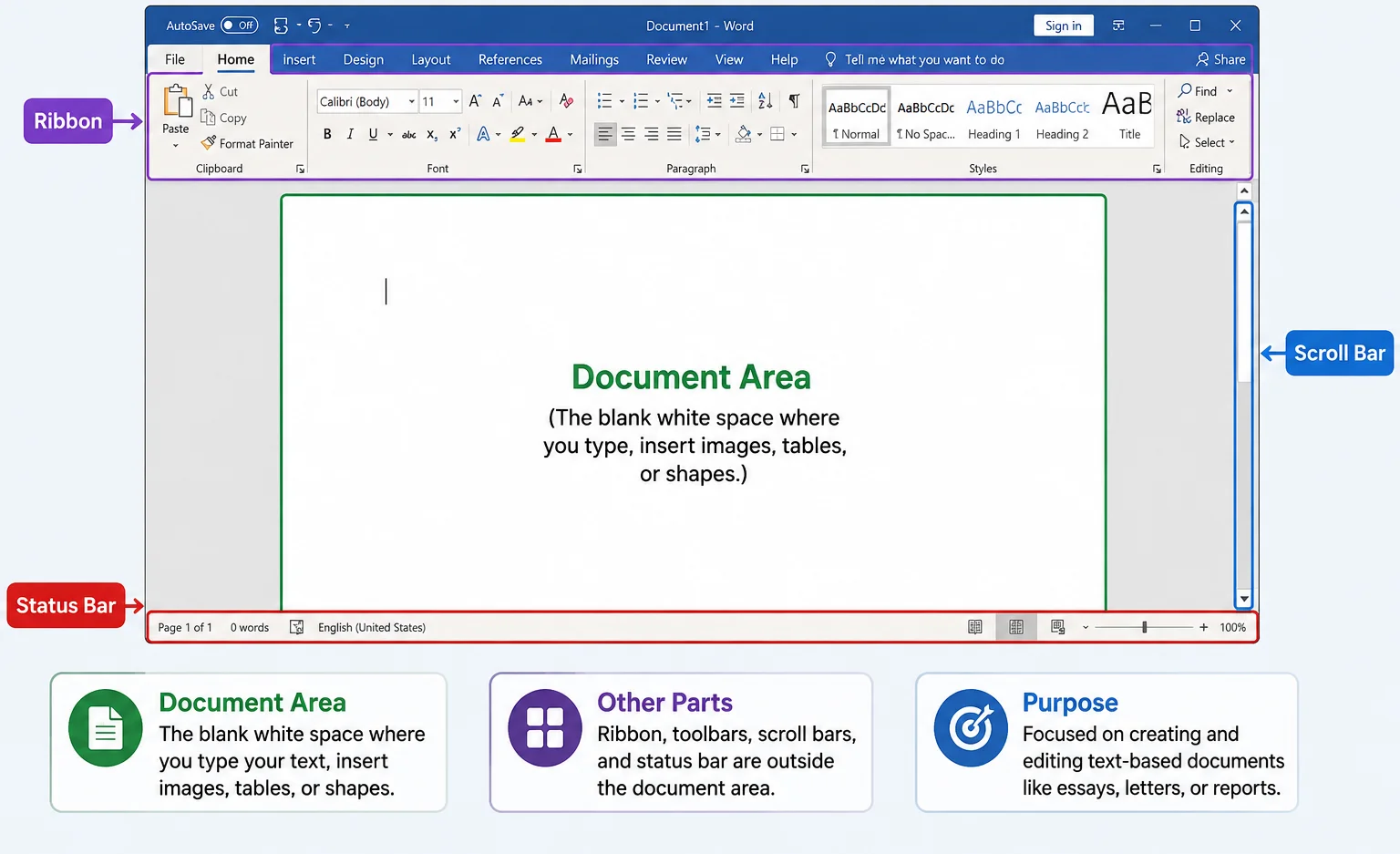
- Document Area: The blank white space where you type your text, insert images, tables, or shapes.
- Other Parts: Ribbon, toolbars, scroll bars, and status bar are outside the document area.
- Purpose: Focused on creating and editing text-based documents like essays, letters, or reports.
Spreadsheets (e.g., Microsoft Excel, Google Sheets)
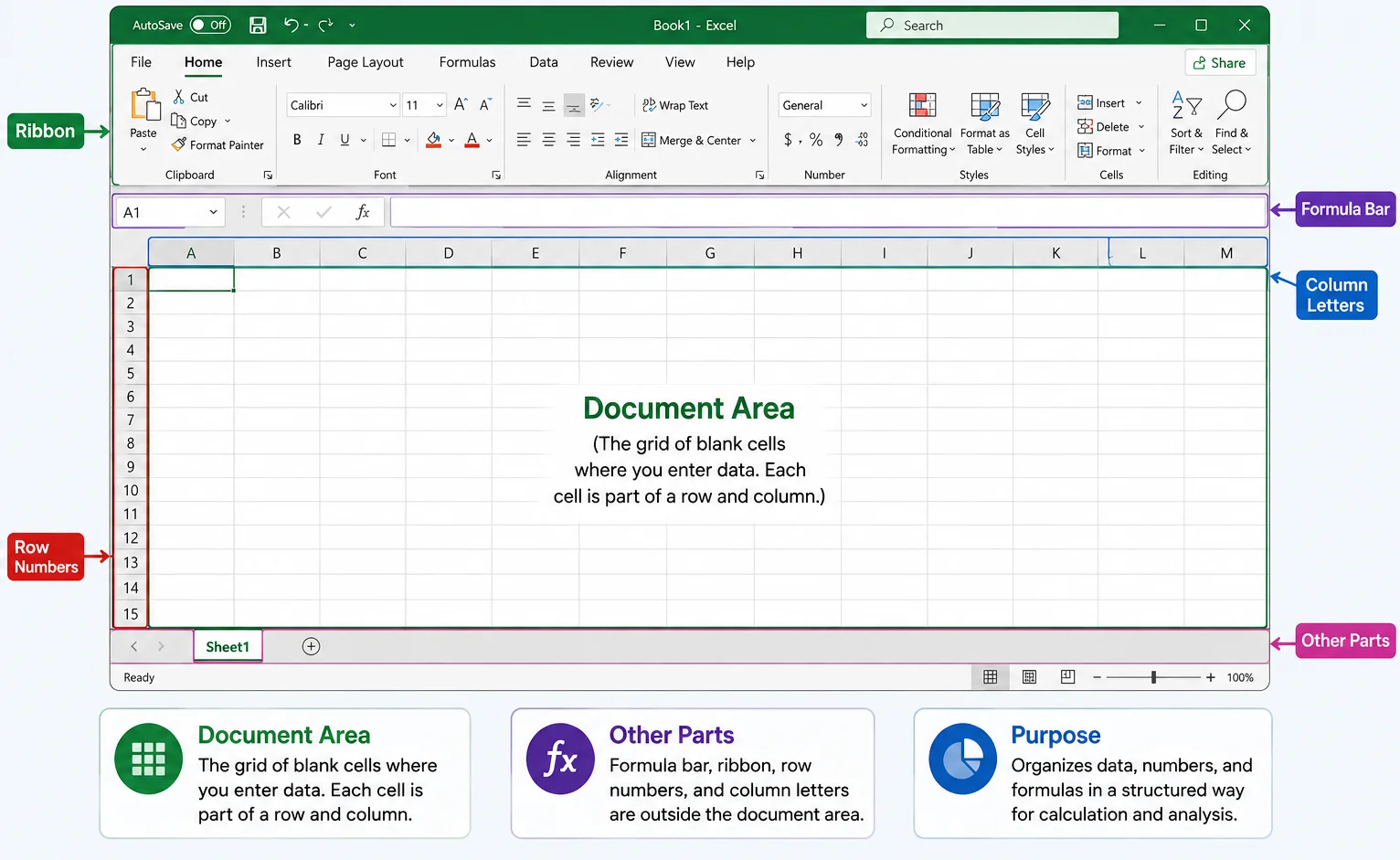
- Document Area: The grid of blank cells where you enter data. Each cell is part of a row and column.
- Other Parts: Formula bar, ribbon, row numbers, and column letters are outside the document area.
- Purpose: Organizes data, numbers, and formulas in a structured way for calculation and analysis.
3. Presentation Software (e.g., PowerPoint)
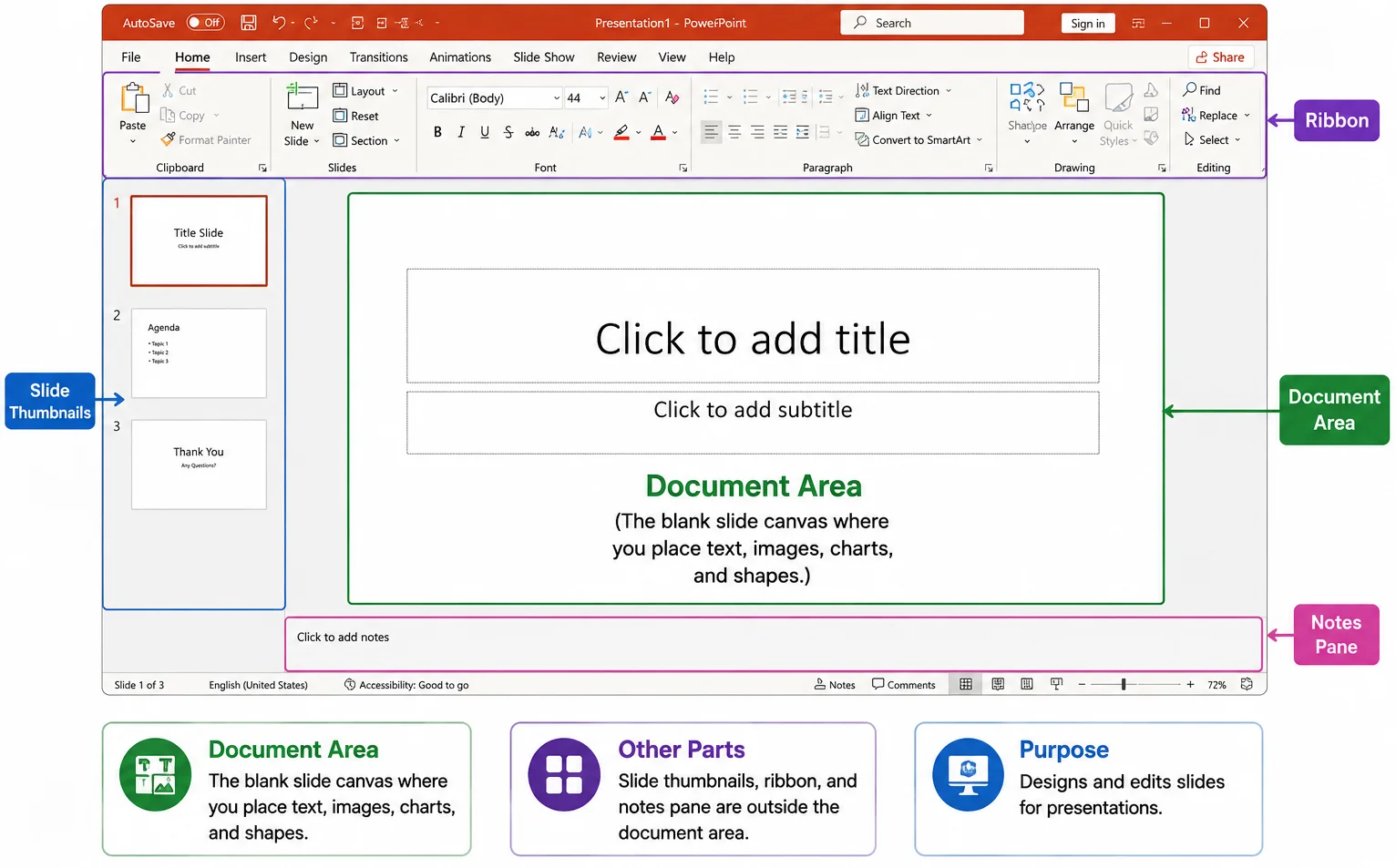
- Document Area: The blank slide canvas where you place text, images, charts, and shapes.
- Other Parts: Slide thumbnails, ribbon, and notes pane are outside the document area.
- Purpose: Designs and edits slides for presentations.
Final Words:
The document area is always the main workspace where you actually create or edit your content, but its appearance changes depending on the type of software: blank page in Word, grid in Excel, or slide in PowerPoint. Everything else around it is just a tool to help you work more efficiently.


- Be Respectful
- Stay Relevant
- Stay Positive
- True Feedback
- Encourage Discussion
- Avoid Spamming
- No Fake News
- Don't Copy-Paste
- No Personal Attacks
- Be Respectful
- Stay Relevant
- Stay Positive
- True Feedback
- Encourage Discussion
- Avoid Spamming
- No Fake News
- Don't Copy-Paste
- No Personal Attacks
