The Components That Make or Break a High-Performance Computer
Published: 22 Jul 2026
A high-performance computer is not simply a collection of expensive parts. It is a system where every component has been chosen to work in harmony with every other, where no single element creates a bottleneck that undermines the rest, and where the sum of the whole consistently exceeds what a parts list comparison might suggest.
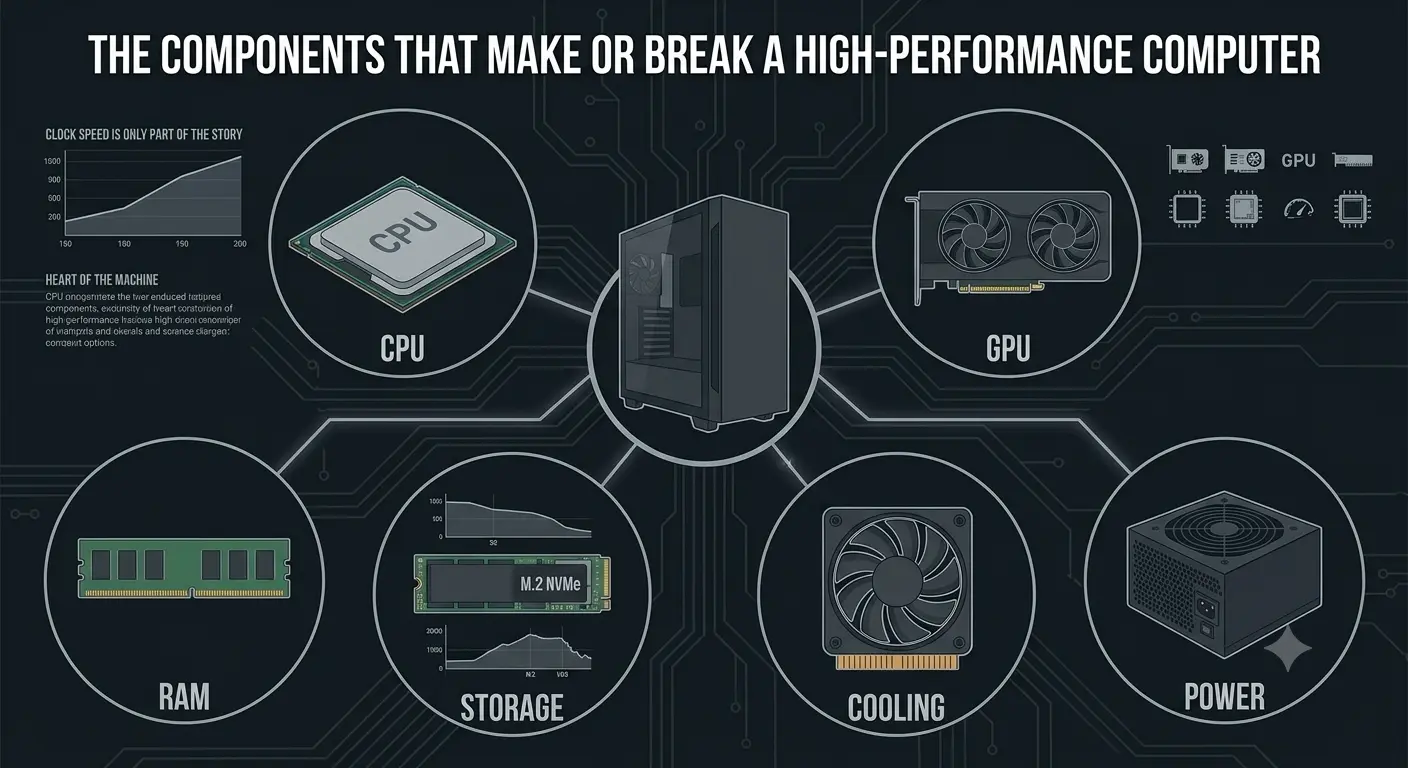
Understanding which components carry the most weight in determining real-world performance, and what separates a genuinely capable machine from one that merely looks impressive on a specification sheet, is the foundation of any smart high-performance PC decision in 2026.
Choosing Components That Work Together
High-performance computing is ultimately a systems engineering problem. The component choices that matter most are not the ones that deliver impressive individual specifications but the ones that eliminate bottlenecks and allow every other component to operate at its designed capability consistently. Buyers who research components individually but then assemble systems without considering compatibility, power delivery, thermal management, and configuration choices frequently produce results that fall short of what the individual parts promised.
Working with suppliers who genuinely understand component compatibility and system-level performance, and who can help buyers make selections that function optimally as a complete system rather than an impressive parts list, consistently produces better outcomes than assembling components based on specification comparisons alone. For those ready to buy computer components for a high-performance build, the right starting point is always a complete system view before a single part is selected.
The CPU: Clock Speed Is Only Part of the Story
The processor remains the brain of any high-performance computer, but evaluating CPUs purely on clock speed misses most of what determines real-world performance. The number of high-performance cores, the size and speed of the processor cache, the memory bandwidth the chip can sustain, and the quality of the instruction set extensions supports all shape performance in ways that a single GHz figure never captures.
For creative and production workloads, multi-core performance matters enormously. Video rendering, 3D scene computation, software compilation, and data processing all scale with core count and memory bandwidth rather than single-thread clock speed. For gaming, single-thread performance and cache size remain more important, since most game engines are not deeply multi-threaded and benefit more from fast, responsive cores than from sheer core count.
The cpu also sets the memory and storage ceiling for the entire system. A processor limited to DDR4 memory or PCIe 4.0 storage cannot take advantage of the performance available from faster components, making platform generation as important as the chip specification itself.
The GPU: The Component That Defines a System’s Ceiling
For any workload involving graphics, video, AI acceleration, or compute-intensive parallel processing, the GPU is the single most performance-defining component in a high-performance computer. The gap between a mid-range and a high-end GPU in demanding creative or gaming workloads dwarfs the difference that any other single component upgrade delivers.
VRAM capacity has become particularly critical as games and creative applications demand more on-card memory to avoid performance-destroying slowdowns when texture or frame data spills out of GPU memory into system RAM. In 2026, 16GB of VRAM represents a comfortable standard for serious high-performance use, with 24GB configurations appropriate for 4K production work, large AI model inference, and professional visualization workloads.
GPU cooling design matters nearly as much as the silicon itself. A high-end GPU constrained by inadequate cooling consistently delivers lower sustained performance than its specifications suggest, throttling clock speeds under thermal pressure in ways that are invisible in short benchmarks but immediately noticeable during extended sessions.
RAM: Capacity, Speed, and Configuration All Matter Independently
Memory affects high-performance computer systems in three distinct dimensions that are each independently important. Capacity determines whether the system has enough RAM to hold active workloads without falling back on virtual memory, which is dramatically slower. Speed determines how quickly data moves between memory and the processor, with higher bandwidth configurations delivering measurably better performance in throughput-sensitive tasks. Configuration, specifically whether RAM is running in dual or quad-channel mode, determines how much of the available bandwidth is actually accessible.
A system with 32GB of slow, single-channel RAM delivers a materially worse experience than a system with 32GB of fast, properly configured dual-channel RAM, despite carrying the same capacity number in its specification listing. This is why memory configuration choices matter as much as the memory capacity selected.
Storage: Speed Differences That Define the Daily Experience
Storage has a disproportionate impact on how responsive and capable a high-performance computer feels in daily use, yet it is still one of the most commonly underspecified components in systems that excel in other areas. The difference between a PCIe Gen 4 NVMe SSD and a PCIe Gen 3 unit is measurable in real workflows. The difference between either of those and a SATA SSD is transformative.
Application launch times, project file loading speeds, virtual machine responsiveness, and AI model loading times all reflect storage performance in ways that become apparent within the first day of using a system. For professionals working with large media files, complex 3D scenes, or extensive code repositories, storage throughput is not a secondary consideration. It is a daily workflow variable with real consequences for productivity.
Cooling: The Component That Determines Sustained Performance
Cooling is the most underappreciated component in any high-performance computer build, and it is the one that most directly determines whether the performance promised by a processor or GPU is actually delivered in real-world sustained use. Every modern high-performance chip is designed to boost its clock speeds above base frequency when thermal headroom allows. The cooling solution determines how long and how consistently that headroom exists.
An inadequate cooler on a high-performance processor produces a system that looks excellent in short burst benchmarks but disappoints the moment workloads extend beyond a few minutes. A properly matched cooling solution, whether that is a high-quality air cooler, a 240mm or 360mm all-in-one liquid cooler, or a custom loop for extreme configurations, unlocks the full sustained performance that the processor was designed to deliver.
Case airflow design extends this logic to the GPU and the overall system thermal environment. A case that moves air efficiently through the system, maintains low ambient temperatures around critical components, and does not create hot zones where warm air recirculates compounds the benefit of good individual component cooling choices.
Power Supply: The Component No One Notices Until It Fails
The power supply receives less attention than any other component in high-performance build discussions, which is why it is also the component most likely to be underspecified in systems that otherwise excel. A high-performance GPU can draw 350 to 450 watts alone under sustained load. Combined with a high-core-count processor, fast storage, and RAM, a complete high-performance system can demand 700 watts or more during peak operation.
A power supply sized without adequate headroom above this peak demand runs at high efficiency percentages continuously, generates more heat, and has a shorter reliable service life than one with appropriate headroom. Power supply quality also affects system stability: voltage ripple from a low-quality unit can introduce subtle system instability that manifests as crashes or errors under heavy load, symptoms that are easy to misattribute to other components.
Final Thoughts
The components that make or break a high-performance computer are the processor, GPU, memory configuration, storage class, cooling adequacy, and power delivery quality. Every one of these dimensions needs to be right. A single underspecified or misconfigured element creates a bottleneck that limits the entire system, regardless of how impressive the remaining components are. Understanding this interdependency is what separates a genuinely high-performance computer from one that simply carries an expensive parts list.



- Be Respectful
- Stay Relevant
- Stay Positive
- True Feedback
- Encourage Discussion
- Avoid Spamming
- No Fake News
- Don't Copy-Paste
- No Personal Attacks
- Be Respectful
- Stay Relevant
- Stay Positive
- True Feedback
- Encourage Discussion
- Avoid Spamming
- No Fake News
- Don't Copy-Paste
- No Personal Attacks
