What is Orientation in Computer | Portrait vs Landscape
Published: 13 Jan 2026
In a computer, orientation refers to the direction or layout in which content is displayed on the screen or printed on paper. It mainly describes how a page or screen is positioned, vertically or horizontally.
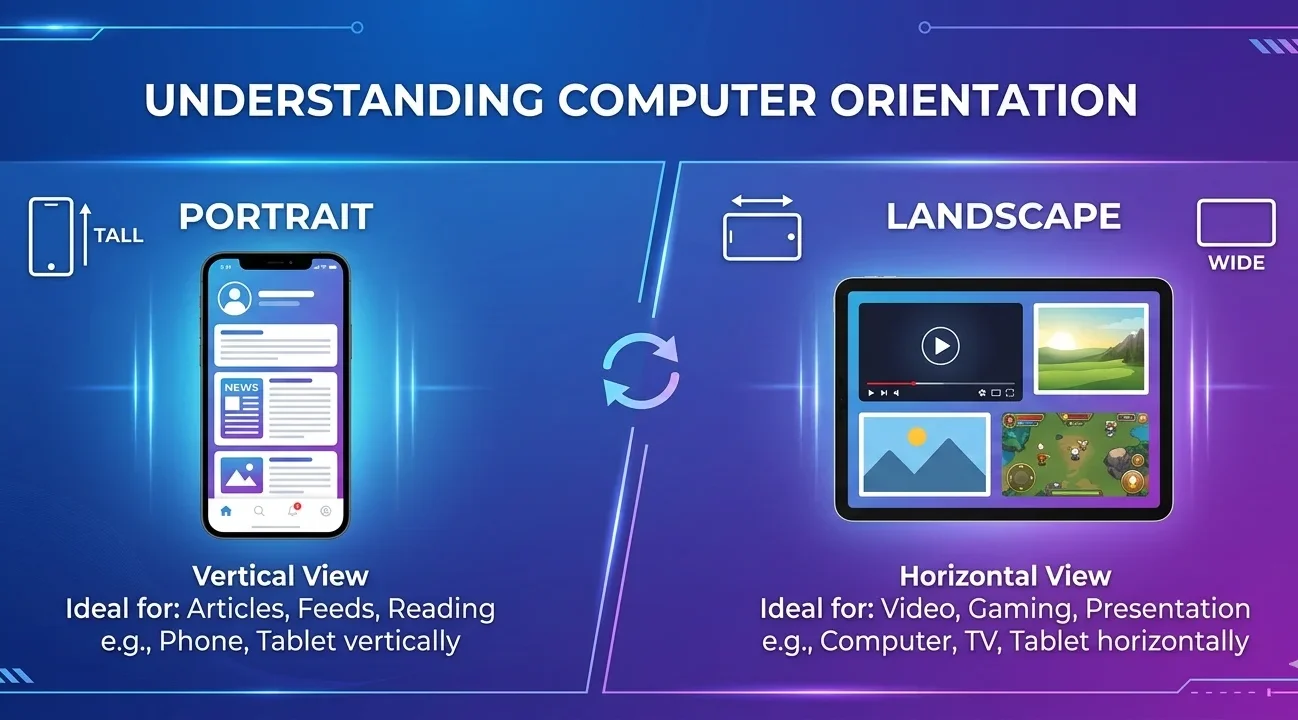
Two Types of Orientation
- Portrait Orientation: Vertical layout (height is more than width) used for reading mobile apps, letters, and assignments.
- Landscape Orientation: Horizontal layout (width is more than height) used for videos, games, presentations, charts, tables, and wide images.
Please Write Your Comments

`
Comments (0)
INSTRUCTIONS:
- Be Respectful
- Stay Relevant
- Stay Positive
- True Feedback
- Encourage Discussion
- Avoid Spamming
- No Fake News
- Don't Copy-Paste
- No Personal Attacks
INSTRUCTIONS:
- Be Respectful
- Stay Relevant
- Stay Positive
- True Feedback
- Encourage Discussion
- Avoid Spamming
- No Fake News
- Don't Copy-Paste
- No Personal Attacks
