What is Mechanical Mouse | Parts – Uses | History & Comparison
Published: 4 Mar 2026
Have you ever seen a computer mouse with a small rubber ball underneath it? If yes, then you have probably seen a mechanical ball mouse. It is one of the earliest types of computer mice used before modern optical mice became common.
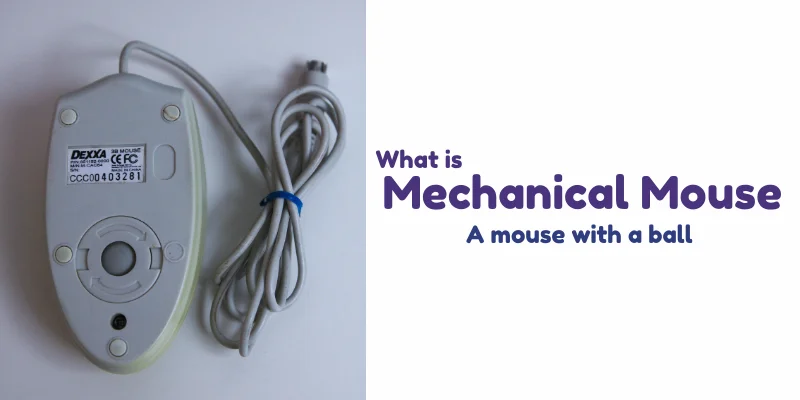
A mechanical ball mouse is a pointing device that uses a rubber ball placed at the bottom to detect movement. When you move the mouse on a surface, the ball rotates and sends signals to the computer, allowing the cursor to move on the screen.
Main Parts of a Mechanical Ball Mouse
A mechanical ball mouse may look simple from the outside, but inside it has several important parts that work together to control the cursor on the screen. Let’s understand each main part in an easy way.
1. Rubber Ball
This is the most important part of the mouse. The rubber ball is placed at the bottom and touches the surface. When you move the mouse, the ball rolls in different directions, helping the computer detect movement.
2. Rollers
Inside the mouse, there are small rollers connected to the ball. When the ball rotates, these rollers also spin. One roller detects horizontal (left-right) movement, and the other detects vertical (up-down) movement.
3. Sensors
The rollers are connected to internal sensors. These sensors convert the physical movement into electrical signals and send them to the computer.
4. Buttons
Most mechanical ball mice have two main buttons, left and right. These buttons allow users to select, open, drag, and perform different commands on the computer.
5. Cable
Mechanical ball mice are usually wired. The cable connects the mouse to the computer and transfers movement and click signals.
Where is It Used Today?
- In old computer labs where outdated systems are still running.
- For educational purposes to teach students basic hardware concepts.
- In computer museums to show early input devices.
- By collectors who keep vintage computer equipment.
- In some repair shops for testing old systems.
- In developing areas where very old computers are still in use.
| Advantages of Mechanical Mouse |
|---|
|
| Disadvantages of Mechanical Mouse |
|---|
|
History
The mechanical ball mouse has an interesting story. The very first computer mouse was invented by Douglas Engelbart in 1964 as part of his work on human-computer interaction. That early version had a wooden shell and used wheels instead of a ball. The mechanical ball mouse we know today, with the rolling rubber ball, became popular after 1970s.
Mechanical vs Optical Mouse
| Feature | Mechanical Ball Mouse | Optical Mouse |
|---|---|---|
| Working Method | Uses a rubber ball to detect movement | Uses LED or laser light to detect movement |
| Movement Detection | Ball rotates and moves internal rollers | Optical sensor captures surface images |
| Accuracy | Less accurate | More accurate and precise |
| Maintenance | Needs regular cleaning (dust collects inside) | Low maintenance |
| Surface Requirement | Works best on rough surfaces | Works on most surfaces |
| Durability | Internal parts wear out over time | More durable with fewer moving parts |
| Popularity Today | Mostly outdated | Widely used today |
| Speed & Performance | Slower response | Faster and smoother response |
Final Words
In this article, we learned what a mechanical ball mouse is, its main parts, and how it works. We also compared it with an optical mouse, and discussed its advantages and disadvantages.
Finally, we saw where it is still used today. Even though it is mostly outdated, the mechanical ball mouse played an important role in shaping modern computer devices and helped us understand the basics of computer hardware.


- Be Respectful
- Stay Relevant
- Stay Positive
- True Feedback
- Encourage Discussion
- Avoid Spamming
- No Fake News
- Don't Copy-Paste
- No Personal Attacks
- Be Respectful
- Stay Relevant
- Stay Positive
- True Feedback
- Encourage Discussion
- Avoid Spamming
- No Fake News
- Don't Copy-Paste
- No Personal Attacks
