What Is Dragging? Learn the Drag and Drop Operation
Published: 2 Jun 2026
Dragging is a computer action that allows users to move an object from one place to another on a screen using a mouse, touchpad, or touchscreen. It is one of the most common actions in modern computers and mobile devices.
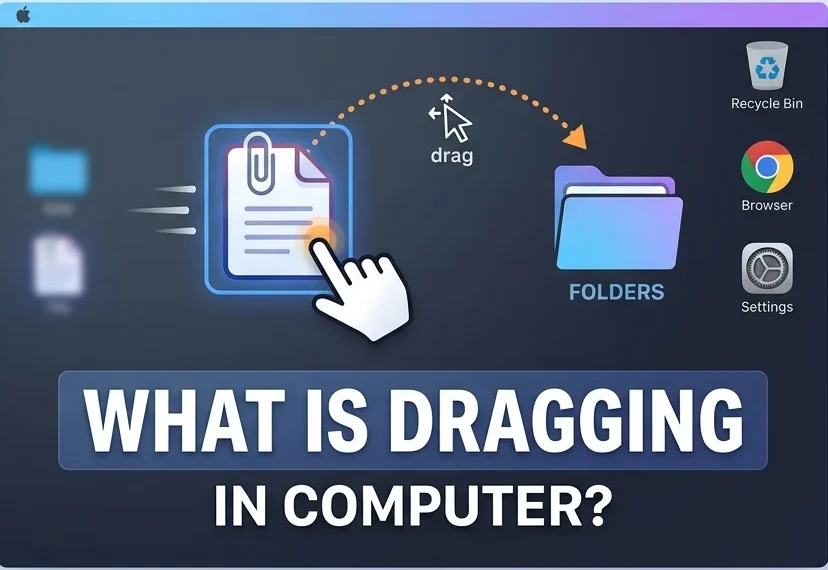
In simple words, dragging means clicking and holding an item, moving it to a new location, and then releasing it.
How Dragging Works
Dragging is usually performed in three simple steps:
- Place the mouse pointer on an item.
- Press and hold the left mouse button.
- Move the mouse to the desired location and release the button.
Once released, the object moves to its new position.
Why Is Dragging Important?
Dragging makes computers easier and faster to use. Instead of using complex commands, users can move objects with a simple mouse action.
It helps users:
- Organize files and folders
- Move icons on the desktop
- Rearrange items in applications
- Select and move text or images
- Interact with graphical user interfaces (GUIs)
Common Examples of Dragging
- Moving Desktop Icons: Users can drag icons to different locations on the desktop to keep their workspace organized.
- Drag and Drop Files: Files can be dragged from one folder and dropped into another folder to move or copy them.
- Selecting Text: Text can be selected by clicking, holding, and dragging the cursor across words or sentences.
- Moving Images and Objects: In graphic design and presentation software, users can drag images, shapes, and other objects to new positions.
What Is Drag and Drop?
Drag and Drop is a popular computer feature that combines dragging and dropping. The user drags an item, moves it to a target location, and drops it by releasing the mouse button. For example, dragging a file into a folder is called a drag-and-drop operation.
Devices Used for Dragging
Dragging can be performed with different input devices, including:
- Mouse
- Touchpad
- Trackball
- Touchscreen devices
Although the method may vary, the purpose remains the same: moving an object on the screen.
Conclusion
Dragging is a basic computer operation used to move objects, files, text, and images from one location to another. It is an important part of graphical user interfaces and helps users interact with computers quickly and efficiently. Understanding dragging is one of the first skills every computer beginner should learn.


- Be Respectful
- Stay Relevant
- Stay Positive
- True Feedback
- Encourage Discussion
- Avoid Spamming
- No Fake News
- Don't Copy-Paste
- No Personal Attacks
- Be Respectful
- Stay Relevant
- Stay Positive
- True Feedback
- Encourage Discussion
- Avoid Spamming
- No Fake News
- Don't Copy-Paste
- No Personal Attacks
