What Is a Pane in Computer?
Published: 3 Feb 2026
Pane in computer means, a graphical user interface element that permits you to divide a screen or window into two or more sections, each displaying different content at the same time.
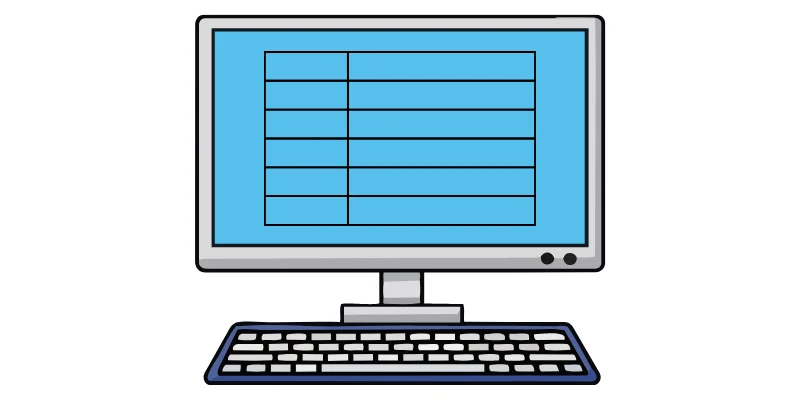
Why Is a Pane Used?
A pane is used to organize information on the computer screen. It helps users find things easily without getting confused. Panes allow us to see different options at the same time, which saves time. They make using a computer simple and user-friendly, especially for beginners.
Types of Panes in Computer
There are different types of panes in a computer. Each pane has its own job and helps us use the computer easily.
- Navigation Pane: shows folders and options. It helps us move from one place to another quickly. It is usually on the left side of the window.
- Detail Pane: shows extra information about a selected file or folder, such as its name, size, type, and date. It helps users quickly understand file details without opening it.
- Preview Pane: shows a preview of a file before opening it. It helps us check the file quickly. It saves time and effort.
- Content Pane: is the main working area of a window. It shows files, folders, text, or pictures. Most of our work is done in this pane.
Examples of Pane:
We can see panes in many computer programs that we use every day. These examples will help you understand panes easily.
1. Pane in File Explorer
In File Explorer, the left side shows folders in the navigation Pane. The right side shows files and folders in the Content Pane. This helps us find and open files quickly.
2. Pane in MS Word
In MS Word, the Task Pane shows tools like formatting and styles. The main page area is the Content Pane where we type our work. Panes help us write and edit easily.
3. Pane in Web Browser
In a web browser, tabs and bookmarks work like panes. The main screen shows the website content. Panes help us browse the internet smoothly.
Difference Between Window and Pane
| Window | Pane |
|---|---|
| A window is the full screen area of a program. | A pane is a part inside a window. |
| It opens when we start a program. | It helps organize information inside the window. |
| A window can contain one or more panes. | A pane cannot exist without a window. |
| Example: MS Word window | Example: Navigation pane in MS Word |
Where Do We See Panes in Daily Computer Use?
We see panes in many computer tasks that we do every day.
- While studying, panes help us read and manage files easily.
- During homework, panes show tools and work area at the same time.
- When browsing files, panes help us find folders and documents quickly.
- While writing documents, panes make typing and editing simple.
- When using the internet, panes help us view content clearly.
Final Words:
In this article, we learned what a pane in a computer is, its types, and how it helps us use the computer easily. Panes organize information, save time, and make work simple for beginners.
My personal recommendation: If you are a student, understanding panes will help you study and work smarter, so keep learning with me and stay curious, guys! If you have any confusions, you can ask me in comments section.

- Be Respectful
- Stay Relevant
- Stay Positive
- True Feedback
- Encourage Discussion
- Avoid Spamming
- No Fake News
- Don't Copy-Paste
- No Personal Attacks
- Be Respectful
- Stay Relevant
- Stay Positive
- True Feedback
- Encourage Discussion
- Avoid Spamming
- No Fake News
- Don't Copy-Paste
- No Personal Attacks
