Types of Mouse in Computer with Images | 2 Main Categories
Published: 22 Feb 2026
Did you know that the first computer mouse, invented in 1964, was made of wood and had only one button? Today, the computer mouse has evolved into many different types with advanced features, wireless technology, and ergonomic designs, and become an essential part of our daily computer use.
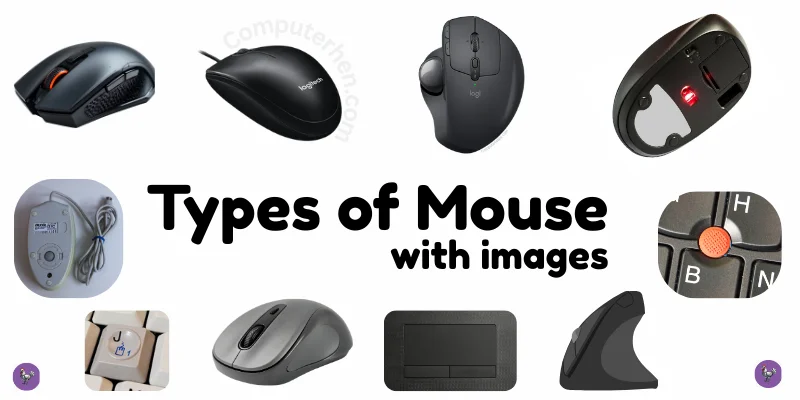
Classification of Mouse:
To better understand the different types of computer mouse, we can classify them into two main categories:
- By connectivity
- By features and shape
This simple classification makes it easier for beginners to learn and compare different types of mouse step by step.
By Connectivity
In this category, we will cover the mouse types with their connectivity options, like we will focus on how the mouse connects to the computer, such as wired or wireless options.
1. Wired Mouse
A Wired Mouse is a type of computer mouse that connects to the computer using a cable, usually through a USB port. It does not need batteries because it gets power directly from the computer.
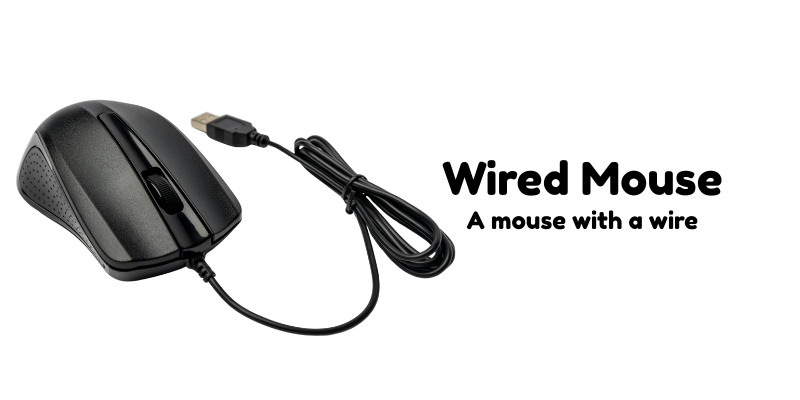
Wired mice provide a stable and fast connection without delays. Many people prefer a wired mouse because it is reliable and affordable.
2. Wireless Mouse
A Wireless Mouse is a computer mouse that does not need a cable to connect to the computer. It works using a small USB receiver or Bluetooth and is powered by batteries.
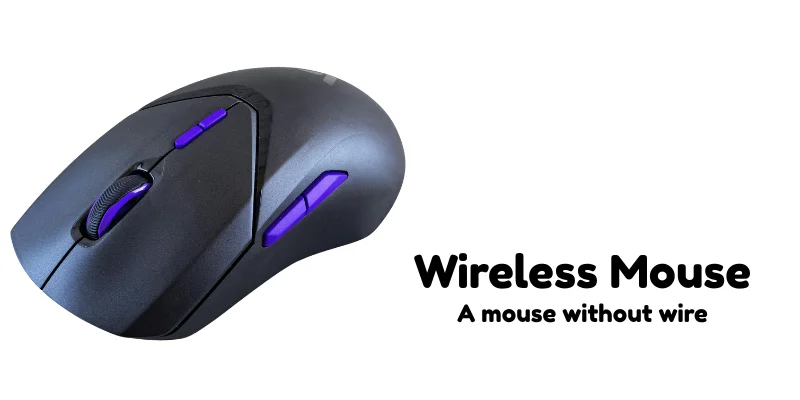
This type of mouse is easy to carry and allows more freedom of movement. They are convenient, but the batteries need to be replaced or recharged regularly.
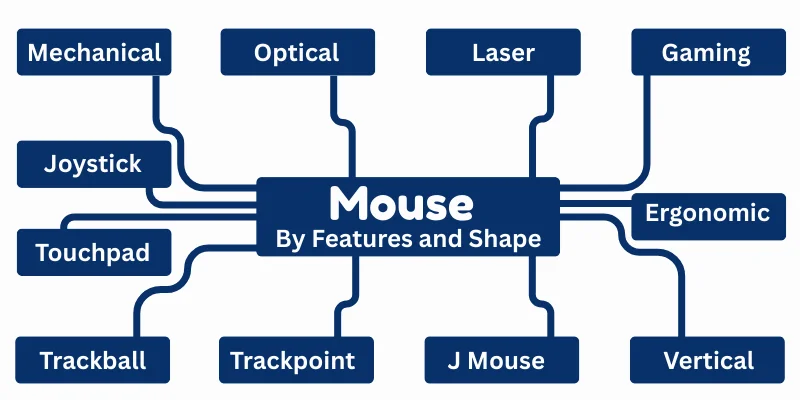
By Features and Shape
This category explains the design, special features, and purpose of different mice, such as ergonomic, gaming, or vertical mice.
1. Mechanical Mouse
Mechanical Mouse, also known as a ball mouse, is one of the oldest types of computer mouse. It has a small rubber or metal ball inside that moves when the user slides the mouse on a surface.
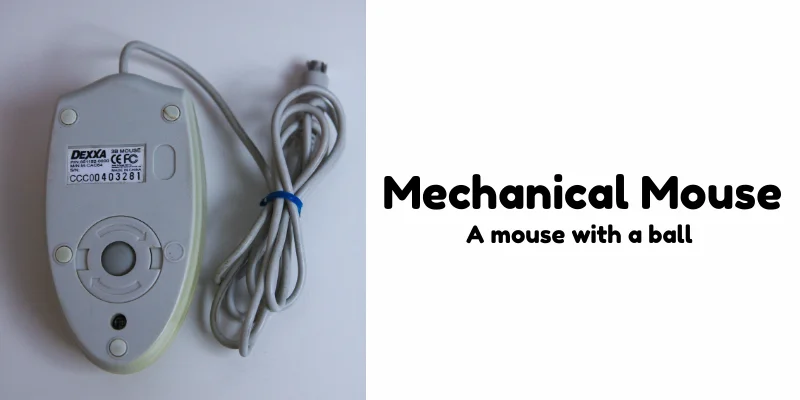
As the ball rotates, it helps the computer detect the direction and speed of movement. This type of mouse was commonly used in early desktop computers. However, it needed regular cleaning because dust could collect inside and affect its performance.
2. Optical Mouse
An Optical Mouse is a modern type of computer mouse that uses a small LED light to detect movement. Instead of a ball inside, it has a tiny sensor that tracks motion by reflecting light from the surface.
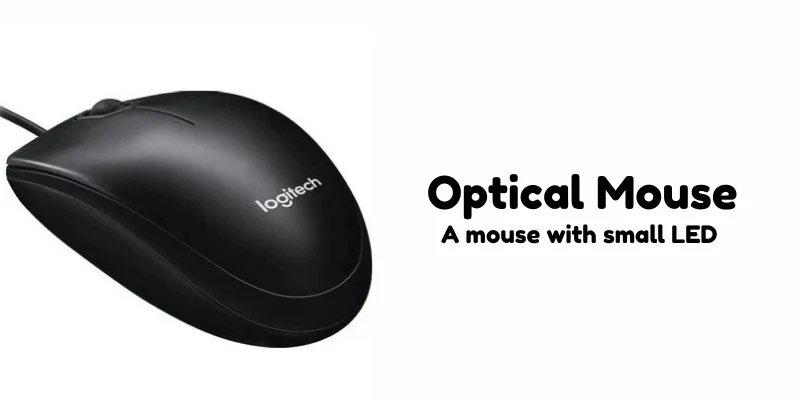
This makes it more accurate and smoother than a mechanical mouse. It does not collect dust easily, so it requires less cleaning and maintenance.
3. Laser Mouse
A Laser Mouse is an advanced type of computer mouse that uses a laser light instead of an LED to detect movement. The laser sensor makes it more precise and sensitive than an optical mouse.
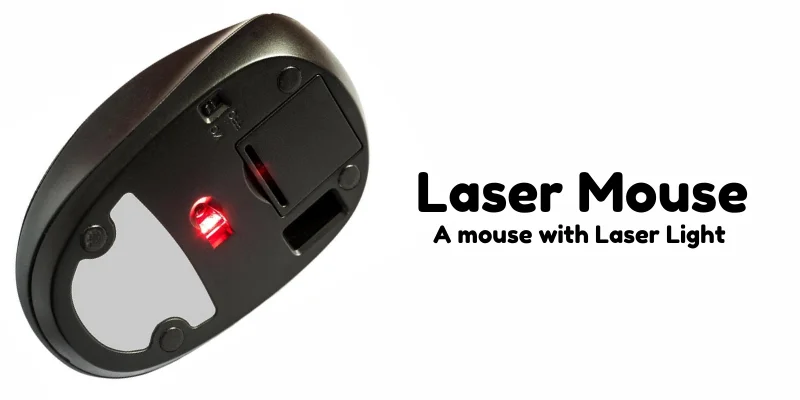
It can work smoothly on different surfaces, Because of its high accuracy, it is often used by designers and professional users. Laser mice are a good choice for tasks that require detailed and careful control.
4. Gaming Mouse
A Gaming Mouse is a specially designed computer mouse for playing video games. It usually has extra buttons, higher sensitivity, and faster response time than regular mice.
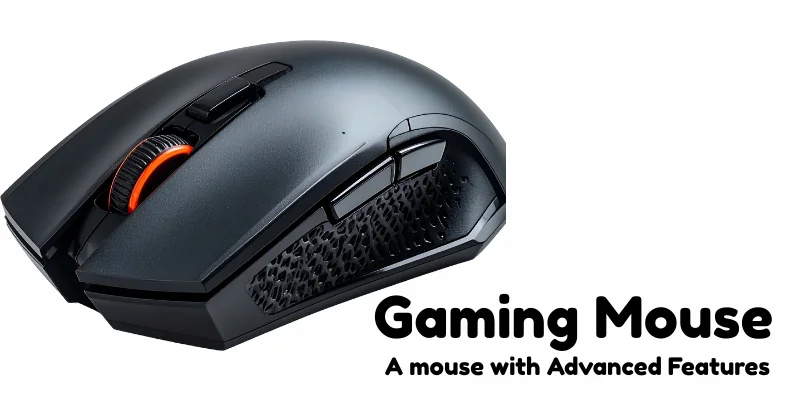
Many gaming mice also have colorful lights (RGB) and customizable features. They help gamers perform actions quickly and accurately during fast-paced games. Gaming mice are popular among professional and casual gamers who want better control and comfort.
5. Joystick
A Joystick is a pointing device used to control computers, games, or machines. It usually has a stick that can move in different directions and buttons to perform actions.
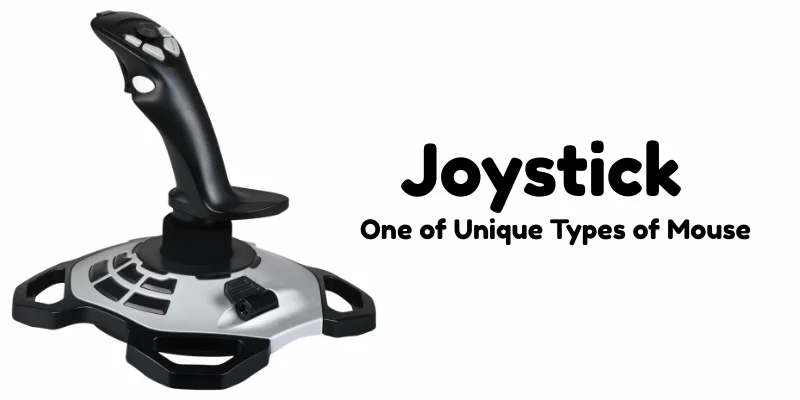
They allow precise movement and are especially useful for games or tasks that need smooth, directional control. Some advanced joysticks also have extra features like vibration or programmable buttons for better performance.
6. Touchpad
A Touchpad is a flat, touch-sensitive surface used to control a computer cursor. It is commonly found on laptops.
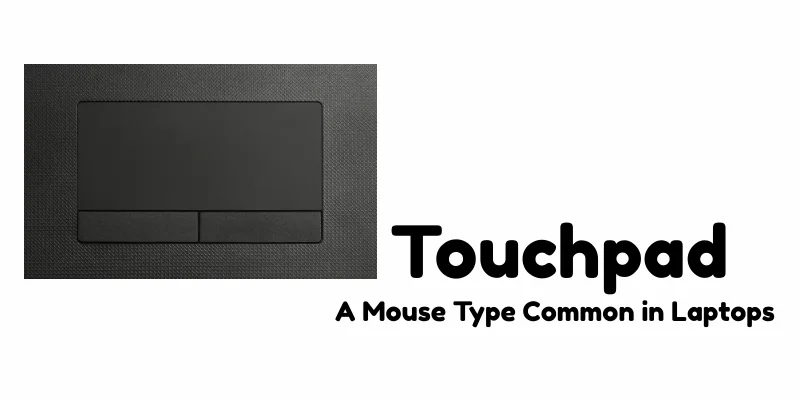
By moving your finger across the touchpad, you can move the pointer on the screen, and tapping it works like clicking a mouse.
Many touchpads support gestures, such as scrolling, zooming, and swiping, to make navigation easier. Touchpads are convenient for portable devices because they do not require extra space or cables.
7. Trackball
A Trackball is a stationary pointing device that has a large ball on top, which the user rotates to move the cursor on the screen. Unlike a regular mouse, you do not move the whole device, only the ball moves.
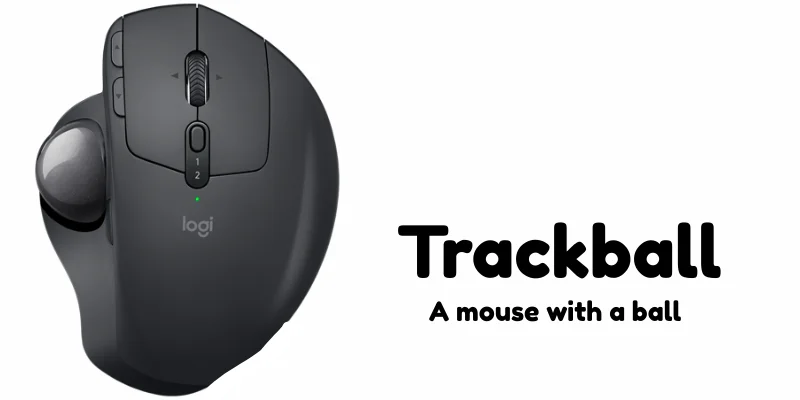
Trackballs are useful in limited spaces or for precise control, such as in graphic design or CAD work. They often have buttons for clicking and can reduce wrist strain compared to traditional mice. Trackballs are less common but still valued for their accuracy and comfort.
8. TrackPoint
A TrackPoint is a small, joystick-like device found on some laptop keyboards, usually between the keys G, H, and B. It allows users to move the cursor by gently pressing the tiny stick in any direction.
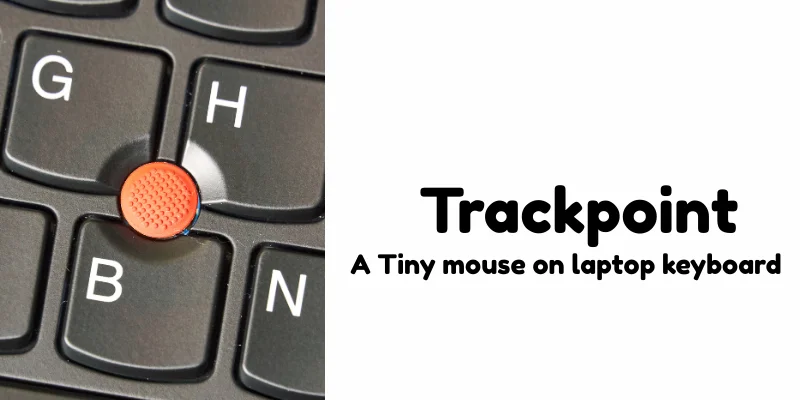
TrackPoints are popular on laptops because they save space and let you control the cursor without moving your hands from the keyboard.
They are precise and useful for typing-heavy work where switching to a mouse might slow you down. Many professionals prefer them for speed and convenience.
9. J‑Mouse
J‑Mouse is an old style of pointing device used on some early portable computers where the “J” key on the keyboard acted like a mouse controller, letting the user move the cursor by pressing that key and using two separate buttons (left and right click) usually placed below the spacebar.
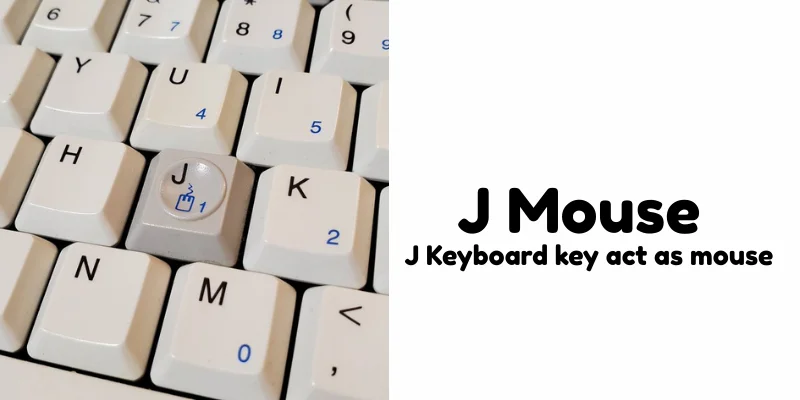
This design was meant to save space on keyboards before modern touchpads became common. Because it was difficult to use and newer technologies were introduced, the J‑Mouse is no longer found in modern devices.
10. Ergonomic Mouse
An Ergonomic Mouse is specially designed to fit the natural shape of your hand. It helps reduce strain on your wrist and fingers during long hours of computer use.
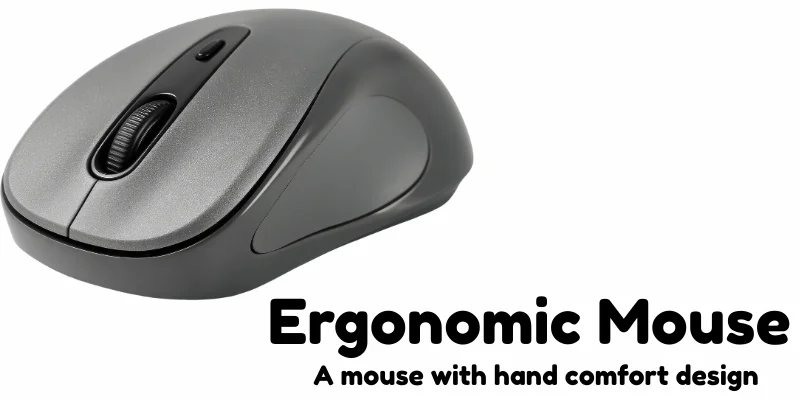
This type of mouse is popular among office workers and students who spend a lot of time on computers. Ergonomic mice can prevent discomfort and repetitive strain injuries. They often have a slightly curved shape to support a more natural hand position.
11. Vertical Mouse
A Vertical Mouse is a type of ergonomic mouse that is held in a handshake-like position, rather than flat on the desk. This design helps reduce wrist strain and prevents problems like carpal tunnel syndrome.
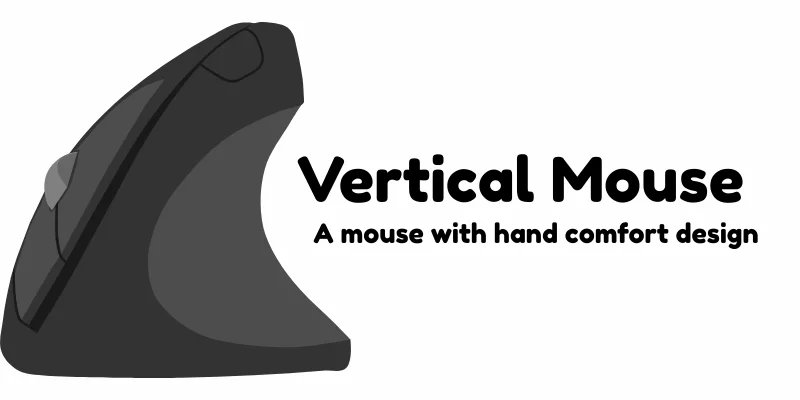
It allows users to move the cursor comfortably while keeping the hand and arm in a more natural position. Vertical mice are especially useful for people who use computers for long hours. Many professionals prefer them to maintain better hand and wrist health.
Final Words
In conclusion, the computer mouse has evolved into many types to meet different needs, from the classic Mechanical Mouse to advanced Laser and Gaming Mice, as well as portable options like Wireless, Trackpads, and even TrackPoints. Each type has its own purpose, advantages, and best use cases.
Personal advice: Choose a mouse that feels comfortable in your hand and suits the work or activity you do most. Comfort and ease of use are just as important as technology, a good mouse can make using your computer much more enjoyable!



- Be Respectful
- Stay Relevant
- Stay Positive
- True Feedback
- Encourage Discussion
- Avoid Spamming
- No Fake News
- Don't Copy-Paste
- No Personal Attacks
- Be Respectful
- Stay Relevant
- Stay Positive
- True Feedback
- Encourage Discussion
- Avoid Spamming
- No Fake News
- Don't Copy-Paste
- No Personal Attacks
