9 Mouse Maintenance Tips | Make your Mouse Longlast
Published: 25 Feb 2026
Without proper care, dust, dirt, and small habits can slowly reduce mouse performance and lifespan.
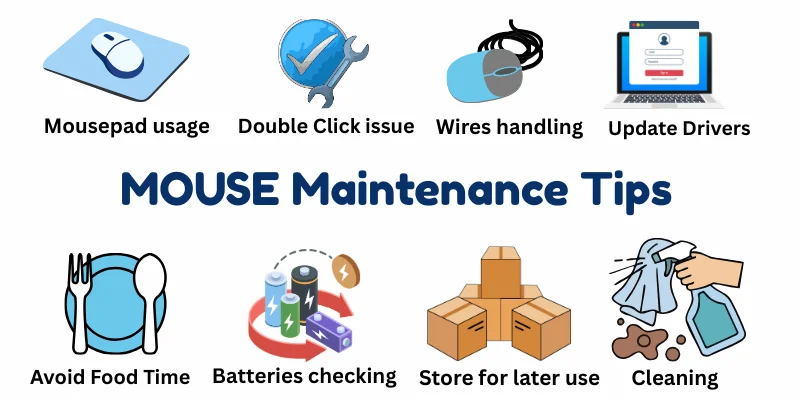
In this article, We’ll share simple and practical mouse maintenance tips that beginners can easily follow to keep their mouse working smoothly for years.
1. Clean the Surface Regularly
Dust and dirt slowly build up on your mouse surface, especially where your fingers rest.

Cleaning it regularly with a soft microfiber cloth keeps it hygienic and prevents grime from affecting the buttons’ performance. A quick wipe every few days can make your mouse feel fresh and work smoothly.
2. Avoid Eating While Using the Mouse
Eating while using your mouse may seem harmless, but tiny crumbs and oil from your fingers can slip inside the buttons and scroll wheel.

Over time, this buildup can cause buttons to stick or stop clicking properly. Keeping food away from your workspace helps your mouse stay clean and work smoothly.
3. Handle the Cable Carefully (For Wired Mouse)
For wired mice, the cable is more delicate than it looks.

Twisting, pulling, or sharply bending it can damage the internal wires, leading to connectivity issues or a completely dead mouse.Always gently unplug and arrange the cable without tension to ensure your mouse lasts longer.
4. Replace Batteries on Time (For Wireless Mouse)
A weak battery in a wireless mouse can cause lag, erratic movement, or sudden disconnections.

To keep your mouse responsive, replace batteries as soon as you notice performance drops. Always use good-quality batteries to ensure consistent power and a smooth, uninterrupted experience.
5. Store Properly When Not in Use
When you’re not using your mouse, proper storage can prevent accidental damage.

Avoid dropping it or placing heavy objects on top, and keep it away from moisture or liquids that can harm the internal components. A safe spot on your desk or in a drawer can significantly extend your mouse’s lifespan.
6. Update Mouse Drivers
Keeping your mouse drivers up to date ensures it works smoothly with your computer and all your applications.

Updated drivers can fix bugs, improve compatibility, and sometimes even unlock extra features. Check for updates regularly to avoid performance issues and enjoy a hassle-free experience.
7. Check and Fix Double-Click Issues Early
If your mouse starts double-clicking when you only press once, don’t ignore it.

This early sign of wear can worsen over time and damage the internal switches. Identifying and addressing the problem early-through cleaning or adjustment, can save your mouse from permanent damage.
8. Use a Proper Mouse Pad
A good-quality mouse pad not only protects your mouse sensor from dust and scratches but also ensures smooth and accurate tracking.

Using the right surface can reduce wear on the mouse feet and buttons, ultimately increasing the lifespan of your mouse while giving you a better user experience.
9. Keep the Mouse Pad Clean
A dirty mouse pad can directly affect your mouse’s tracking and make the cursor move unevenly.

Dust, oil, and tiny particles create friction that reduces accuracy over time. If you use a cloth mouse pad, wash it gently once a month and let it dry completely before using it again to maintain smooth performance.
Final Words
Taking care of your mouse doesn’t require technical skills, just small, consistent habits. By following these simple maintenance tips, you can improve performance, prevent common issues, and extend your mouse’s lifespan.
My personal advice is: “Remember, a well-maintained mouse means smoother work, better productivity, and fewer unnecessary replacements.” Thank you!



- Be Respectful
- Stay Relevant
- Stay Positive
- True Feedback
- Encourage Discussion
- Avoid Spamming
- No Fake News
- Don't Copy-Paste
- No Personal Attacks
- Be Respectful
- Stay Relevant
- Stay Positive
- True Feedback
- Encourage Discussion
- Avoid Spamming
- No Fake News
- Don't Copy-Paste
- No Personal Attacks
