6 Major Differences Between Internet and Intranet
Published: 10 Feb 2026
Ever think and felt confused about what makes internet different from intranet, Many students mix them up because both look similar but work very differently.
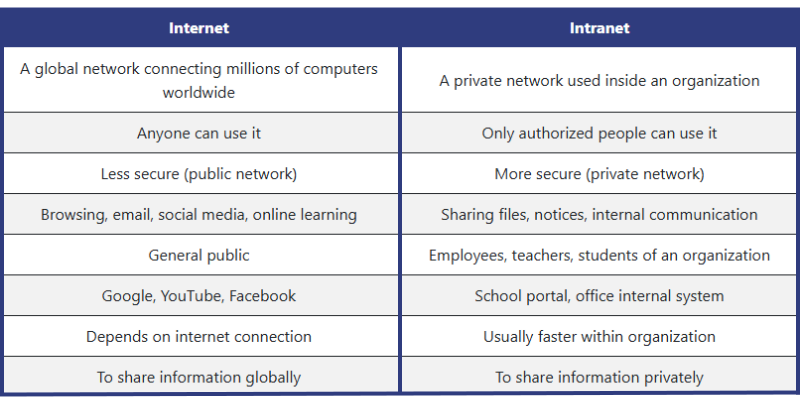
In this article, we will clearly explain the Differences between Internet and Intranet in simple words, with examples and easy comparisons so you can understand without any confusion.
What Is the Internet?
“The Internet is a worldwide network that connects computers and mobile devices to share information, communicate, and access websites easily.”
What Is the Intranet?
“An Intranet is a closed Internet-like system that only members of a company or school can use.”
Differences between Internet and Intranet
In this section, we will compare them side by side so you can easily understand how they are used, who can access them, and why each one is important.
➤ Purpose
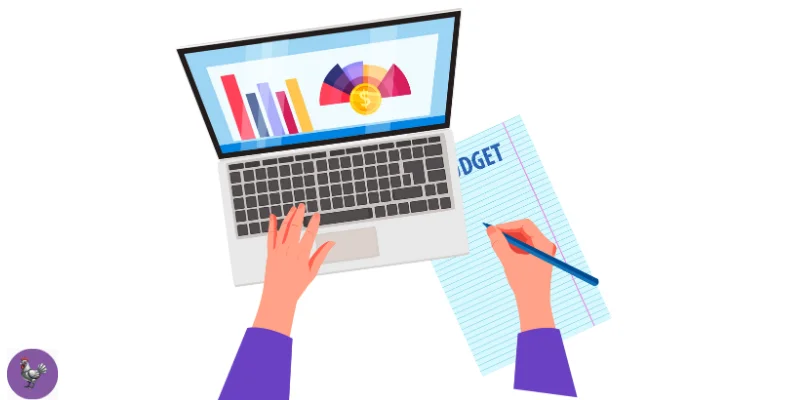
Purpose means the main reason why a network is created and how people use it in daily life. It helps us understand what job the Internet and Intranet are meant to do.
◆ Internet:
The main purpose of the Internet is to share information with the whole world. People use it for learning, communication, shopping, and entertainment.
◆ Intranet:
The purpose of an Intranet is to help an organization work better and faster. It is used to share office documents, notices, and internal updates. This makes teamwork easier and more efficient.
➤ Security
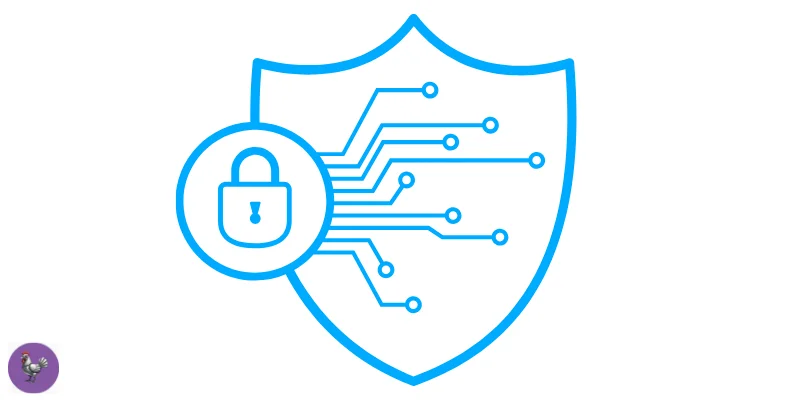
Security means how safe a network is from hackers, viruses, and unwanted users. It helps protect important information from being misused.
◆ Internet:
The Internet is a public network, so it is less secure compared to private systems. Anyone can access it, which increases the risk of cyber threats.
Although passwords and antivirus tools help, users must be careful while sharing personal information online.
◆ Intranet:
An Intranet is much more secure because only authorized people can use it. It is protected by login details and internal controls.
This makes it safer for sharing important data. That’s why organizations trust Intranets for private information.
➤ Cost
Cost means how much money is needed to set up and use a network. It helps us understand which system is cheaper or more expensive to maintain.

◆ Internet:
The Internet is usually low in cost for users because many services are affordable. People only need to pay for an internet connection.
Students can study online, watch videos, and search information without spending much money.
◆ Intranet:
An Intranet is more expensive to set up because organizations must buy servers, software, and security systems. It also needs technical staff to maintain it.
That’s why mostly companies and large schools use Intranets, not individuals.
➤ Connectivity
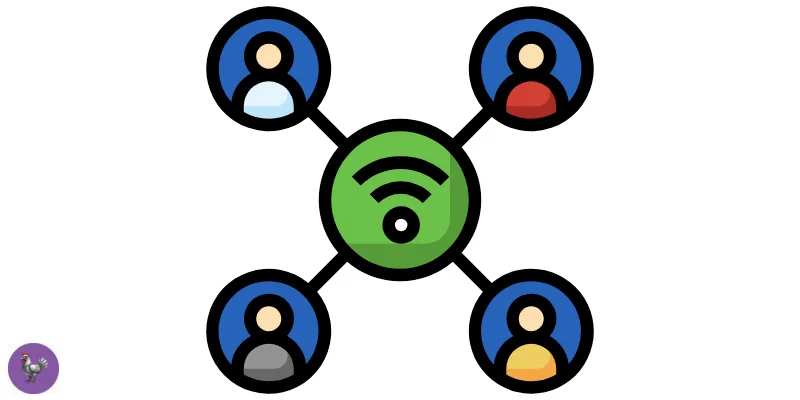
Connectivity and communication show how people and devices connect and share information through a network. They explain how wide a network reaches and how easily users can stay in touch.
◆ Internet:
The Internet connects millions of devices all over the world, allowing people from different countries to communicate and work together online.
It covers millions of websites and services, making knowledge available globally. That’s why it is called a global network.
◆ Intranet:
An Intranet connects devices only within a single organization. It is mainly used for internal communication and sharing important information.
Employees can send updates, messages, and documents securely in one place. This helps teams work smoothly and keeps official communication organized.
➤ Content Control
Content control means who can create, change, and manage the information on a network. It helps keep information organized and trustworthy.

◆ Internet:
On the Internet, anyone can share content like videos, posts, and websites. This makes information huge but not always accurate.
Because it is open to everyone, controlling wrong or harmful content is difficult.
◆ Intranet:
On an Intranet, only authorized people can upload and manage content. This keeps information correct and well organized.
Organizations control what is shared, making it more reliable and secure.
➤ Speed & Performance
Speed and performance mean how fast a network works and how smoothly it handles tasks like loading pages or sharing files. It shows which system gives quicker and more reliable results.

◆ Internet:
The Internet speed depends on the user’s connection and network traffic. Sometimes it works fast, and sometimes it becomes slow due to heavy usage.
Because many people use it at the same time, performance can vary during busy hours.
◆ Intranet:
An Intranet usually works faster because it is used by fewer people within an organization. Data travels over local servers, making access quick.
It gives better performance for file sharing and internal work. That’s why offices rely on it for daily tasks.
Final Words
In this article, we learned about the Internet and Intranet in simple words and compared them through features like purpose, security, cost, speed, content control and connectivity.
Personal Recommendation:
If you are a student, use the Internet wisely for learning and research, but always stay safe online. If your school or office provides an Intranet, explore it to share files and get important updates faster – it’s a great tool for organized work.
FAQs
Here are some common questions students often ask about the Internet and Intranet. The answers are simple and easy to understand, so you can learn quickly without confusion.
Usually, No! an Intranet is made for use inside a school or company only. However, some organizations allow remote access using special login systems or VPNs.
Yes! An Intranet can work completely without the Internet because it is a private network inside a office, or company.
All files, messages, and services are stored on local servers, so employees can access them even if there is no Internet connection.
Many websites are free to use, like search engines and learning platforms. But some services, courses, and apps may require payment.
Yes! Many organizations connect their Intranet to the Internet. This allows users to access internal files while also using online services.
Devices connect to an Intranet through a private network, usually using Wi-Fi or network cables inside the organization.
Users often need a username and password to access it, which keeps the network safe and private.
Yes! Both can use the same physical network cables or Wi-Fi to connect devices. The difference is that an Intranet is private and only allows authorized users, while the Internet is public and open to everyone.
Companies, and government offices use Intranets the most. They help employees, or staff share important files, communicate quickly, and organize work efficiently.
No, not all websites are trustworthy. Some websites may have false information or even harmful content, so it’s important to use reliable sites and check sources before believing or sharing anything.



- Be Respectful
- Stay Relevant
- Stay Positive
- True Feedback
- Encourage Discussion
- Avoid Spamming
- No Fake News
- Don't Copy-Paste
- No Personal Attacks
- Be Respectful
- Stay Relevant
- Stay Positive
- True Feedback
- Encourage Discussion
- Avoid Spamming
- No Fake News
- Don't Copy-Paste
- No Personal Attacks
