What is Machine in Computer | How it works & Types
Published: 15 Sep 2026
Have you ever seen a fan spinning, a bicycle moving, or a car driving? These are all machines! A machine is something that helps us do work more easily and quickly.
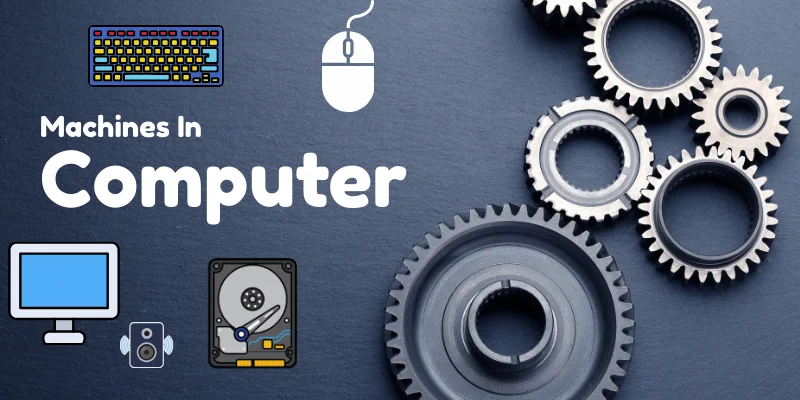
Definition of Machine: “A machine is a man-made thing that helps us do work easily, quickly, and with less effort. Machines make difficult or heavy tasks simple for humans.“
In the same way, a computer also has many machines inside it. These machines do different jobs to make the computer smart and fast. Some help it think, some help it show results, and some help it save your work.
Types of Machines in a Computer
A computer is like a team of different machines. Each machine has a special job to do.
Input Machines
Input devices are tools that allow us to send data or commands to a computer. Examples include a keyboard, mouse, scanner, or joystick. They help the computer understand what the user wants it to do.

We commonly use these input devices to give instructions to the computer.
- Keyboard (for typing)
- Mouse (for clicking)
- Trackball Mouse (for controlling the cursor by rolling a ball)
- Scanner (for scanning pictures or documents)
- Microphone (for recording voice or sound)
- Joystick (for playing games or controlling movements)
- Webcam (for capturing video or taking pictures)
- Light Pen (for pointing or drawing on the screen)
Output Machines
Output devices are tools that show the results of a computer’s work to the user. Examples include monitors, printers, and speakers. They help us see, hear, or feel the information processed by the computer.

We commonly use these output devices to take data from the computer.
- Monitor / Screen (for displaying visuals)
- Printer (for printing documents or pictures)
- Speakers (for producing sound)
- Headphones (for listening to audio privately)
- Projector (for showing images or videos on a big screen)
- Braille Reader (for visually impaired users to read text by touch)
Processing Machines
Processing machines are devices that take input data, process it, and produce output. The main example is a Central Processing Unit (CPU),

it acts like the brain of the computer, performing calculations and running programs. Without processing machines, computers cannot turn input into meaningful results.
Storage Machines
Storage machines are devices that save data and information for future use. Examples include hard drives, SSDs, USB flash drives, and memory cards. They allow computers to keep files, programs, and important data even when the power is turned off.
We commonly use these storage devices to store data in the computer.
- Hard Disk Drive (HDD) (for storing large amounts of data)
- Solid State Drive (SSD) (for faster storage and retrieval)
- USB Flash Drive (for portable storage)
- Memory Card / SD Card (for cameras, phones, and small devices)
- CD (Compact Disc) (for storing music or files)
- DVD (Digital Versatile Disc) (for videos or larger files)
- Blu-ray Disc (for high-definition video storage)
- External Hard Drive (for backup or extra storage)
Final Words
Machines cannot work on their own. Just like we need food to run and play, machines need energy to do their job. Without energy, machines cannot move or work.
- Electricity gives power to computer machines.
- Your computer monitor, keyboard, and cpu all need electricity to function.
- Even small machines like a mouse or printer need power to work.
- Some machines in a computer store energy to keep working even for a short time.
Think of machines as little helpers. Without energy, they just sleep and cannot help you!

- Be Respectful
- Stay Relevant
- Stay Positive
- True Feedback
- Encourage Discussion
- Avoid Spamming
- No Fake News
- Don't Copy-Paste
- No Personal Attacks
- Be Respectful
- Stay Relevant
- Stay Positive
- True Feedback
- Encourage Discussion
- Avoid Spamming
- No Fake News
- Don't Copy-Paste
- No Personal Attacks
