What is Computer Navigation | 6 Types That Make Computing Easier
Published: 15 Sep 2026
Basic Meaning: Navigation means finding your way or moving from one place to another. Navigating meaning in computer to move through files, folders, menus, or web pages to find information or reach a specific location.
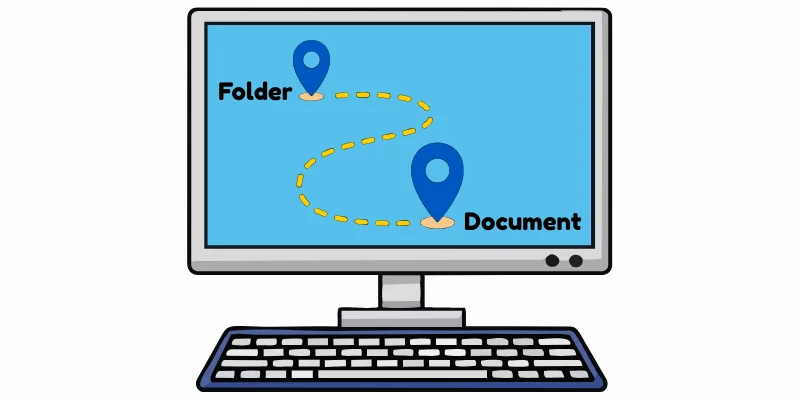
It involves using tools like a mouse, keyboard, links, buttons, or menus to go from one place to another on a computer or the internet.
Types of Computer Navigation
I am showing you some navigation types as examples of Navigation in Computer:
1. File Navigation
File Navigation refers to the process of moving through folders and files in a computer to find, open, or manage specific data. It allows users to browse different directories using mouse and keyboard. File navigation helps organize and access files quickly and efficiently.
2. Software Navigation
Software or Application Navigation refers to the process of moving through different menus, options, and features within a software program. It helps users open tools, switch between sections, and perform tasks easily inside the application. This navigation is usually done using a mouse, keyboard, or on-screen buttons.
3. Web Navigation
Web Navigation refers to the process of moving through different pages and sections of a website on the internet. It allows users to click links, open menus, and switch between web pages to find information. Web navigation helps users explore websites easily and quickly.
4. Keyboard Navigation
Keyboard Navigation refers to the process of using a keyboard to move through files, menus, web pages, or software without using a mouse. Users can press keys such as Tab, Arrow keys, Enter, and shortcuts to select options and perform actions. It helps users work faster and improves accessibility in many computer systems.
5. Mouse-Based Navigation
Mouse Navigation refers to the process of using a mouse to move through files, menus, software, or web pages on a computer. Users can click, scroll, and drag the mouse to select options and interact with different elements on the screen. It makes navigation easier and more intuitive for most computer users.
6. Touch Navigation
Touch Navigation refers to interacting with a device’s screen directly using fingers. Users can tap, swipe, pinch, or drag to open apps, scroll pages, and perform actions without a mouse or keyboard. It’s commonly used on smartphones, tablets, and touchscreen laptops for intuitive and fast navigation.
Final Words
In this article, we explored “Navigate” in computer meaning, different types of navigations on computer including File Navigation, Software Navigation, Web Navigation, keyboard Navigation, Mouse Navigation, and Touch Navigation.
These are basic concepts, but I hope that whenever someone asks you about what is navigation in computer or its types, you will be able to answer confidently.
Basic computer navigation skills are the abilities you use to move around and control a computer. They include opening files and programs, using menus, moving between windows, scrolling pages, and using a mouse or keyboard to select items.
There are 6 common types of navigation in computer:
- File Navigation – Moving through folders and files to find, open, copy, move, or manage them.
- Software Navigation – Moving through menus, buttons, windows, and settings inside a program.
- Web Navigation – Moving between web pages, links, menus, and sections of a website.
- Keyboard Navigation – Using keyboard keys and shortcuts to move around and perform actions without relying on a mouse.
- Mouse Navigation – Using the mouse pointer to select, open, drag, scroll, and interact with items on the screen.
- Touch Navigation – Using taps, swipes, scrolling, and other touch gestures to control a touchscreen computer.
You can navigate computer without mouse by using the keyboard.
The Tab key moves between buttons and options, the Arrow keys move through lists and menus, and Enter selects an item. Keyboard shortcuts such as Alt + Tab can also help you switch between open windows.
A navigation computer for pilots is a computer-based system that helps pilots with flight navigation and planning. It can process information such as the aircraft’s position, route, speed, altitude, and other flight data to help the pilot follow the planned route.
Definition:“The computer navigation refers to the process of moving through and interacting with a computer’s files, programs, menus, websites, and other elements. It allows users to find information and perform tasks efficiently.”
A computer T%qco#R4}?Npane is a section of a program or window that helps users move between different locations or sections. For example, File Explorer has a navigation pane that provides quick access to folders, drives, and common locations.


- Be Respectful
- Stay Relevant
- Stay Positive
- True Feedback
- Encourage Discussion
- Avoid Spamming
- No Fake News
- Don't Copy-Paste
- No Personal Attacks
- Be Respectful
- Stay Relevant
- Stay Positive
- True Feedback
- Encourage Discussion
- Avoid Spamming
- No Fake News
- Don't Copy-Paste
- No Personal Attacks
