What Is a Computer? Types, History, Pros, Cons & Interesting Facts
Published: 20 Aug 2026
Ever wondered how that sleek machine in front of you actually works or why it feels like it can do almost anything? You’re not alone – most people use computers daily without really knowing what goes on behind the screen.
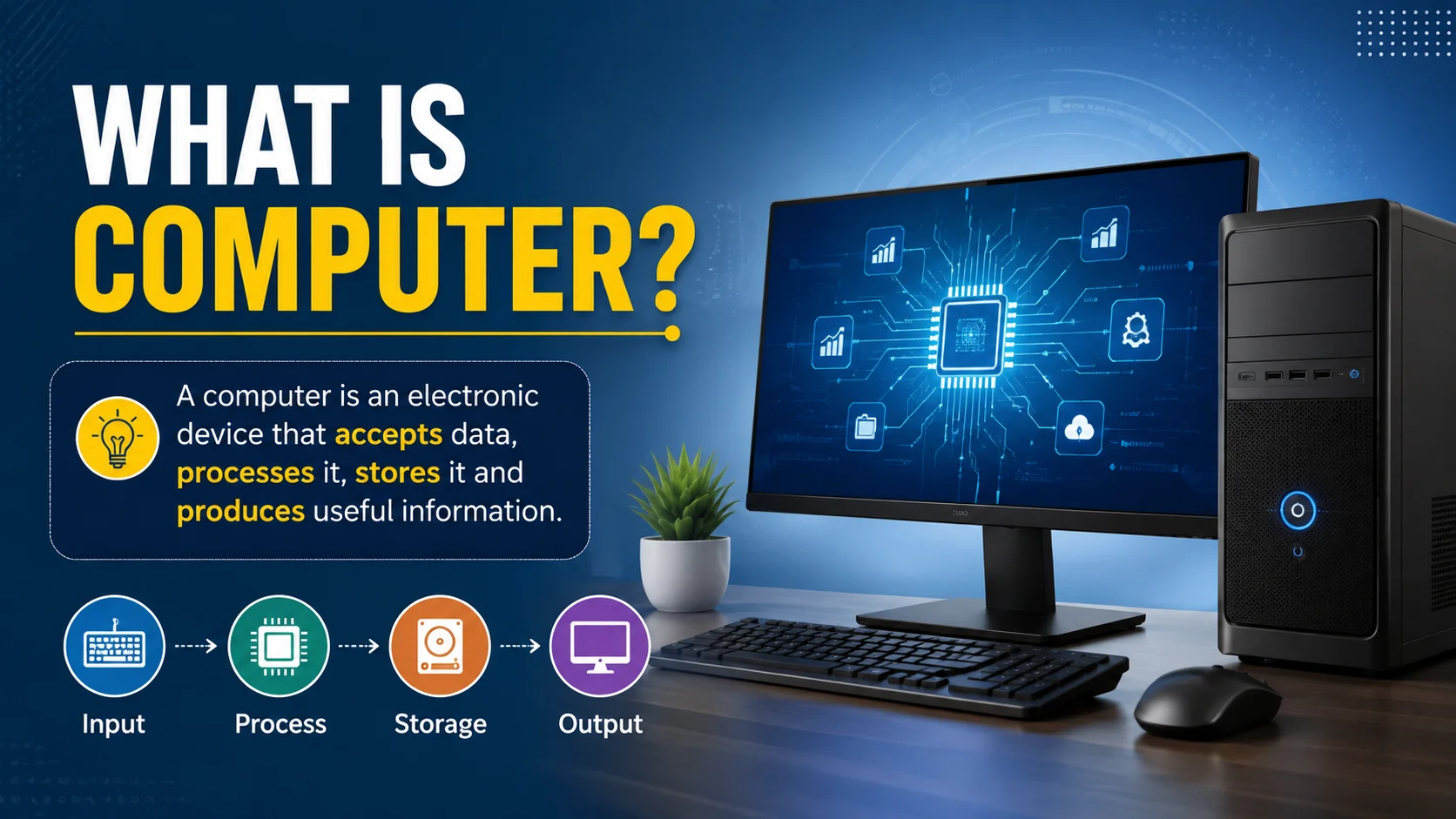
Don’t worry, this article will clear up that confusion. We’ll explore what a computer really is, how it works, what makes it so powerful, and why it’s such an essential part of modern life. By the end, you’ll see this everyday device in a whole new way.
Definition of Computer
A computer is an electronic machine that takes data, processes it, and gives useful results. The word “computer” comes from the word “compute” which means to calculate.
In simple terms, it is a device that can perform tasks like solving problems, storing information, and following instructions given by a user. It works through both hardware, which you can touch, and software, which gives commands to make the hardware work.
Commonly Shared Full Form of COMPUTER
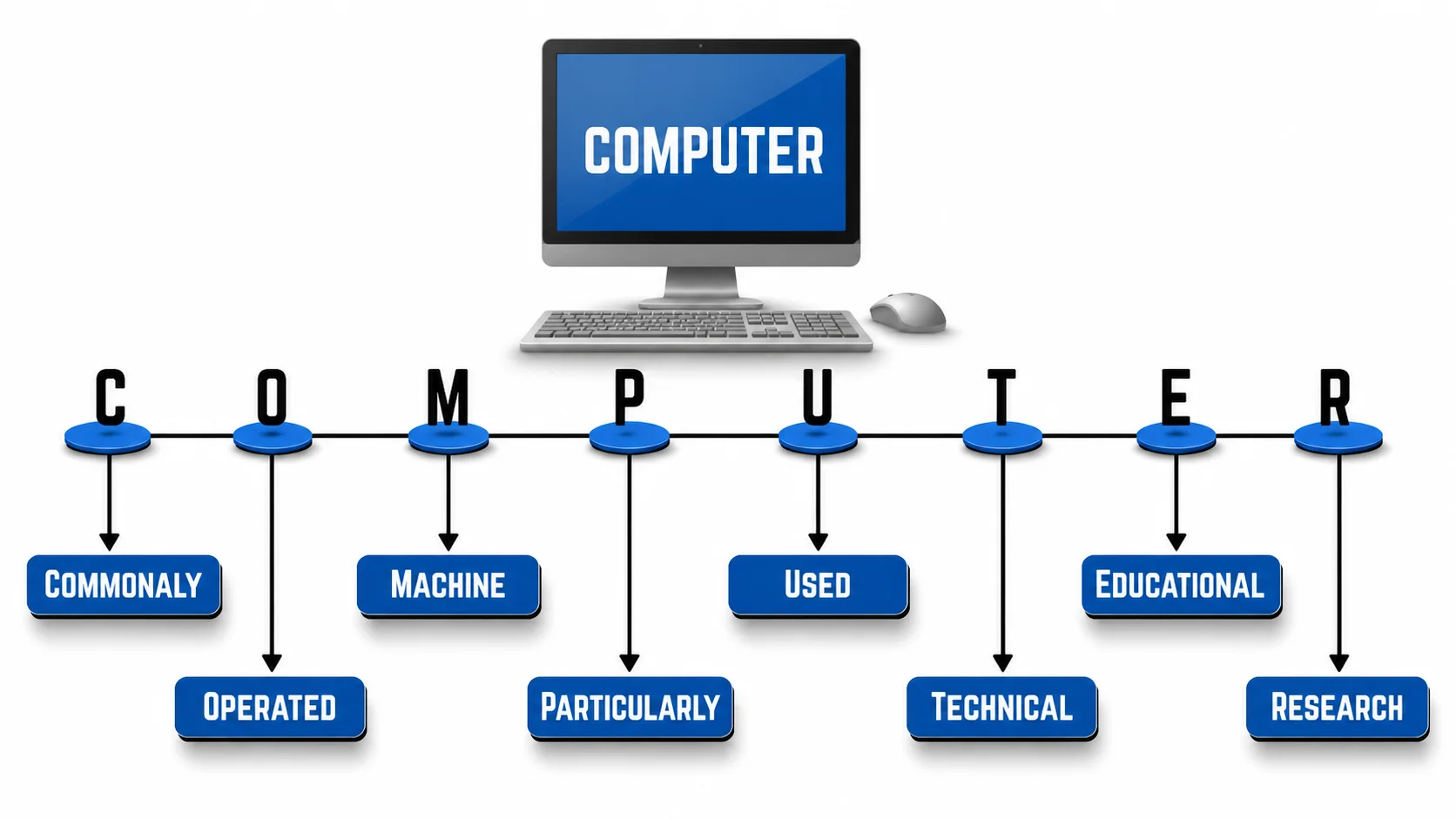
Computer is not an official abbreviation. The commonly shared expansion “Commonly Operated Machine Particularly Used for Technical and Educational Research” is a backronym, not the actual origin of the word. The word “computer” comes from “compute,” meaning to calculate or perform calculations.
Main Components of a Computer
A computer works because of two main parts: hardware and software. Here, I remembered an adage: “ Unity is strength.” Yeah! It fits on this. Both are equally important and work together to make everything run smoothly.
If hardware runs smoothly and software has issues, it can’t work, and if software is running smoothly but hardware cannot, it is trash; it cannot do anything.
Hardware
Hardware are the physical parts of a computer you can touch. They are also known as machines of computers, which makes our life easy.
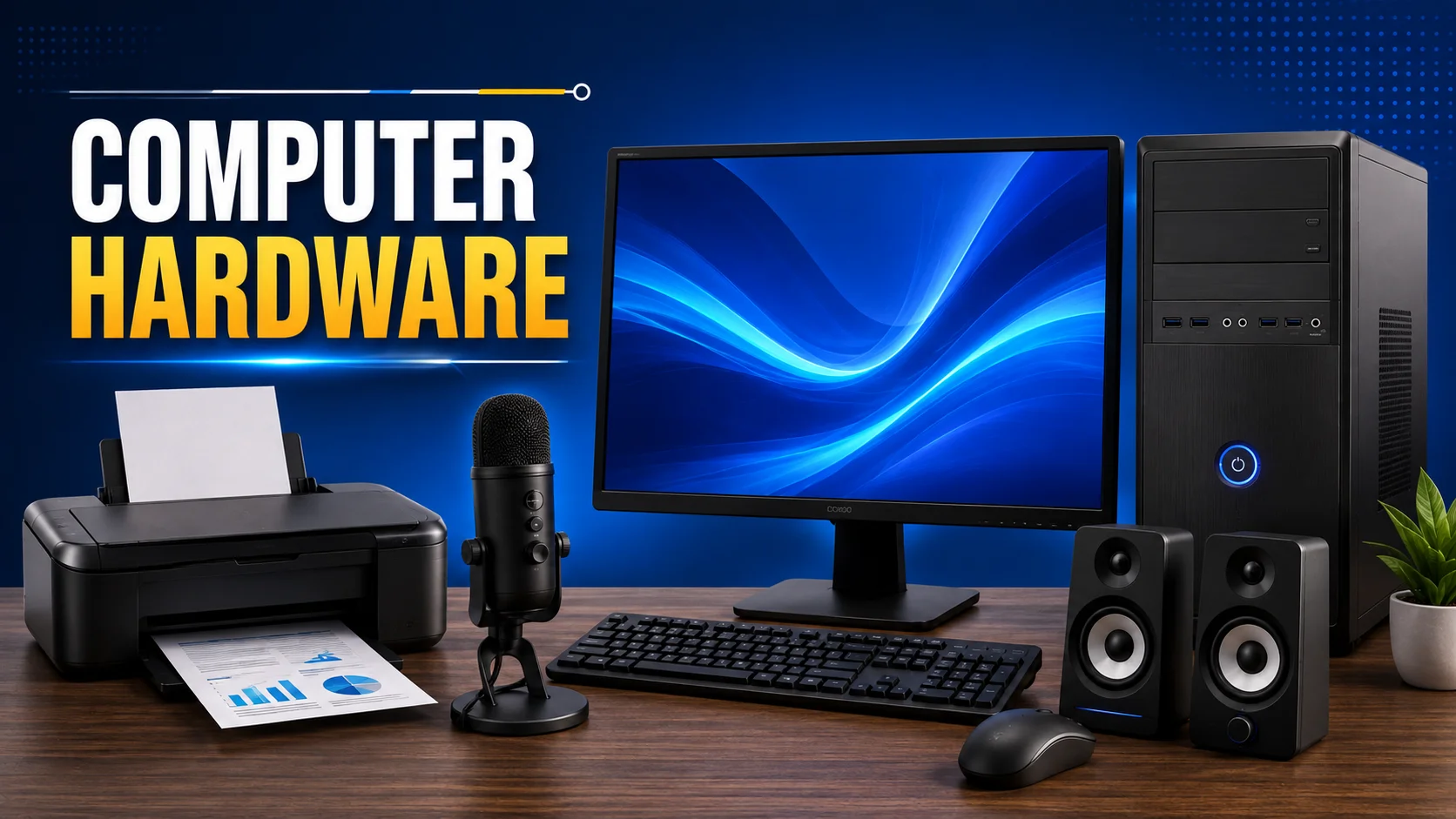
- CPU (Central Processing Unit): The brain of the computer that processes everything.
- Monitor / LCD: A Screen that shows information and visuals is known as monitor.
- Keyboard & Mouse: Let you give commands and input data. With a Keyboard, you can type text, and with a mouse, you can control cursor movement on the screen.
- Storage Devices: Hard drives or SSDs that store your files and programs.
- Printer: With a printer, you can print text and pictures on paper.
- Speaker: Let you listen to audio, music, voices, etc.
- Mic: It is used to transfer or save a voice. You can record your audio, join live meetings, and do video calls.
What is Input and Output Devices
- Input devices are used to enter data and commands into a computer, such as a keyboard, mouse, or scanner.
- Output devices show the results of that data after processing, like a monitor, printer, or speaker.
Simply, input devices send information to the computer, while output devices receive information from the computer.
Software
These are programs or instructions in a computer that tell the hardware what to do.
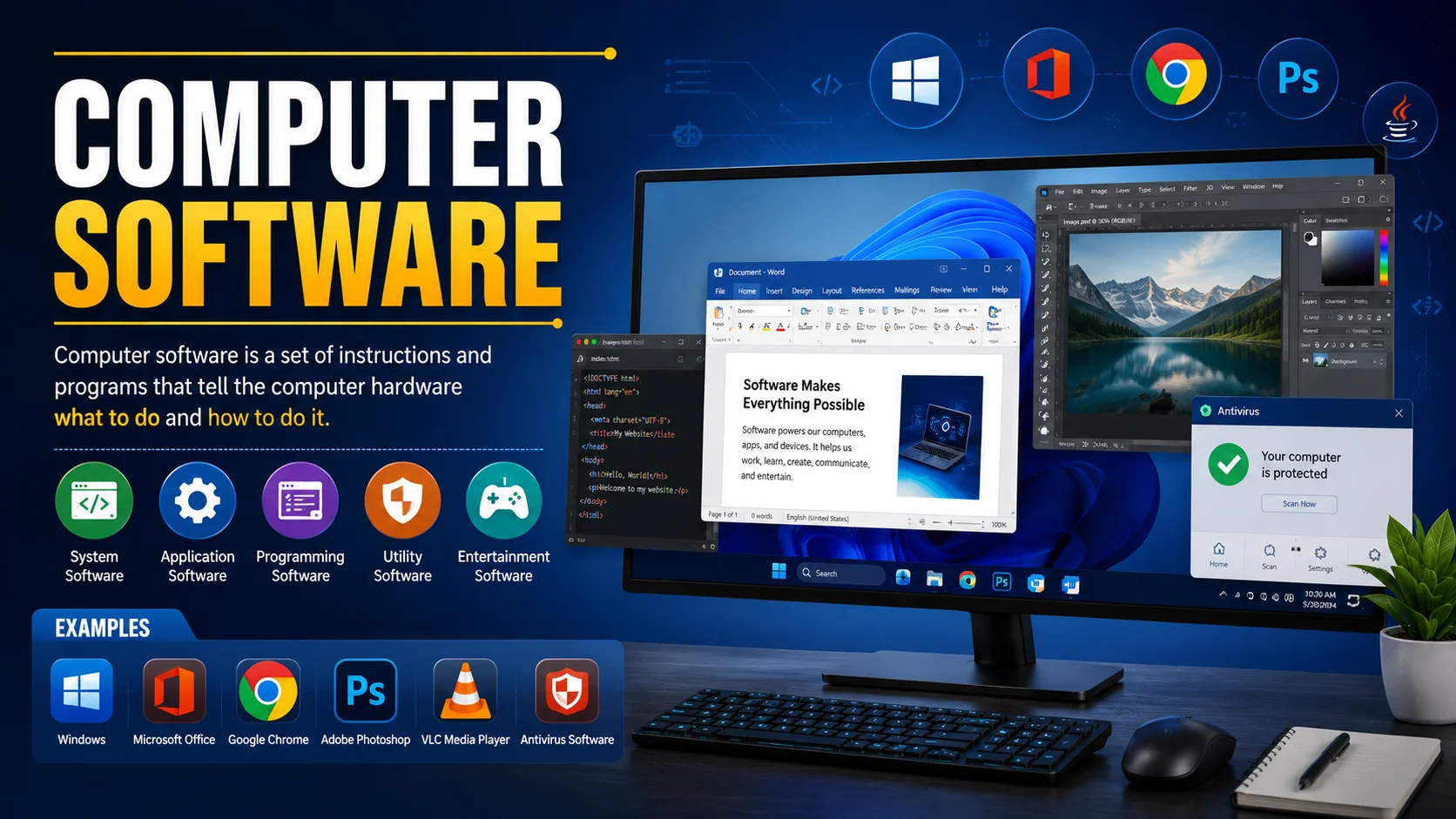
- Operating System (OS): Like Windows (i.e, Windows 10, Windows 11) or macOS, it manages the computer.
- Applications: MS Word, browsers, games, and other programs; you use them as applications.
- Utilities: Are tools that help maintain or protect your computer. I.e, Antivirus programs, disk cleanup tools, and backup software, etc.
Types of Computers
Computers come in different shapes and sizes. Each type is designed for a specific purpose. Some are small and personal, while others are huge and powerful for big tasks. The main types of computers are as follows:
- Supercomputer: The fastest computer, used for complex calculations like weather forecasting or scientific research.
- Mainframe Computer: Large and powerful, used by big organizations to handle massive data and transactions.
- Mini Computer: Smaller than mainframes, used in medium-sized businesses for tasks like managing databases.
- Personal Computer (PC): Designed for individual use, like laptops and desktops for home or office work.
- Workstation: A powerful PC used for engineering, graphics design, or scientific applications.
- Tablet & Smartphone: Small, portable computers used for communication, apps, and light computing tasks.
Characteristics of a Computer
Computers sometimes seem magical because they can do things that humans find difficult or slow. They have some secrets that make them so powerful and useful.
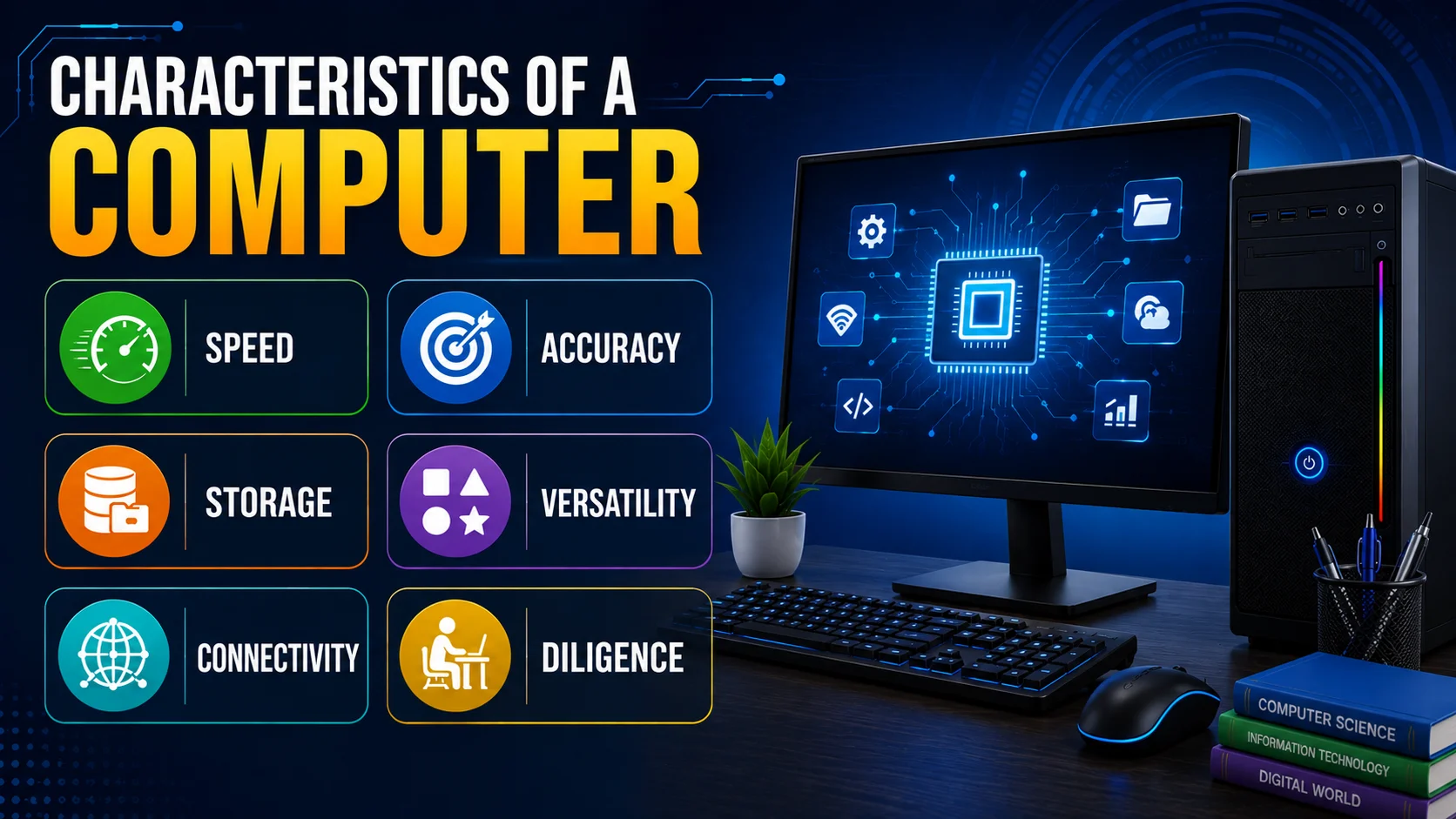
Main characteristics of Computers are following:
- Speed: Computers can process information and perform calculations very fast.
- Accuracy: They give results with very high precision and almost no mistakes.
- Automation: Once you give instructions, they can work on their own without constant human help.
- Storage: They can store huge amounts of data and retrieve it quickly whenever needed.
- Versatility: Computers can do many different tasks, from writing documents to playing games.
- Connectivity: They can connect to other computers and networks to share information.
- Diligence: Unlike humans, computers don’t get tired and can work continuously without breaks.
Advantages and Disadvantages of Computers
In this section, we will look at the pros and cons of using a computer. Understanding both sides helps us use it wisely.
| Advantages & Importance of Computers |
|---|
|
| Disadvantages of Computers |
|---|
|
History of the Computer
The journey of computers is long and fascinating. From simple counting tools to modern super-fast machines, they have changed the way we live and work. Sometimes it looks creepy. Here’s a simple timeline of how computers evolved from how to wow:
- (Around 2400 BC) Abacus: One of the first and Simplest counting tools used for calculations.
- (17th-19th Century) Mechanical Computers: Machines like Pascaline and the Analytical Engine helped in basic calculations.
- (1940s) First Electronic Computers: Huge machines like ENIAC could perform calculations faster than humans.
- (1950s-1960s) Transistor Computers: Smaller and more reliable than earlier machines.
- (1970s-1980s) Microprocessor & Personal Computers: Computers became smaller, faster, and affordable for homes and offices.
- (1990s–Now) Modern Computers: Laptops, smartphones, and personal computers changed everyday life with speed and connectivity.
Hidden but Interesting Facts
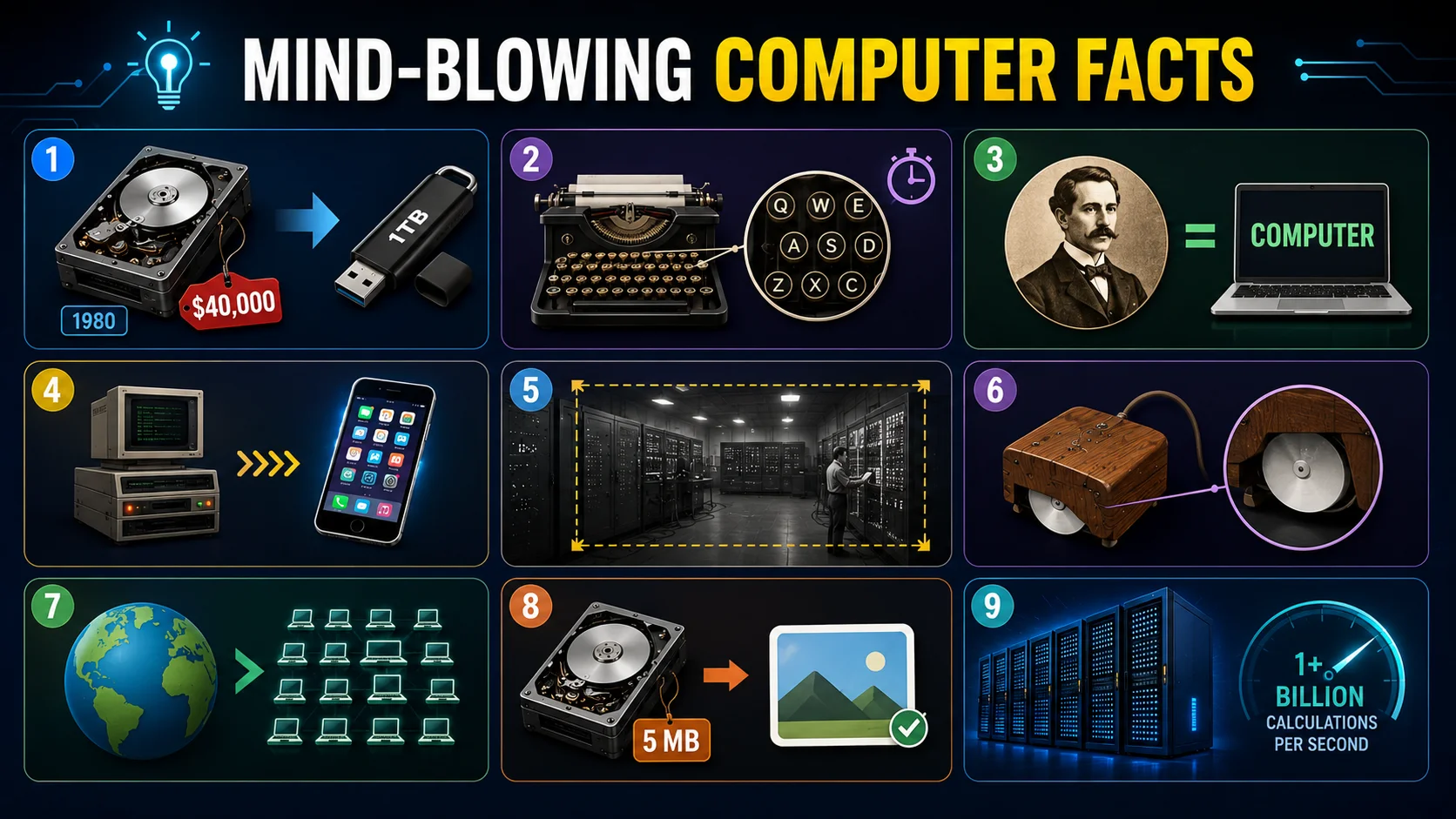
- First 1GB hard drive in 1980 cost around $40,000! Now we can carry 1TB in a tiny USB stick.
- QWERTY keyboard was designed to slow typists down so old mechanical typewriters wouldn’t jam.
- Word “computer” used to mean a person who calculates, not a machine.
- Your smartphone today is millions of times more powerful than the computers used for the first moon landing.
- First electronic computer, ENIAC, was so big it filled an entire room
- First mouse was made of wood with wheels.
- There are more computers in the world than there are people in some countries.
- First hard drive could store only 5 MB of data, smaller than a single photo today.
- World’s fastest supercomputer can perform more than a billion calculations per second.
Conclusion
So guys, now you know what a computer really is, how it works, why it matters so much, and how it has grown from simple counting tools to the powerful machines we use today. We talked about its definition, its importance in daily life, the main components, types, characteristics, pros and cons, and even its long journey through history.
According to my research, these types of computers are suitable for the following people:
- Supercomputer: For scientists, researchers, and organizations working on massive data and simulations.
- Mainframe Computer: For large enterprises, banks, airlines, and governments handling huge amounts of data and transactions.
- Minicomputer: For small to medium organizations needing multi-user systems (e.g., small companies, labs, institutes).
- Server Computer: For businesses, hosting companies, and organizations managing networks or websites.
- Workstation PC: For engineers, designers, video editors, and 3D creators.
- Desktop Computer: For students and office workers.
- Laptop: For people who need portability: students, travelers, business users.
- Gaming PC: For gamers, streamers, and people who need high-end graphics performance.
My personal advice? Don’t just use a computer – understand it. The more you know about it, the smarter and safer your digital life becomes. This knowledge helps you make better choices, protect your data, and use technology in a positive way.
Alright, buddies, that’s it for now. Keep learning with me, and stay tuned!
Frequently Asked Questions
A computer can perform many tasks quickly and accurately.
It can store information, process data, calculate numbers, create documents, browse the internet, play games, watch videos, and communicate with others. Computers are also used in education, business, healthcare, banking, and many other fields.
Python is one of the easiest computer languages to learn. Its simple syntax makes it a good choice for beginners. It is commonly used for web development, automation, data analysis, artificial intelligence, and many other tasks.
There are hundreds of computer programming languages. Some popular examples include Python, Java, C, C++, JavaScript, C#, and PHP. Different languages are designed for different types of tasks.
There are five main generations of computers. Each generation introduced major improvements in computer technology:
- First Generation – Vacuum tubes
- Second Generation – Transistors
- Third Generation – Integrated circuits
- Fourth Generation – Microprocessors
- Fifth Generation – Artificial intelligence and advanced technologies
A computer cannot think like a human. It follows instructions and processes data using programs.
Modern computers can perform tasks that appear intelligent, such as recognizing images or understanding language, but they do not have human thoughts or feelings.
A computer is important because it helps people complete tasks quickly and efficiently.
It can store large amounts of information, process data, communicate with others, support learning, and perform complex calculations. Computers are now an important part of education, work, business, and everyday life.
Computers are used in many places, including schools, offices, banks, hospitals, shops, factories, airports, homes, and research centers.
They are used for learning, communication, record keeping, designing, calculations, entertainment, and managing information.
Charles Babbage designed the Difference Engine in the 1820s and later designed the Analytical Engine in the 1830s.
He is often called the “father of the computer” because his Analytical Engine included ideas similar to important parts of modern computers.
Computer monitor can be used as a TV as long as it supports the right input connections, such as HDMI.
By connecting a set-top box, streaming device, or TV tuner, the monitor can display TV channels and online content just like a regular television.
However, most monitors do not have built-in speakers, so external speakers or headphones may be required for sound. Overall, with the proper accessories, a monitor can easily function as a TV screen.

- Be Respectful
- Stay Relevant
- Stay Positive
- True Feedback
- Encourage Discussion
- Avoid Spamming
- No Fake News
- Don't Copy-Paste
- No Personal Attacks
- Be Respectful
- Stay Relevant
- Stay Positive
- True Feedback
- Encourage Discussion
- Avoid Spamming
- No Fake News
- Don't Copy-Paste
- No Personal Attacks
