What are Output Devices of Computer? Types, Working, Benefits & Examples
Published: 2 Sep 2026
When using a computer, you see and hear information through different output devices. But many people get confused about which devices are actually output devices, especially when some modern devices can perform more than one function.
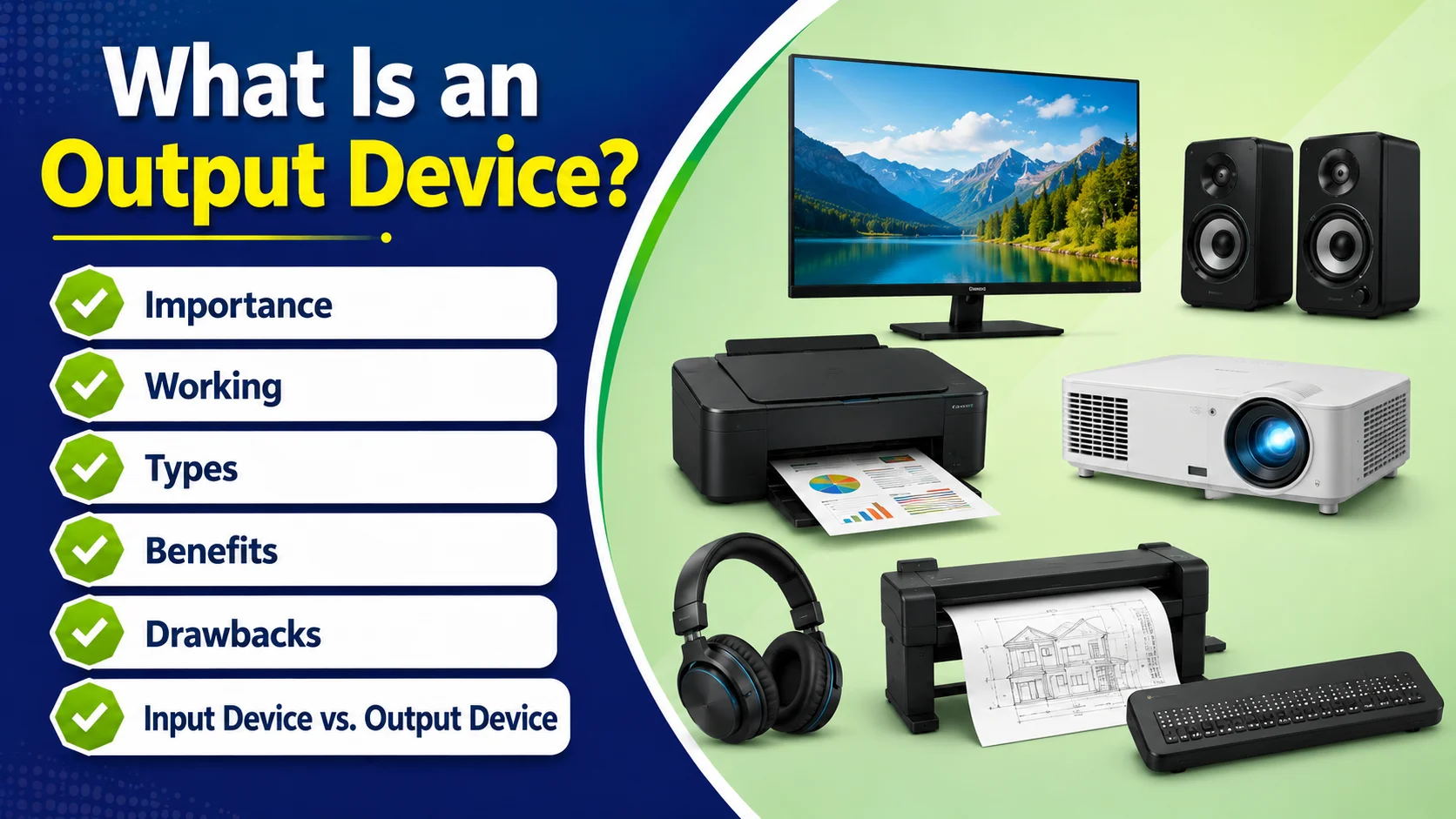
Understanding output device meaning can make it easier to understand how a computer communicates with users. In this article, we will explain what are output devices of computer, why they are important, how they work, the main types of output devices, and common examples.
We will also cover their benefits, drawbacks, common problems, and the difference between input and output devices.
What are Output Devices
Definition: “An output device is a hardware component that receives processed data from a computer and presents the results to the user in a readable or understandable form”.
This is a simple definition for output devices and explains their basic purpose in a computer system. Here are some main points to remember:
- The output of computer system is delivered through suitable output devices.
- Different devices output information in different forms, depending on their function.
- These pc output devices allow users to view, hear, or receive the results produced by the computer.
- Common output devices examples are monitors, printers, speakers, headphones, and projectors.
What is Output unit? This term refers to the part of a computer system responsible for presenting processed results to the user. It is the alternative term of output device.
How Do Output Devices Work?
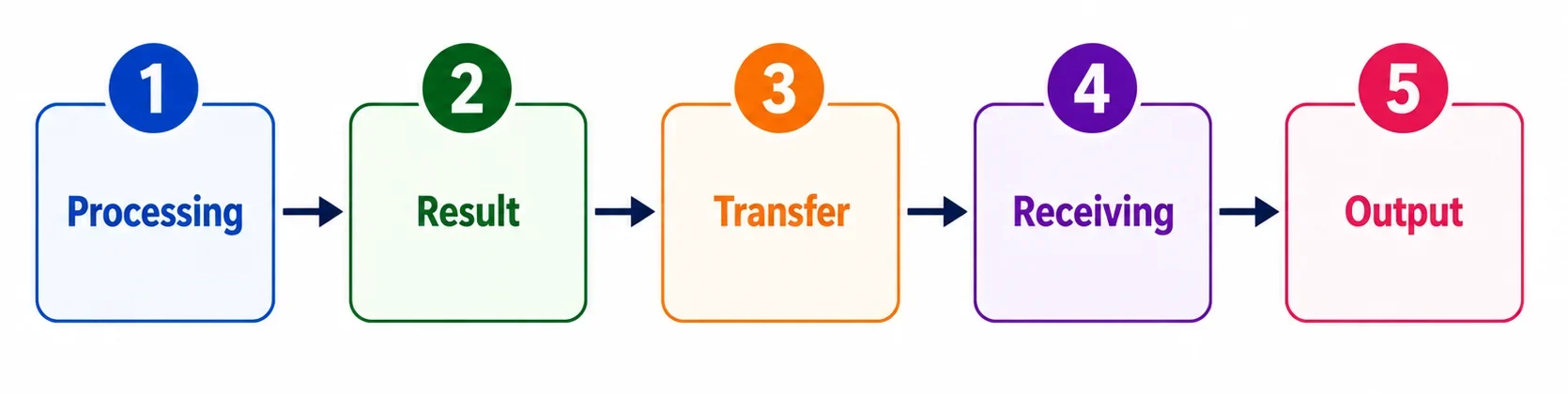
- Processing: The cpu processes the given data and instructions.
- Result: After processing the required result is generated in computer language.
- Transfer: The processed data is sent to the suitable output device.
- Receiving: The device receives and converts the data into a form the user can understand, such as text, images, sound, or printed documents.
- Output: The user can see, hear, or physically receive the final output. This is how computer output is presented to the user.
Importance of Output Devices
Without them, it would be difficult to understand what the computer has processed or completed. For example, without a monitor, you could not easily see text, images, or videos.
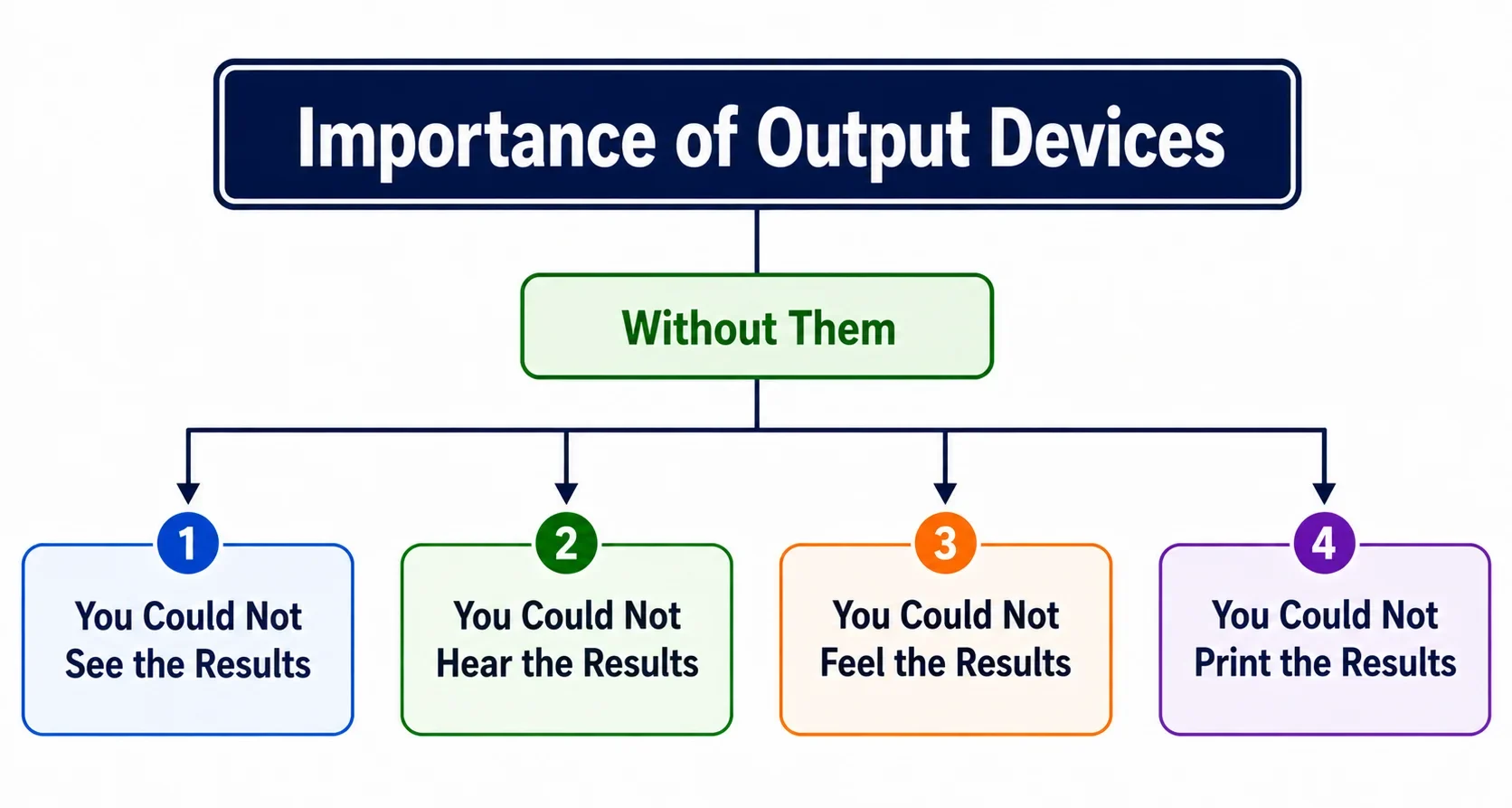
Without speakers, you could not hear computer-generated sound. Without printer, you could not print digital data, Without Braille Display, visual impaired people could not feel.
If output devices were not available, Computers still processed data but recieving result from computer will be very difficult. This explains what is the purpose of an output device in a computer system.
Types of Output Devices
Output devices come in different types, and each one presents computer results in a different form. Main types are:
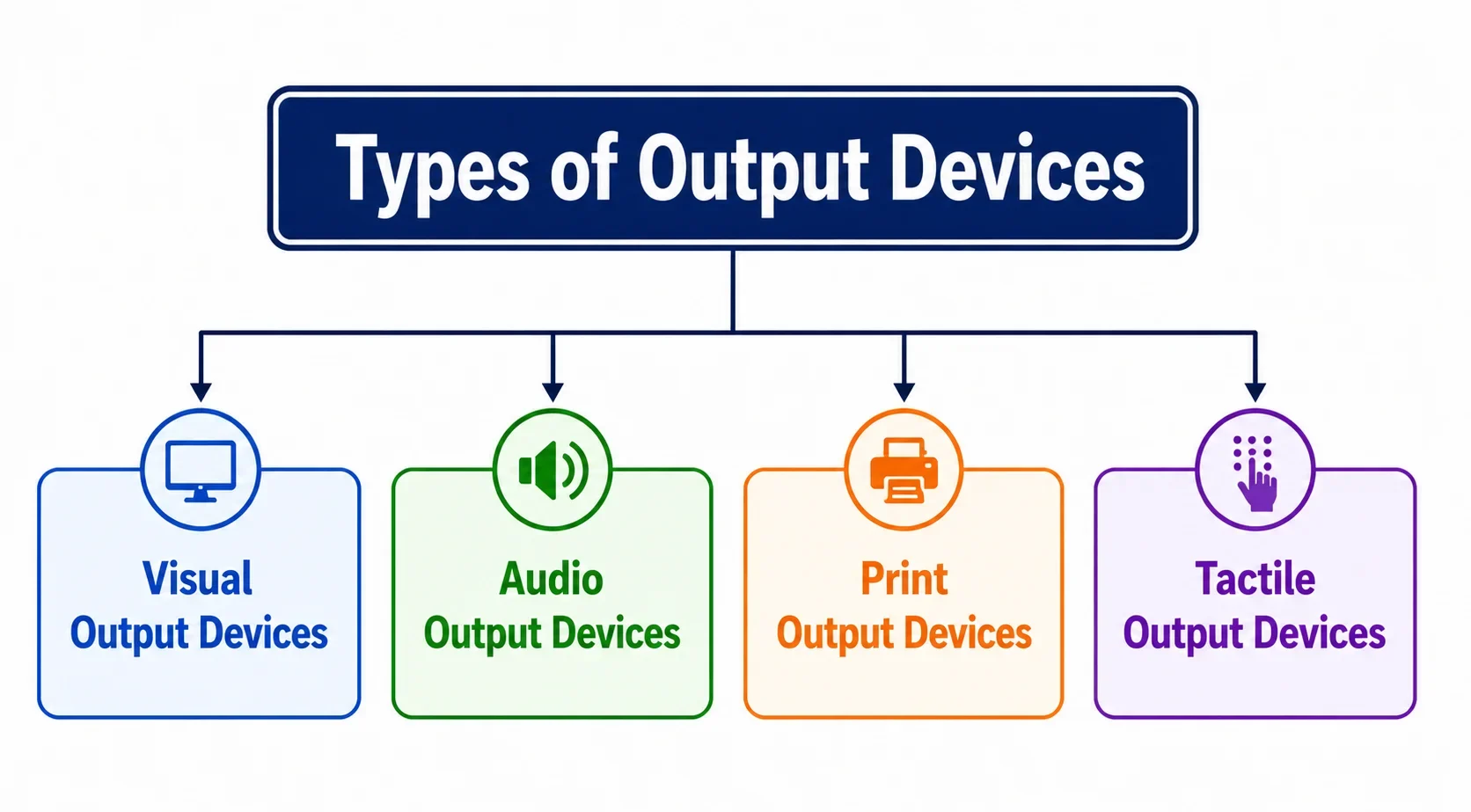
- Visual Output Devices: These devices display the text, images, videos, and other information on a screen.
- Audio Output Devices: These devices produce sound from the computer, such as music, voice, and alerts.
- Print Output Devices: These devices produce a physical copy of digital information on paper or other materials.
- Tactile Output Devices: These devices provide information through physical sensations or touch, Especially helping visually impaired users to interact with digital content.
Common Output Devices of Computer
We use many output devices in our daily lives, often without even noticing.
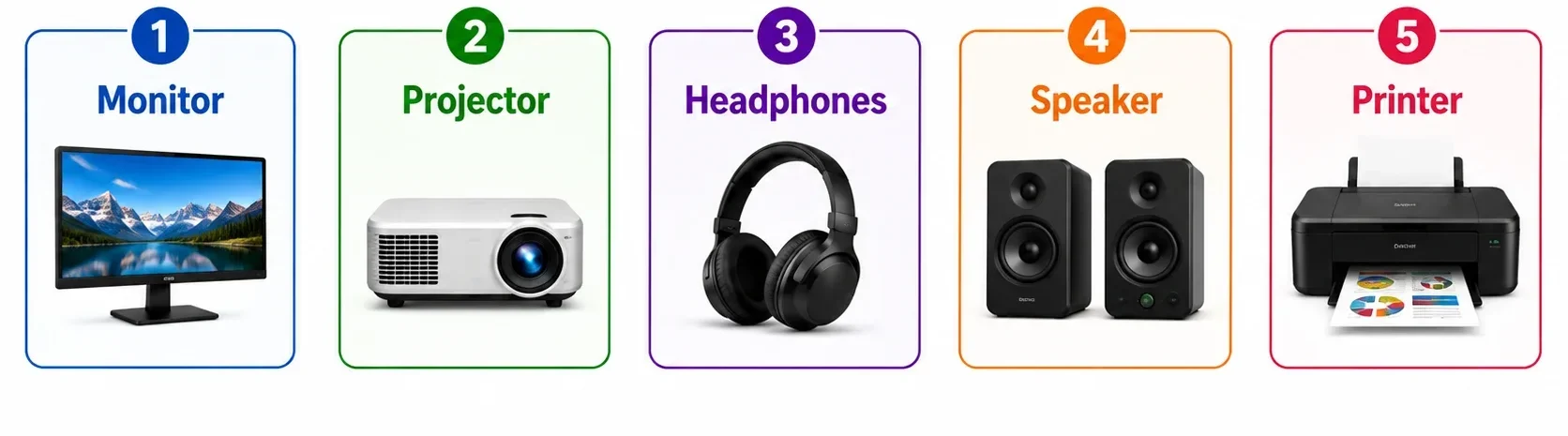
In this section, we will look at five common output devices: monitor, projector, headphones, speaker, and printer, along with their basic functions and uses and types.
1. Monitor
A monitor is an visual output device, it is a screen that shows the computer’s processed information, including text, images, videos, and graphics.
It works like a window between the user and the computer, making digital results easy to see and understand. Modern monitors can also offer features like high resolution, touch support, and fast refresh rates.
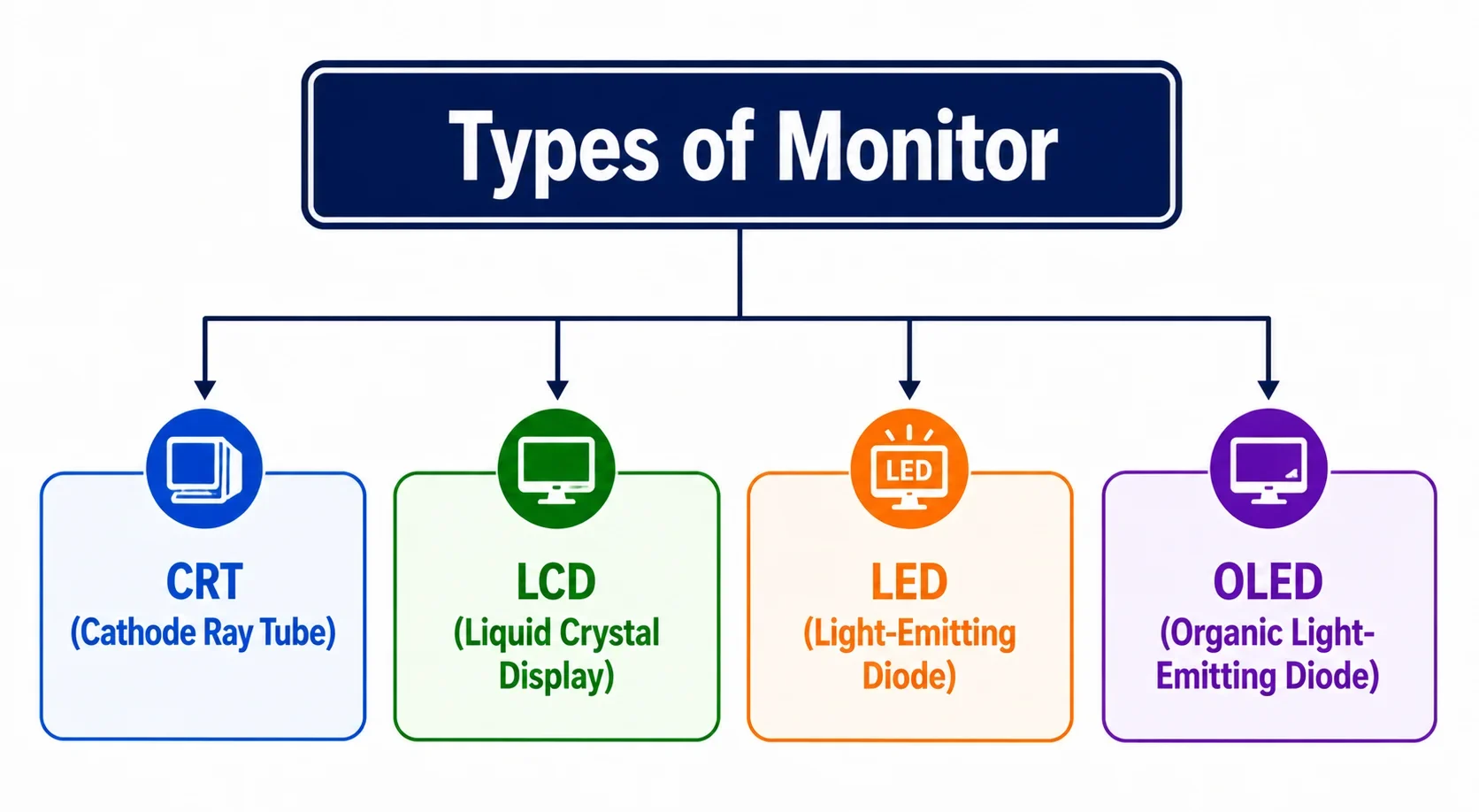
- CRT (Cathode Ray Tube): An older type of monitor that uses a large tube to display images on the screen.
- LCD (Liquid Crystal Display): A thin and lightweight monitor that uses liquid crystals to display images.
- LED (Light-Emitting Diode): A modern type of display that uses LED backlighting to produce bright and clear images.
- OLED (Organic Light-Emitting Diode): A display technology in which each pixel produces its own light, providing deep blacks and high contrast.
2. Projector
A projector is an visual output device that displays computer content, such as presentations, videos, and images, on a large screen or wall.
It is especially useful in classrooms, offices, and meetings because many people can view the same content at once. Modern projectors can produce sharp, bright images even on large screens.
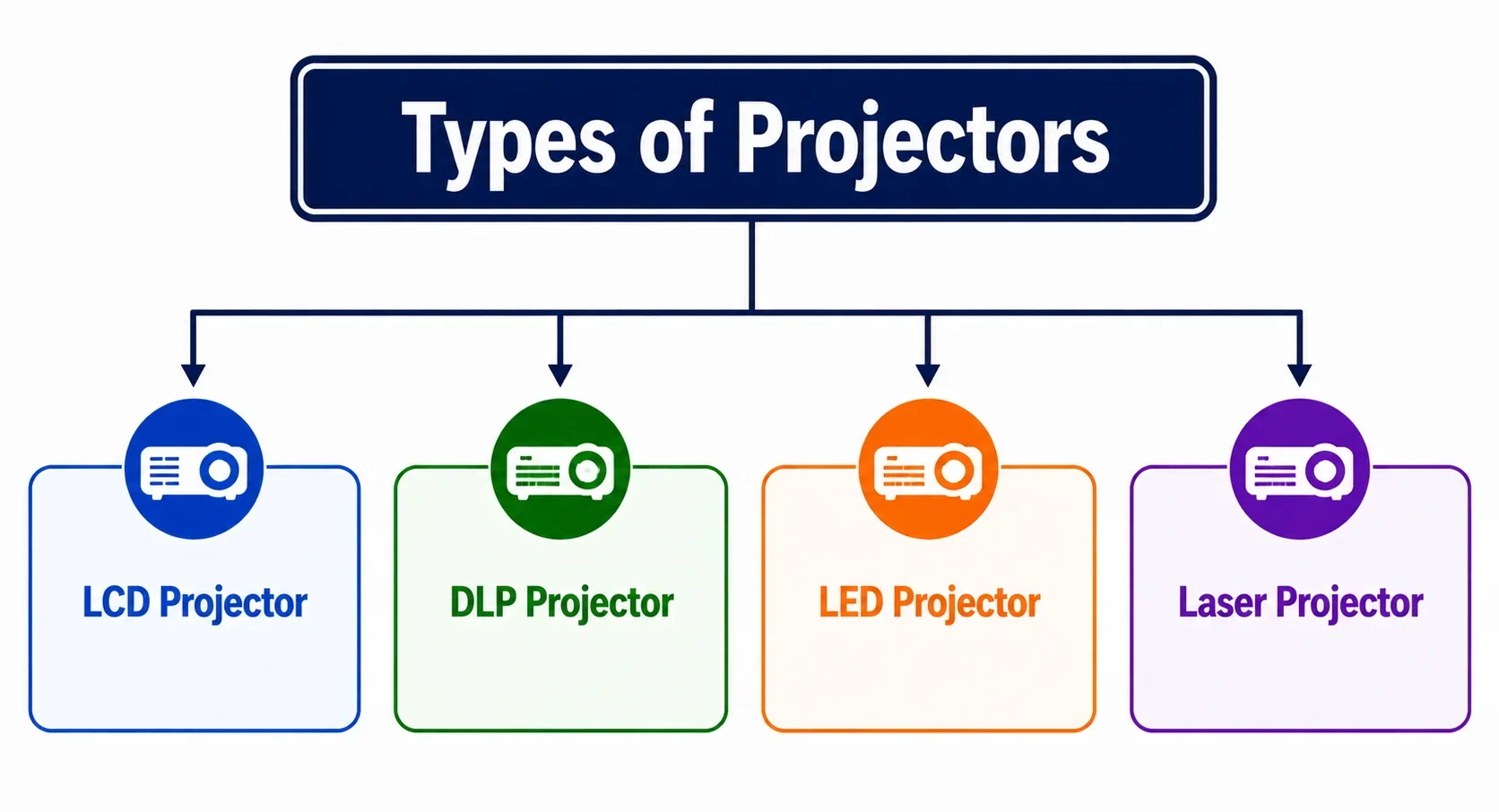
- LCD Projector: Uses liquid crystal panels to display bright and colorful images.
- DLP Projector: Uses tiny mirrors to project sharp images and videos.
- LED Projector: Uses LED lights as its light source and usually has a longer lamp life.
- Laser Projector: Uses laser light to produce bright, clear, and high-quality images.
3. Headphones
Headphones are an audio output device that convert computer signals into sound and let you listen privately.
They are useful for music, videos, online classes, and calls, while keeping the sound from disturbing people nearby. Modern headphones can also use noise cancellation to reduce unwanted background sounds.
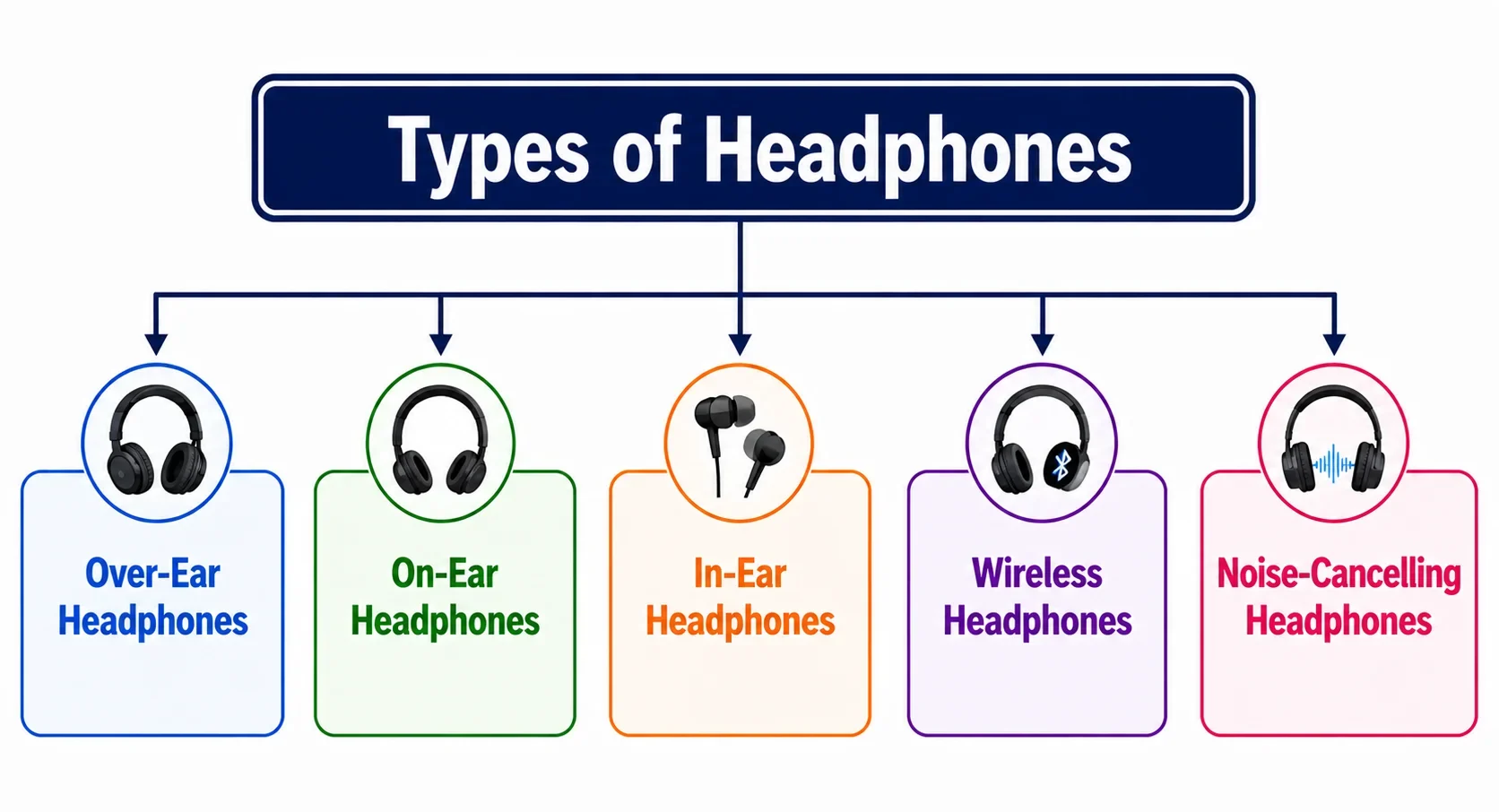
- Over-Ear Headphones: Cover the entire ear and provide good sound quality and noise isolation.
- On-Ear Headphones: Rest on the ears and are smaller and lighter than over-ear headphones.
- In-Ear Headphones: Fit inside the ear canal and are compact and easy to carry.
- Wireless Headphones: Connect to a computer or other device without a cable, usually through Bluetooth.
- Noise-Cancelling Headphones: Reduce outside noise to provide a clearer and more focused listening experience.
4. Speaker
A speaker is an audio output device that converts computer signals into sound, allowing you to hear music, videos, voices, and alerts. Unlike headphones, speakers let sound fill the room, so several people can listen at the same time.
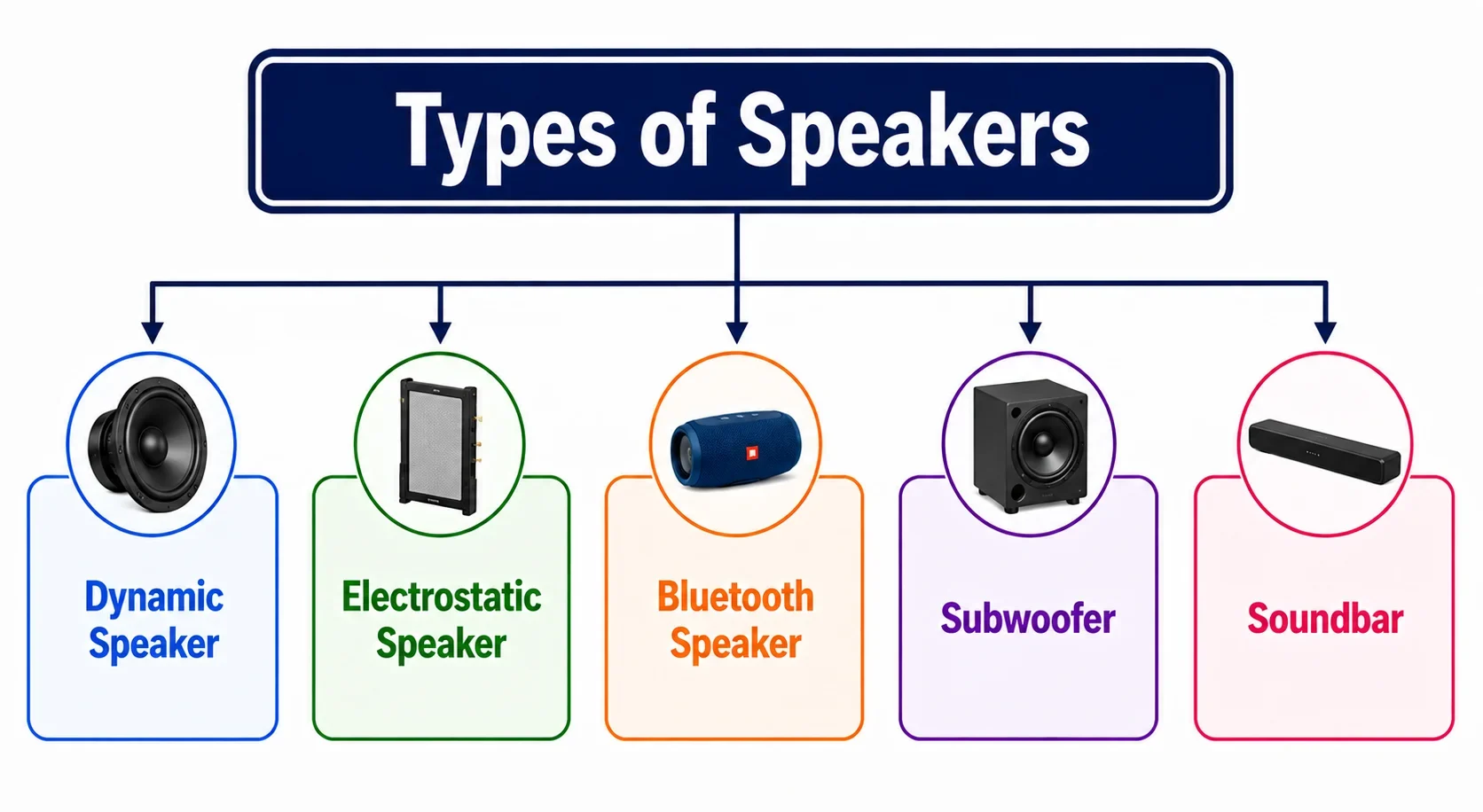
- Dynamic Speaker: Uses a cone and magnetic field to produce sound. It is commonly used in computers and home audio systems.
- Electrostatic Speaker: Uses electrically charged plates to create sound with high detail and clarity.
- Bluetooth Speaker: Connects wirelessly to a computer or other device using Bluetooth.
- Subwoofer: Produces deep, low-frequency sounds such as bass in music and movies.
- Soundbar: A long, slim speaker system designed to provide better sound from computers, TVs, and other devices.
5. Printer
A printer is a print output device that turns digital documents, images, and other computer information into physical copies. It is useful when you need to keep, share, or use information on paper, such as assignments, reports, receipts, or photos.
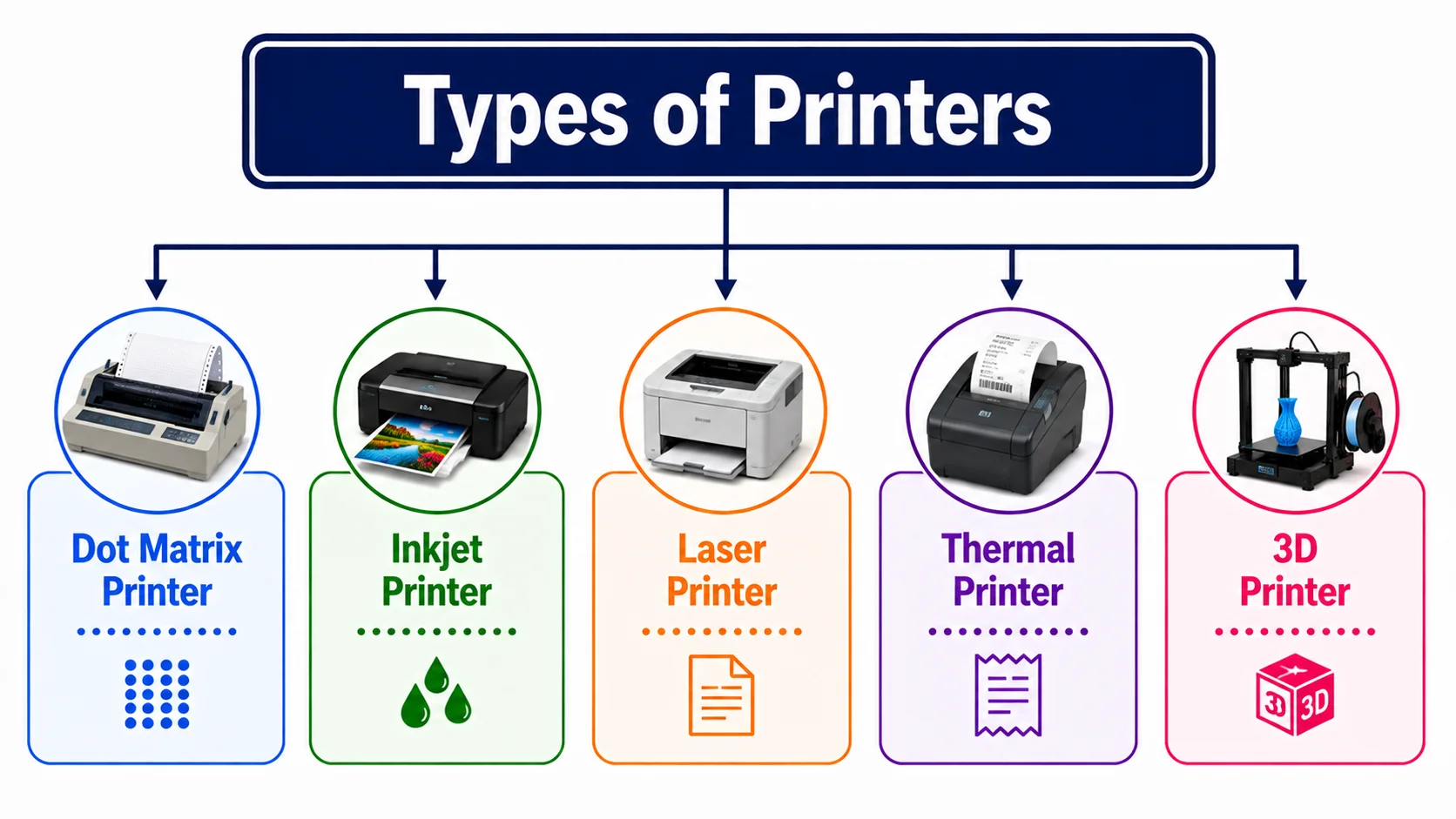
- Dot Matrix Printer: Uses tiny pins and an ink ribbon to print characters and images. It is commonly used for invoices and multi-part forms.
- Inkjet Printer: Sprays tiny drops of ink onto paper to produce text and colorful images.
- Laser Printer: Uses a laser beam and toner to print documents quickly with sharp text.
- Thermal Printer: Uses heat to print on heat-sensitive paper. It is commonly used for receipts and labels.
- 3D Printer: Creates three-dimensional objects by adding material layer by layer. It is special output device due to its working & purpose.
6. Special Output Devices of Computer
Special output devices are designed for specific tasks that go beyond the basic display, sound, or printing of information. They are useful in fields such as engineering, design, education, and accessibility. In this section we’ll take a look on special purpose output devices:
1. Plotter
A plotter is a print output device that produces large, detailed drawings and graphics on paper or other materials. It is commonly used in engineering, architecture, and design to create accurate maps, blueprints, and technical drawings.
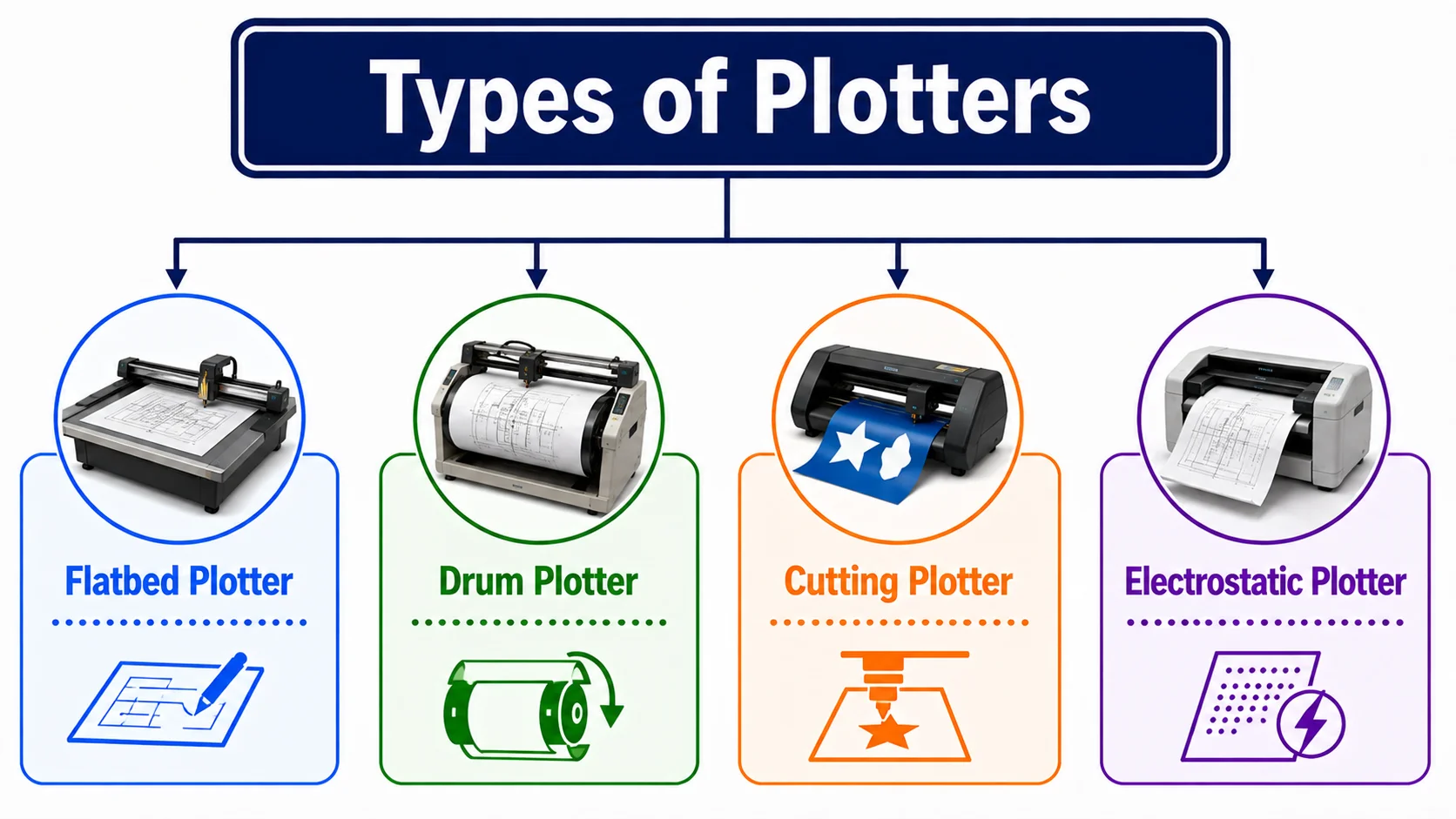
- Flatbed Plotter: Holds the paper flat while a pen moves across the surface to create drawings.
- Drum Plotter: Uses a rotating drum to move the paper while the drawing tool creates the design.
- Cutting Plotter: Uses a sharp blade to cut shapes, letters, and designs from materials such as vinyl.
- Electrostatic Plotter: Uses electrostatic charges and toner to produce high-quality technical drawings.
2. 3D Printer
A 3D printer is a special output device that turns a digital 3D design into a physical object. It builds the object layer by layer using materials such as plastic, resin, or other suitable materials.
3D printers are used to create prototypes, models, tools, spare parts, and educational projects. Unlike a regular printer, it produces three-dimensional objects instead of flat prints.
3. Braille Display
A Braille display is a tactile output device designed to help visually impaired users access digital information. It uses small movable pins that rise and fall to form Braille characters from the text shown on a computer. Users can read the changing characters with their fingertips.
Applications of Output Devices
Output devices are used in many areas of daily life and professional work.
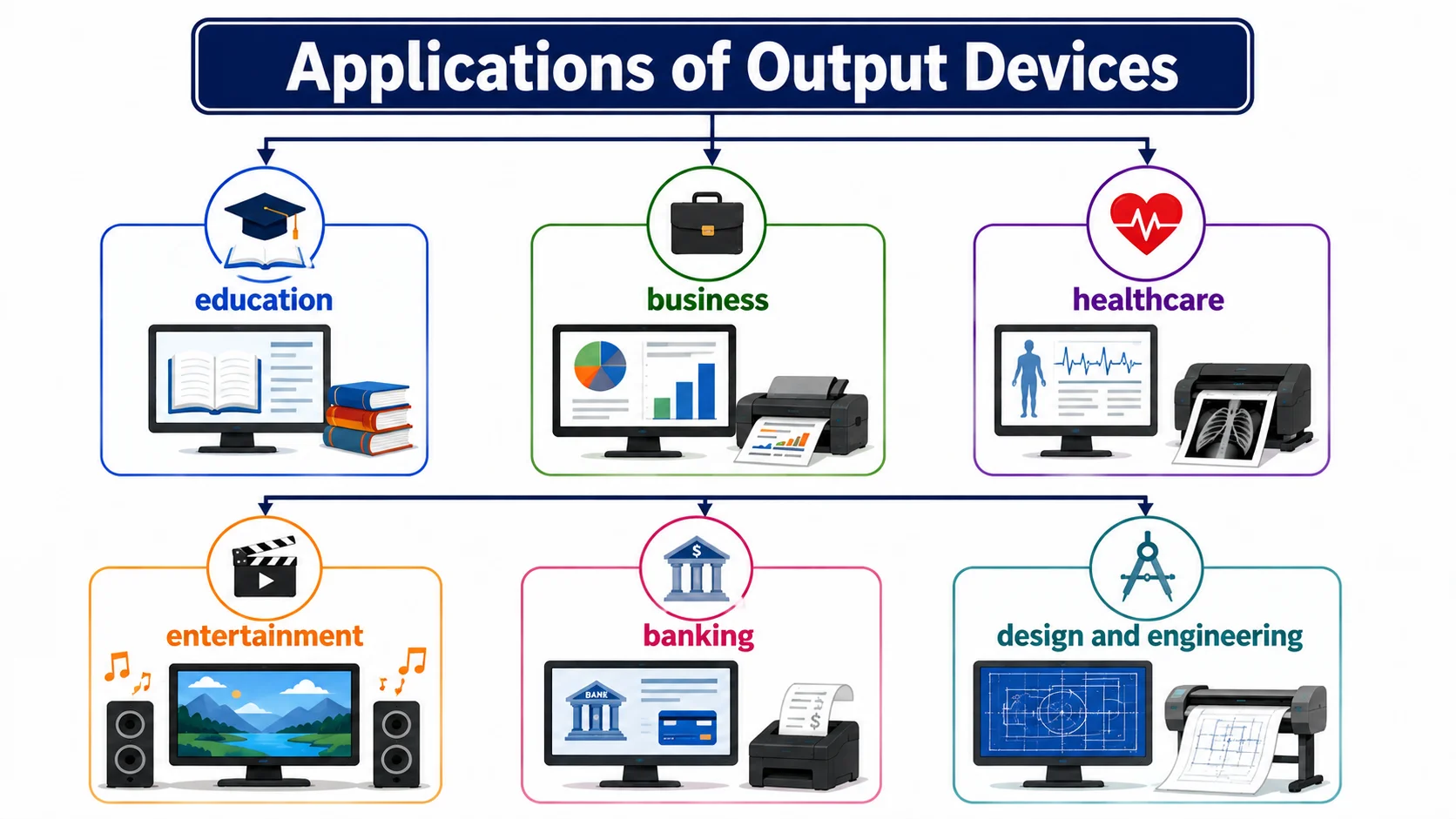
- In education, monitors, projectors, and speakers help students learn through presentations, videos, and online classes.
- In business, monitors and printers are used to view reports, prepare documents, and print important records.
- In healthcare, output devices display medical information and print test reports.
- For entertainment, monitors, speakers, headphones, and projectors help us enjoy movies, music, games, and videos.
- In banking, displays and printers provide transaction details and receipts.
- Output devices are also useful in design and engineering, where monitors and plotters help professionals view and produce drawings, designs, and technical plans.
These applications show how output devices of computer systems are used in different fields.
Benefits of Output Devices
- Make Information Easy to Understand: Monitors, speakers, and projectors present computer results in visual or audio form, making information easier to understand.
- Help Us Work Faster: Output devices quickly show the results of our work, so we can check documents, calculations, designs, and other tasks without waiting.
- Make Communication Easier: Speakers, headphones, and screens help us communicate through video calls, online classes, meetings, and other digital platforms.
- Support Learning and Education: Projectors, monitors, and speakers make lessons more interactive. Students can watch videos, view diagrams, and listen to explanations.
- Provide Physical Copies: Printers allow us to turn digital documents, photos, reports, and assignments into physical copies when needed.
- Help in Professional Work: Large monitors, projectors, and printers help professionals present designs, reports, charts, and other important information clearly.
Drawbacks of Output Devices
- Some advanced output devices can be costly.
- Devices may need regular cleaning, repairs, or replacement parts.
- Some output devices use a significant amount of electricity.
- Wired and wireless devices may sometimes have connection issues.
- Some output devices may not work properly with every computer or operating system.
Common Output Device Problems and Troubleshooting
Output devices can sometimes stop working properly because of connection problems, outdated drivers, power issues, or hardware faults. Here are some common problems and simple ways to fix them:
- Monitor Not Displaying: Check the power and display cables, then restart the computer.
- Printer Not Printing: Check the paper, ink or toner, connection, and printer status.
- No Sound: Check the volume, audio connection, and selected output device.
- Projector Not Showing Content: Check the cable connection and make sure the correct display source is selected.
- Poor Print or Display Quality: Clean the device, check its settings, and update its driver if needed.
- Device Not Recognized: Reconnect the device, try another port, or update/reinstall its driver.
Output Device vs. Input Device
| Output Device | Input Device |
|---|---|
| Receives processed data from the computer | Sends data and commands to the computer |
| Presents computer results to the user | Allows the user to enter data and instructions |
| Converts processed data into a form the user can understand | Converts user actions into signals the computer can process |
| Used to display, play, or print information | Used to enter text, sound, images, or commands |
| Works mainly after data has been processed | Works mainly before or during data processing |
| Examples: Monitor, printer, speakers, projector | Examples: keyboard, mouse, microphone, scanner |
Final Thoughts
Output devices play an important role in helping us receive and understand the results produced by a computer. From monitors and speakers to printers, projectors, plotters, 3D printers, and Braille displays, each device presents information in a different way.
They make computers more useful in education, business, healthcare, entertainment, and many other fields. Although output devices can have problems or require maintenance, their benefits make them an essential part of modern computer systems.
If you have any questions about output devices, feel free to ask in the comments.


- Be Respectful
- Stay Relevant
- Stay Positive
- True Feedback
- Encourage Discussion
- Avoid Spamming
- No Fake News
- Don't Copy-Paste
- No Personal Attacks
- Be Respectful
- Stay Relevant
- Stay Positive
- True Feedback
- Encourage Discussion
- Avoid Spamming
- No Fake News
- Don't Copy-Paste
- No Personal Attacks
