What is Mouse Sensor? Types | DPI – Sensor Accuracy | Mistakes & Tips
Published: 23 Apr 2026
A mouse sensor is one of the important parts of mouse. It detects movement. It is located at the bottom of the mouse and works like the eye of the mouse.
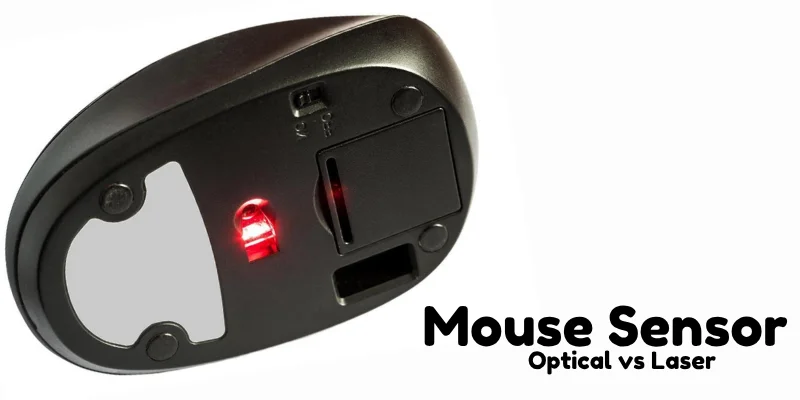
When you move the mouse on a surface, the sensor tracks the movement and sends signals to the computer, which moves the cursor on the screen. Without a sensor, the mouse would not know where to move.
Types of Mouse Sensors
Different computer mice use different types of sensors to detect movement. The two main types of mouse sensors, each working in a slightly different way. Let’s take a look:
1. Optical Sensor
An optical sensor is a type of mouse sensor that uses an LED light to detect movement. It shines a small red light on the surface and takes thousands of tiny pictures every second.
By comparing these pictures, the sensor understands how the mouse is moving. This movement is then sent to the computer, which moves the cursor on the screen smoothly.
2. Laser Sensor
A laser sensor is an advanced type of mouse sensor that uses a laser beam instead of LED light to track movement. The laser can detect very small surface details, making the mouse more accurate and sensitive.
It works by scanning the surface continuously and sending movement data to the computer. Because of its high precision, laser sensors are often used in gaming and professional work.
DPI and Sensor Accuracy
DPI stands for Dots Per Inch, and it shows how sensitive a mouse sensor is. A higher DPI means the cursor moves faster on the screen with small hand movement, while a lower DPI gives better control and precision. Sensor accuracy depends on DPI because it helps the mouse track movement smoothly and correctly.
Common Mistakes Students Make
- Using the mouse on glass or shiny surfaces where the sensor cannot track properly.
- Not cleaning the bottom sensor, causing slow or jumping cursor movement.
- Thinking mouse buttons move the cursor instead of the sensor.
- Moving the mouse too fast on a rough or uneven surface.
- Keep the bottom sensor clean and free from dust.
- Use a mouse pad for smooth and accurate movement.
- Avoid using the mouse on glass or very shiny surfaces.
- Do not scratch or touch the sensor directly.
- Clean the mouse regularly to maintain good performance
Final Words
In this article, we learned what a mouse sensor is, how it works, and the types of mouse sensors used in modern mice. We also understood DPI, sensor accuracy, common mistakes, and care tips. The mouse sensor is truly the eye of the mouse that helps move the cursor smoothly on the screen.
If you have any confusion or questions, you can always ask in comments.



- Be Respectful
- Stay Relevant
- Stay Positive
- True Feedback
- Encourage Discussion
- Avoid Spamming
- No Fake News
- Don't Copy-Paste
- No Personal Attacks
- Be Respectful
- Stay Relevant
- Stay Positive
- True Feedback
- Encourage Discussion
- Avoid Spamming
- No Fake News
- Don't Copy-Paste
- No Personal Attacks
