What is Laser Mouse | Parts | Uses & Comparision
Published: 15 Sep 2026
A laser mouse is a type of computer mouse that uses a tiny laser beam to detect movement and control the cursor on a screen.
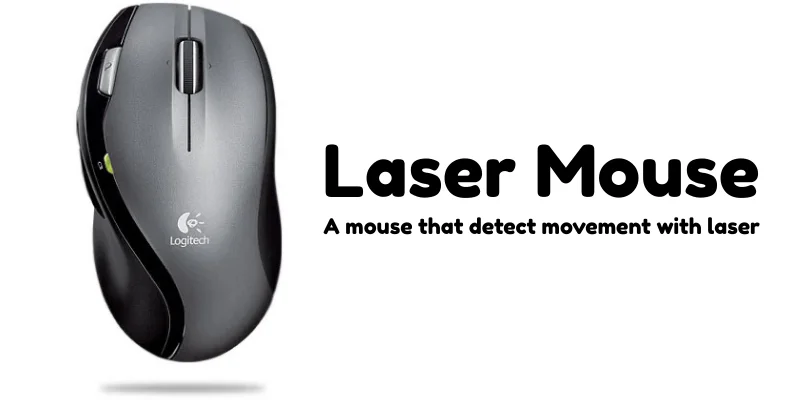
It works by shining a laser on the surface beneath it. The sensor inside the mouse analyzes tiny details of that surface and converts your hand movements into cursor movements on the computer screen. Because of this technology, a laser mouse can work on almost any surface, even glass or shiny desks.
Main Parts of a Laser Mouse
Laser Sensor
The laser sensor is the most important part of a laser mouse. It uses a small laser beam to detect the movement of the mouse on a surface and sends that information to the computer.
Left Button
The left button is the primary button used for most actions, such as selecting items, opening files, and clicking links.
Right Button
The right button is used to open context menus that provide additional options for files, folders, or programs.
Scroll Wheel
The scroll wheel allows users to move up and down through pages, documents, and websites easily. In many mice, it can also be pressed like a button.
Body / Shell
The body or shell is the outer covering of the mouse. It protects the internal components and provides a comfortable grip for the user.
Circuit Board
The circuit board is the internal electronic component that processes signals from the sensor and buttons and sends them to the computer.
Cable or Wireless Receiver
A wired laser mouse uses a cable to connect to the computer, while a wireless laser mouse uses a small USB receiver or Bluetooth connection.
Uses of Laser Mouse
- Gaming: Laser mice are often used in gaming because they provide higher precision and faster tracking, which helps players control movements more accurately.
- Graphic Designing: Designers use laser mice for detailed work such as editing images, drawing shapes, and making precise adjustments in design software.
- Working on Different Surfaces: Unlike many regular mice, a laser mouse can work on a wider variety of surfaces, including glossy desks or smooth tables.
- Professional Office Work: In offices where accuracy and smooth cursor control are important, laser mice help users work more efficiently.
- Technical and Engineering Tasks: Laser mice are useful for tasks like CAD designing or 3D modeling, where precise cursor movement is very important.
Laser Mouse vs Optical Mouse
| Feature | Laser Mouse | Optical Mouse |
|---|---|---|
| Light Source | Uses a laser beam for tracking | Uses an LED (usually red light) |
| Tracking Accuracy | More sensitive and precise | Good accuracy, but slightly less than laser |
| Surface Compatibility | Works on almost all surfaces (even shiny ones) | Works best on non-glossy, matte surfaces |
| Sensitivity (DPI) | Usually higher DPI | Moderate DPI |
| Price | Generally more expensive | Usually more affordable |
| Best For | Gaming, designing, professional work | Regular home and office use |
| Battery Usage (Wireless) | May consume slightly more power | Usually consumes less power |
| Advantages of Laser Mouse |
|---|
|
| Disadvantages of Laser Mouse |
|---|
|
Final Words
In this article, we learned what a laser mouse is and how it works as a modern computer input device. We also discussed its main parts, common uses, as well as its advantages and disadvantages.
My advice is that if you need smooth movement and better accuracy for your work or gaming, a laser mouse can be a great choice. However, for simple everyday tasks, the optical mouse, that is also known as regular mouse is best.



- Be Respectful
- Stay Relevant
- Stay Positive
- True Feedback
- Encourage Discussion
- Avoid Spamming
- No Fake News
- Don't Copy-Paste
- No Personal Attacks
- Be Respectful
- Stay Relevant
- Stay Positive
- True Feedback
- Encourage Discussion
- Avoid Spamming
- No Fake News
- Don't Copy-Paste
- No Personal Attacks
