What is CPU | Parts – Features | Types & History
Published: 15 Sep 2026
Doesn’t it make you question what’s actually controlling everything inside your device? No worries, we will clear up everything today together.
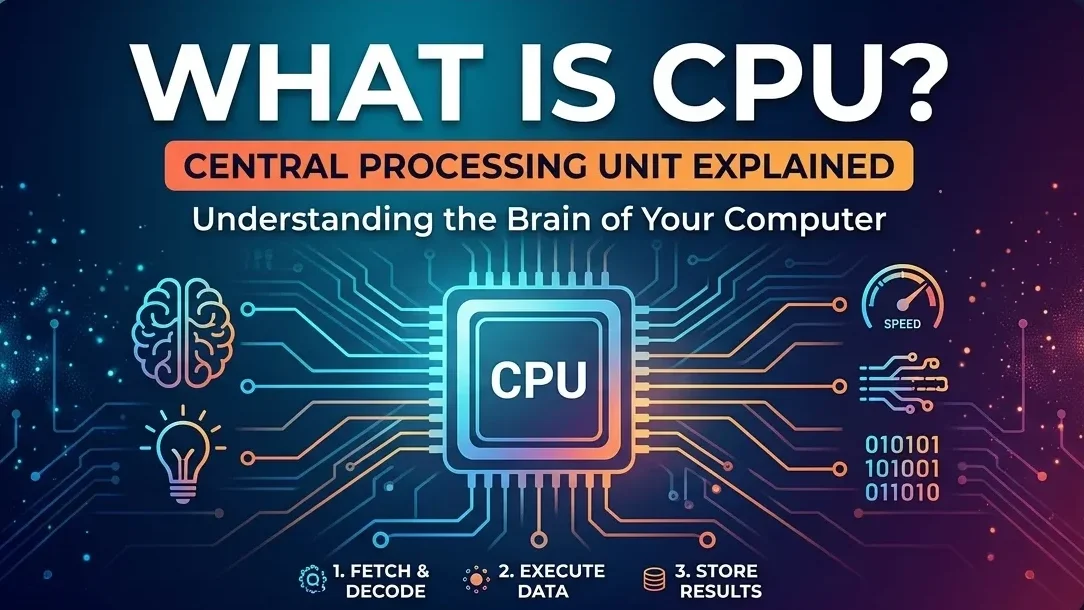
We’ll walk through what a CPU is, why it matters, how it works, and what makes it the real powerhouse inside your device. Stay with me, and it’ll all start making sense.
Definition
The CPU, or Central Processing Unit, is the main chip in a computer that handles all the instructions your system needs to run. It takes input, processes it, and sends out the results so your device can perform tasks smoothly. Simply, it is the brain of the Computer.
Parts of a CPU
The CPU is made up of a few tiny parts that work together to handle everything. Let me explain for you:
- Control Unit (CU): It acts like a supervisor. It directs the flow of data, tells other components what to do, and manages the execution of instructions.
- Arithmetic Logic Unit (ALU): This is where all the math and logic happen. It performs calculations, comparisons, and decision-making operations.
- Registers: These are tiny, super-fast storage spots inside the CPU. They hold the data and instructions the processor needs right away.
- Cache Memory: This is a small but high-speed memory built into the CPU. It stores frequently used data so the processor can access it quickly without waiting for the main RAM.
- Clock: The clock controls the timing of all operations. It sends rapid pulses that keep everything moving in sync and determine how fast the CPU can process data.
History
The first commercial CPU came in 1971 when Intel introduced the 4004, a small 4-bit chip that quietly started a huge revolution. After the 4004, Intel released the 8008 in 1972. This one stepped up to an 8-bit design, which made it more powerful and capable of handling bigger tasks.
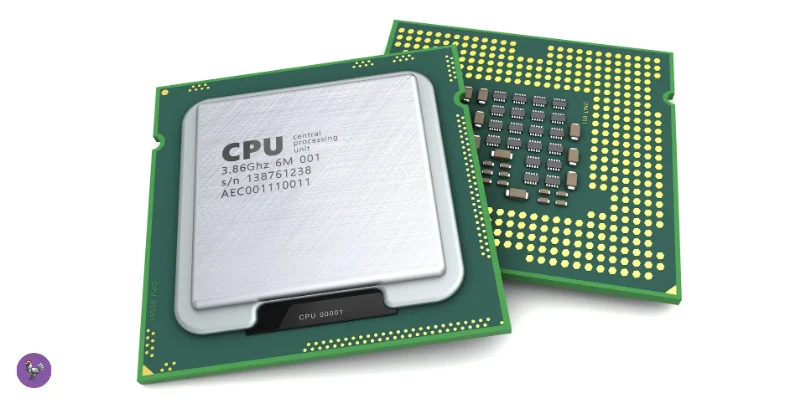
Then came the Intel 8080 in 1974, and this one changed everything. It was faster, more efficient, and strong enough to power the first generation of personal computers. Many experts consider it the true starting point of modern computing because of how widely it was used.
After that, things changed fast. CPUs evolved from handling tiny instructions to powering full computers, moving from 4-bit to 8-bit, then 16-bit, 32-bit, and eventually the powerful 64-bit processors we use today.
| Advantages of CPU |
|---|
|
| Disadvantages of CPU |
|---|
|
Types of CPU
I write the main types of cpu in the short bullet points for your ease. Take a look, please:
- Single-Core CPU: Has one processing core; handles one task at a time.
- Dual-Core CPU: Two cores; better multitasking and performance than a single-core.
- Quad-Core CPU: Four cores; handles heavy apps and multitasking smoothly.
- Hexa-Core CPU: Six cores; ideal for gaming, video editing, and demanding tasks.
- Octa-Core CPU: Eight cores; best for high-performance computing and multitasking.
- Server/Enterprise CPUs: Designed for servers; focus on reliability and multi-threading.
Is bit and core is same?
bit and core are not the same, and mixing them up is super common, so don’t worry. Let me explain this simply for you:
Core:
A core is an individual processing unit inside a CPU that can execute tasks independently. More cores mean the CPU can handle more tasks at the same time, improving multitasking and performance. Think of it as a “worker” inside the CPU. More cores = more workers = better multitasking.
Bit:
A bit (short for “binary digit”) is the smallest unit of data in a computer, which can be either 0 or 1. It’s the basic building block that CPUs use to process information. When we say a 32-bit CPU handles data in 32-bit chunks, it means the CPU processes 32 bits of data at once. Similarly, a 64-bit CPU processes 64 bits at once.
Bigger bits = can handle bigger numbers and access more memory, exactly! That’s why modern computers are mostly 64-bit – they can work with huge amounts of data and memory.
Here are some simple CPU care & maintenance tips which can make it long-last:
- Keep it Cool: Use a good CPU fan or cooler to prevent overheating.
- Clean Dust Regularly: dust can block airflow and cause heat buildup.
- Avoid Overclocking: Don’t push your CPU beyond safe limits unless you know what you’re doing.
- Use Thermal Paste Properly: Helps transfer heat from the CPU to the cooler efficiently.
- Update BIOS & Drivers: Keeps CPU running smoothly with latest performance improvements.
- Good Ventilation: Make sure your PC case has proper airflow.
- Handle Carefully: Avoid physical shocks when installing or moving the CPU.
Final Words
In this guide, we have explored everything about the CPU, from its functions and components to its history, advantages, disadvantages, types, and even how to maintain it.
My personal advice? Understanding your CPU can really help you get the best performance from your computer and keep it running smoothly. Keep learning with me, and soon, all the inner workings of your computer will feel much clearer!
PC (Personal Computer) is the complete system that you use. It includes the monitor, CPU, keyboard, mouse, and other parts. A PC lets you do work like typing, browsing, and studying.
CPU (Central Processing Unit) is the main processing part inside the computer. It performs calculations, processes instructions, and controls all activities of the computer. That’s why it is called the brain of the computer.
💡In short:
- PC (Personal Computer)= whole computer system.
- CPU (Central Processing Unit)= main processing unit inside the PC.
CPU is the brain of the computer. It processes instructions, performs calculations, and controls all other parts. Without a CPU, the PC has no way to think, process, or start.
💡Easy exam line:
“A PC cannot run without a CPU because the CPU controls all operations.”
Usually, A computer has one CPU. That single CPU may have multiple cores inside it, but it is still considered one CPU.
- 1 CPU: can have 2, 4, 6, or more cores inside the CPU.
L1, L2, and L3 are levels of cache memory inside the CPU. Cache memory stores frequently used data so the CPU can work faster.
L1 Cache (Level 1)
- Smallest and fastest cache
- Located closest to the CPU core
- Stores the most important data
L2 Cache (Level 2)
- Larger than L1 but a little slower
- Stores data used often by the CPU
- Helps reduce delay
L3 Cache (Level 3)
- Largest cache among the three
- Shared between CPU cores
- Slower than L1 and L2, but still faster than RAM
💡Memory tip:
L1 = fastest, L2 = medium, L3 = largest ✅
L3 cache is faster than RAM.
L3 cache is inside the CPU and is designed to give data to the processor very quickly. RAM is outside the CPU, so it takes more time for the CPU to access it.
Simple comparison:
- L1 cache → fastest
- L2 cache → very fast
- L3 cache → fast
- RAM → slower than cache
💡 Easy exam line:
“L3 cache is faster than RAM but slower than L1 and L2 cache.”



- Be Respectful
- Stay Relevant
- Stay Positive
- True Feedback
- Encourage Discussion
- Avoid Spamming
- No Fake News
- Don't Copy-Paste
- No Personal Attacks
- Be Respectful
- Stay Relevant
- Stay Positive
- True Feedback
- Encourage Discussion
- Avoid Spamming
- No Fake News
- Don't Copy-Paste
- No Personal Attacks
